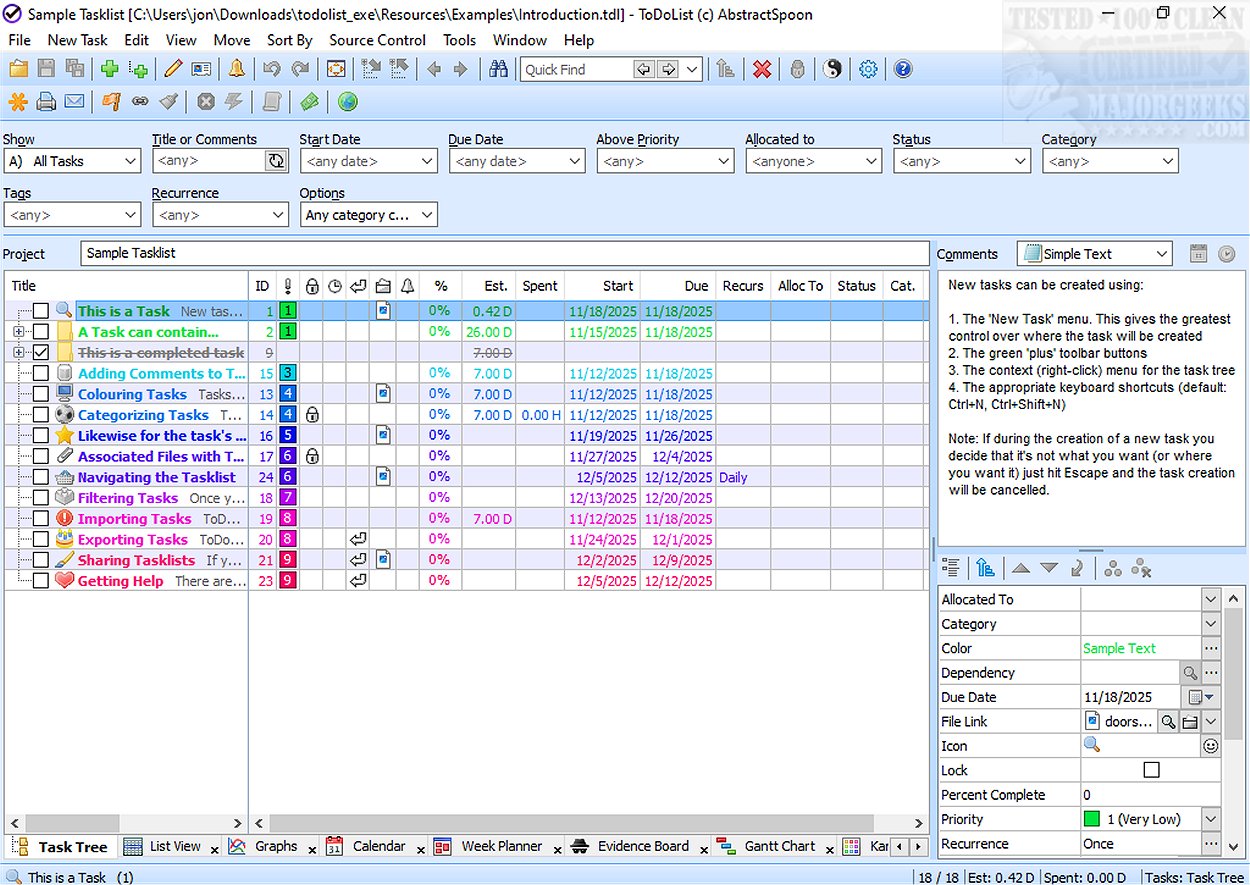
ToDoList has released version 9.2.5, enhancing its reputation as a versatile task management tool. This software is designed to help users manage complex projects by allowing them to break down tasks into smaller, manageable subtasks through a hierarchical structure. This functionality is particularly beneficial for IT projects and aligns well with the Getting Things Done (GTD) methodology.
Core Features
ToDoList organizes tasks in an XML file format, enabling users to apply stylesheets for improved formatting and printing, which enhances the visual presentation of task lists. This adaptability makes it suitable for a variety of purposes, from personal to-do lists to comprehensive project management systems for businesses. Additionally, ToDoList offers time-tracking and reporting capabilities, which are advantageous for client billing and progress monitoring.
Task Breakdown and Management
One of ToDoList's standout features is its ability to decompose complex tasks into smaller subtasks, allowing users to assign specific timelines, prioritize tasks, and define attributes for each subtask. As users complete subtasks, the progress of parent tasks is automatically updated, providing a clear overview of overall project progress.
Advanced Functionalities
The software includes several advanced features, such as archiving completed tasks, exporting task lists in various formats, and generating detailed reports to track progress and time spent on tasks. With tools for reminders, sorting, filtering, and drag-and-drop functionality, ToDoList aims to streamline the user experience significantly.
Flexible Viewing Options
To cater to diverse user preferences, ToDoList offers multiple methods for viewing and editing tasks, including calendar views, Gantt charts, graphical representations, mind maps, and workload views. This flexibility helps users choose the format that best suits their workflow, enhancing organization and focus.
Conclusion
Overall, ToDoList is a robust task management solution that caters to both personal and professional needs. Its flexibility and comprehensive feature set make it an ideal choice for individuals, businesses, and teams looking to improve their productivity and workflow efficiency. As ToDoList continues to evolve, it remains a top contender in the field of task management software.
Future Perspectives
Looking ahead, ToDoList could benefit from integrating AI-driven features to further optimize task management, such as predictive analytics for task completion, automated prioritization based on user behavior, and enhanced collaboration tools for team projects. These enhancements could solidify ToDoList's position as a leading tool in the competitive task management landscape
Core Features
ToDoList organizes tasks in an XML file format, enabling users to apply stylesheets for improved formatting and printing, which enhances the visual presentation of task lists. This adaptability makes it suitable for a variety of purposes, from personal to-do lists to comprehensive project management systems for businesses. Additionally, ToDoList offers time-tracking and reporting capabilities, which are advantageous for client billing and progress monitoring.
Task Breakdown and Management
One of ToDoList's standout features is its ability to decompose complex tasks into smaller subtasks, allowing users to assign specific timelines, prioritize tasks, and define attributes for each subtask. As users complete subtasks, the progress of parent tasks is automatically updated, providing a clear overview of overall project progress.
Advanced Functionalities
The software includes several advanced features, such as archiving completed tasks, exporting task lists in various formats, and generating detailed reports to track progress and time spent on tasks. With tools for reminders, sorting, filtering, and drag-and-drop functionality, ToDoList aims to streamline the user experience significantly.
Flexible Viewing Options
To cater to diverse user preferences, ToDoList offers multiple methods for viewing and editing tasks, including calendar views, Gantt charts, graphical representations, mind maps, and workload views. This flexibility helps users choose the format that best suits their workflow, enhancing organization and focus.
Conclusion
Overall, ToDoList is a robust task management solution that caters to both personal and professional needs. Its flexibility and comprehensive feature set make it an ideal choice for individuals, businesses, and teams looking to improve their productivity and workflow efficiency. As ToDoList continues to evolve, it remains a top contender in the field of task management software.
Future Perspectives
Looking ahead, ToDoList could benefit from integrating AI-driven features to further optimize task management, such as predictive analytics for task completion, automated prioritization based on user behavior, and enhanced collaboration tools for team projects. These enhancements could solidify ToDoList's position as a leading tool in the competitive task management landscape
ToDoList 9.2.5 released
ToDoList is a versatile task management tool that allows you to break down complex projects into manageable parts by repeatedly subdividing them, creating a hierarchy of simpler subtasks.