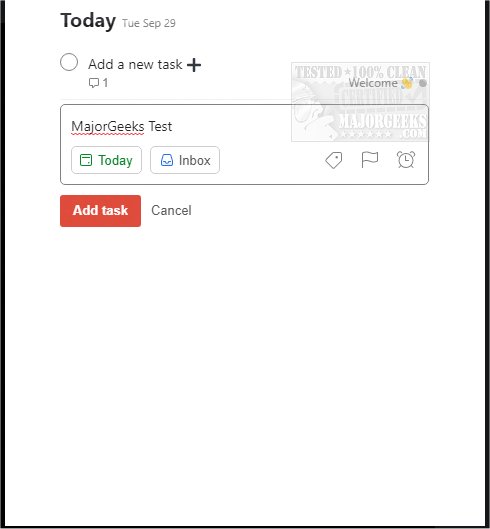
Todoist has released updates for its applications on Chrome, Firefox, Edge, Safari, and Android, enhancing its functionality as a powerful tool for organizing both work and personal tasks. With this latest version (12.21.3), users can streamline their daily activities by efficiently managing tasks, such as adding frequently visited websites as tasks or scheduling timely follow-ups on work-related assignments. Todoist enables users to visualize their day, allowing them to check off completed tasks directly from their browser without needing to switch between different platforms.
The application boasts over 60 integrations with popular services like Google Drive, Dropbox, Zapier, Evernote, and Slack, transforming it into a central hub for organization. Key features of Todoist include the ability to capture tasks immediately, set reminders for deadlines, establish recurring due dates for habits, collaborate with others by assigning tasks, prioritize activities, and track personal productivity trends.
To get started, users need to sign up with an email or an existing account. The article also suggests related topics, including uninstalling mail and calendar apps on Windows, enhancing browsing experience with Chrome flags, and resetting or repairing major browsers like Google Chrome, Firefox, and Edge.
In conclusion, Todoist serves as an essential organizational tool that can significantly improve productivity and task management for users across multiple platforms. Its flexibility and integration capabilities make it a valuable asset in both professional and personal settings, ensuring users remain organized and focused on their goals. As the app continues to evolve, users can expect further enhancements that will deepen its utility in managing complex schedules and projects
The application boasts over 60 integrations with popular services like Google Drive, Dropbox, Zapier, Evernote, and Slack, transforming it into a central hub for organization. Key features of Todoist include the ability to capture tasks immediately, set reminders for deadlines, establish recurring due dates for habits, collaborate with others by assigning tasks, prioritize activities, and track personal productivity trends.
To get started, users need to sign up with an email or an existing account. The article also suggests related topics, including uninstalling mail and calendar apps on Windows, enhancing browsing experience with Chrome flags, and resetting or repairing major browsers like Google Chrome, Firefox, and Edge.
In conclusion, Todoist serves as an essential organizational tool that can significantly improve productivity and task management for users across multiple platforms. Its flexibility and integration capabilities make it a valuable asset in both professional and personal settings, ensuring users remain organized and focused on their goals. As the app continues to evolve, users can expect further enhancements that will deepen its utility in managing complex schedules and projects
Todoist for Chrome, Firefox, Edge, Safari, and Android 12.21.3 released
Todoist for Chrome, Firefox, Edge, Safari, and Android is an efficient means for organizing your work and personal life.
Todoist for Chrome, Firefox, Edge, Safari, and Android 12.21.3 released @ MajorGeeks