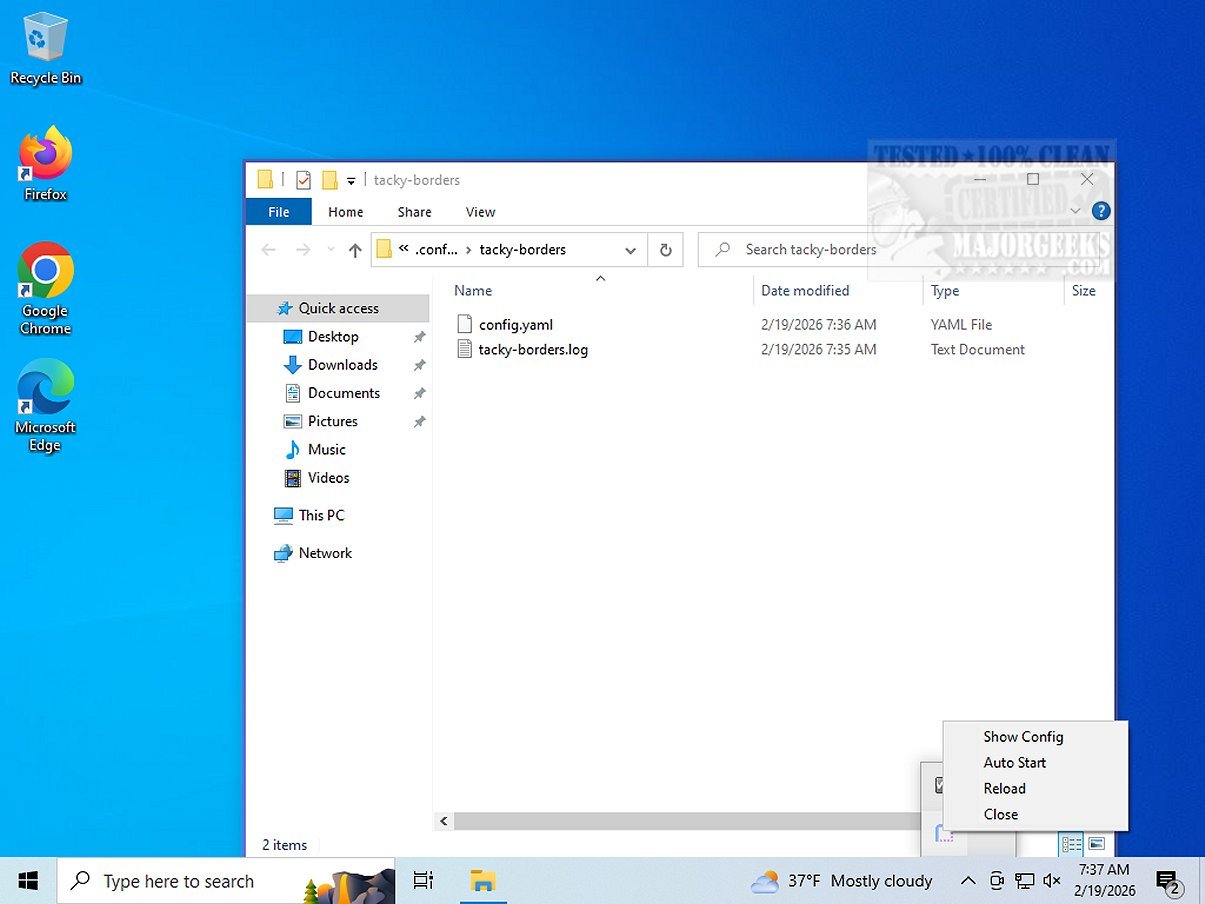
The recently released version 1.4.1 of tacky-borders offers users enhanced customization options for application borders on Windows. This tool allows you to change the colors of your application borders or increase their thickness, making it easier to identify and grab them while navigating through various applications. By doing so, tacky-borders significantly improves the overall user experience.
Add a Touch of Personality to Your Desktop
The main goal of tacky-borders is to inject a bit of flair into your Windows environment by transforming the often-neglected edges of application windows into eye-catching elements. While Windows 11 typically features nearly invisible borders for a sleek aesthetic, tacky-borders caters to those who prefer a more vibrant interface. Users can choose from a range of colors, whether subtle or bold, to match their personal style.
Easy Customization with a Config File
Customization is straightforward through a dedicated configuration file accessible via the application's context menu in the System Tray. The developer's GitHub repository provides detailed instructions for users looking to modify their window borders effectively.
Beyond Just Color Changes
What sets tacky-borders apart from similar applications, such as cute-borders, is its ability to adjust border width in addition to color changes. This feature is particularly beneficial for those managing multiple windows, as thicker borders make it easier to manipulate and distinguish between them. Furthermore, tacky-borders includes options for gradient effects and various animation styles, offering even more depth to its customization features.
Geek Verdict
For users seeking a more personalized and efficient desktop environment, tacky-borders delivers on that promise. While some may prefer the minimalist aesthetic of thinner or even invisible borders, others will find that thicker borders enhance their workflow by making window manipulation simpler. If you identify with this latter group, tacky-borders enables you to tailor your window borders to suit your preferences, thereby transforming your workspace into a more functional and distinctive area.
In conclusion, whether you are a fan of vibrant colors or prefer a more pronounced border, tacky-borders is an excellent tool to enhance your desktop experience and make it truly your own
Add a Touch of Personality to Your Desktop
The main goal of tacky-borders is to inject a bit of flair into your Windows environment by transforming the often-neglected edges of application windows into eye-catching elements. While Windows 11 typically features nearly invisible borders for a sleek aesthetic, tacky-borders caters to those who prefer a more vibrant interface. Users can choose from a range of colors, whether subtle or bold, to match their personal style.
Easy Customization with a Config File
Customization is straightforward through a dedicated configuration file accessible via the application's context menu in the System Tray. The developer's GitHub repository provides detailed instructions for users looking to modify their window borders effectively.
Beyond Just Color Changes
What sets tacky-borders apart from similar applications, such as cute-borders, is its ability to adjust border width in addition to color changes. This feature is particularly beneficial for those managing multiple windows, as thicker borders make it easier to manipulate and distinguish between them. Furthermore, tacky-borders includes options for gradient effects and various animation styles, offering even more depth to its customization features.
Geek Verdict
For users seeking a more personalized and efficient desktop environment, tacky-borders delivers on that promise. While some may prefer the minimalist aesthetic of thinner or even invisible borders, others will find that thicker borders enhance their workflow by making window manipulation simpler. If you identify with this latter group, tacky-borders enables you to tailor your window borders to suit your preferences, thereby transforming your workspace into a more functional and distinctive area.
In conclusion, whether you are a fan of vibrant colors or prefer a more pronounced border, tacky-borders is an excellent tool to enhance your desktop experience and make it truly your own
tacky-borders 1.4.1 released
tacky-borders allows you to customize the colors of application borders or increase their thickness. This functionality helps you easily identify and grab borders when navigating through various applications, enhancing the overall user experience.