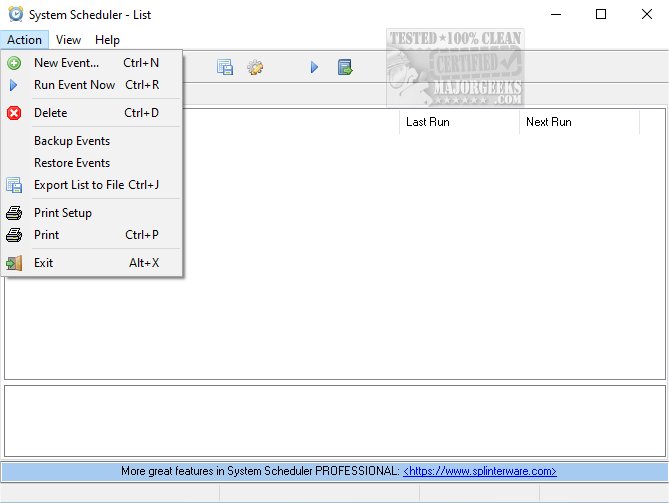
System Scheduler 5.64 has been released, offering users a robust tool for scheduling the execution of batch files, applications, and scripts. This software serves as an effective alternative to the Windows Task Manager, boasting zero dependencies, which simplifies its integration into various systems.
With System Scheduler, users can precisely set times for launching different programs, facilitating unattended operations during overnight or weekend hours. The software also allows for the creation of pop-up reminders for critical tasks, complete with audible alarms, all managed through an intuitive user interface that streamlines the setup process.
In addition to its scheduling capabilities, System Scheduler includes the Window Watcher feature. This tool monitors the existence of specified windows and can send key presses or commands to close applications, enabling automated responses to specific conditions or error messages.
Overall, System Scheduler 5.64 not only enhances productivity through improved scheduling but also offers valuable features for managing application behaviors seamlessly.
To further extend the functionalities of System Scheduler, users might consider integrating it with other automation tools or scripts to create more complex workflows. For instance, combining it with scripting languages like PowerShell or Python could enable advanced scheduling scenarios that include data processing or system maintenance tasks, thus maximizing efficiency and optimizing system performance. Additionally, users could explore setting up notifications or logs to track the execution of scheduled tasks, providing greater oversight and ensuring that all operations run smoothly
With System Scheduler, users can precisely set times for launching different programs, facilitating unattended operations during overnight or weekend hours. The software also allows for the creation of pop-up reminders for critical tasks, complete with audible alarms, all managed through an intuitive user interface that streamlines the setup process.
In addition to its scheduling capabilities, System Scheduler includes the Window Watcher feature. This tool monitors the existence of specified windows and can send key presses or commands to close applications, enabling automated responses to specific conditions or error messages.
Overall, System Scheduler 5.64 not only enhances productivity through improved scheduling but also offers valuable features for managing application behaviors seamlessly.
To further extend the functionalities of System Scheduler, users might consider integrating it with other automation tools or scripts to create more complex workflows. For instance, combining it with scripting languages like PowerShell or Python could enable advanced scheduling scenarios that include data processing or system maintenance tasks, thus maximizing efficiency and optimizing system performance. Additionally, users could explore setting up notifications or logs to track the execution of scheduled tasks, providing greater oversight and ensuring that all operations run smoothly
System Scheduler 5.64 released
System Scheduler enables you to schedule the running of batch files, applications, and scripts. It is a viable alternative to the Windows Task Manager but has zero dependencies.