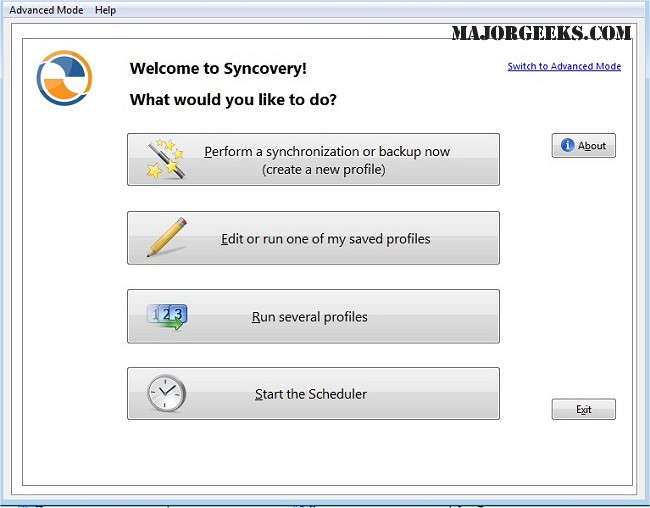
Syncovery is a powerful software solution designed for efficient file management, enabling users to synchronize, copy, and back up data across various devices and platforms, including PCs, Macs, servers, notebooks, and cloud storage services. The latest release, version 11.15.3, enhances its capabilities, ensuring that users can keep their data organized and up-to-date according to their unique requirements.
Overview of Syncovery
At its core, Syncovery is a versatile tool that streamlines file management by allowing users to create customized manual and automated jobs. Users can configure a wide array of tasks tailored to their specific needs, which can be executed either on-demand or via an automated scheduler. This flexibility in job management facilitates comprehensive data handling, whether for personal use or business applications.
Integration and Protocol Support
Syncovery integrates seamlessly with various storage solutions, including local hard drives, network drives, and additional mounted volumes. It supports a multitude of protocols such as FTP, SSH, HTTP, and WebDAV, along with cloud services like Amazon S3 and Google Docs. This extensive compatibility enables efficient data transfers across diverse environments, making it a versatile choice for users with varying storage needs.
Advanced Features
The software offers valuable features including ZIP compression to reduce file sizes during transfer, and encryption options to protect sensitive information. For Windows users, the scheduler can operate as a background service, allowing tasks to run without needing a user to be logged in, which is especially beneficial for unattended operations.
Syncovery also presents multiple synchronization modes tailored to different requirements. Users can choose from Standard Copying for basic file transfers, Exact Mirror for maintaining identical copies, and SmartTracking, which intelligently monitors changes to optimize updates. This variety in synchronization options makes Syncovery a robust solution for both data backup and synchronization needs.
Conclusion
In summary, Syncovery stands out as an exceptional tool for synchronizing and backing up files across multiple locations. With its comprehensive features and flexible configurations, it simplifies data management while ensuring that information remains organized and secure. Users can enjoy the peace of mind that comes with knowing their data is consistently updated and readily accessible in safe hands. As technology continues to evolve, Syncovery remains a reliable choice for those looking to enhance their file management strategies
Overview of Syncovery
At its core, Syncovery is a versatile tool that streamlines file management by allowing users to create customized manual and automated jobs. Users can configure a wide array of tasks tailored to their specific needs, which can be executed either on-demand or via an automated scheduler. This flexibility in job management facilitates comprehensive data handling, whether for personal use or business applications.
Integration and Protocol Support
Syncovery integrates seamlessly with various storage solutions, including local hard drives, network drives, and additional mounted volumes. It supports a multitude of protocols such as FTP, SSH, HTTP, and WebDAV, along with cloud services like Amazon S3 and Google Docs. This extensive compatibility enables efficient data transfers across diverse environments, making it a versatile choice for users with varying storage needs.
Advanced Features
The software offers valuable features including ZIP compression to reduce file sizes during transfer, and encryption options to protect sensitive information. For Windows users, the scheduler can operate as a background service, allowing tasks to run without needing a user to be logged in, which is especially beneficial for unattended operations.
Syncovery also presents multiple synchronization modes tailored to different requirements. Users can choose from Standard Copying for basic file transfers, Exact Mirror for maintaining identical copies, and SmartTracking, which intelligently monitors changes to optimize updates. This variety in synchronization options makes Syncovery a robust solution for both data backup and synchronization needs.
Conclusion
In summary, Syncovery stands out as an exceptional tool for synchronizing and backing up files across multiple locations. With its comprehensive features and flexible configurations, it simplifies data management while ensuring that information remains organized and secure. Users can enjoy the peace of mind that comes with knowing their data is consistently updated and readily accessible in safe hands. As technology continues to evolve, Syncovery remains a reliable choice for those looking to enhance their file management strategies
Syncovery 11.15.3 released
Syncovery allows you to seamlessly manage files between PCs, Macs, servers, notebooks, and online storage solutions. It ensures your data is organized and up-to-date according to your specific requirements.