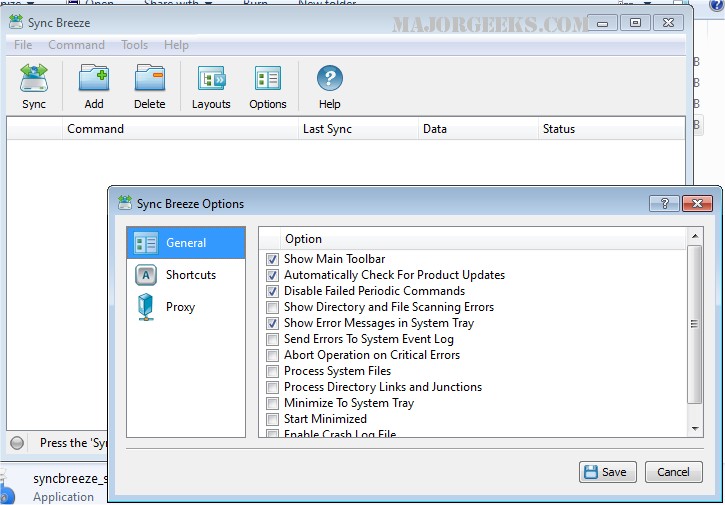
SyncBreeze 17.7.24 has been released, enhancing its reputation as a robust and user-friendly file synchronization solution. This software allows users to effortlessly synchronize files across various platforms, including disks, directories, network shares, and NAS storage devices.
The latest version offers a range of features designed to improve efficiency and user experience. Users can now configure multiple file synchronization commands and set up background operations for both periodic and real-time synchronization. SyncBreeze also allows users to save logs of synchronization activities and receive email notifications in case of failures during file sync operations.
With diverse synchronization modes, SyncBreeze supports both one-way and two-way synchronization, enabling users to tailor their file management processes. It also includes options for compressing files during synchronization, excluding specific directories, and focusing on particular file types. Additionally, users can preview file synchronization actions, allowing for greater control over which files are synchronized.
A standout feature is the stream file synchronization mode, which enables on-the-fly synchronization of massive file systems, handling tens of millions of files without interrupting the user with a preview dialog. This capability is particularly advantageous for users managing large volumes of data.
Overall, SyncBreeze 17.7.24 continues to provide a comprehensive solution for file synchronization, catering to both individual users and businesses looking to optimize their data management workflows. Future updates may further enhance its capabilities, potentially introducing more customizable options and integrations with other software tools
The latest version offers a range of features designed to improve efficiency and user experience. Users can now configure multiple file synchronization commands and set up background operations for both periodic and real-time synchronization. SyncBreeze also allows users to save logs of synchronization activities and receive email notifications in case of failures during file sync operations.
With diverse synchronization modes, SyncBreeze supports both one-way and two-way synchronization, enabling users to tailor their file management processes. It also includes options for compressing files during synchronization, excluding specific directories, and focusing on particular file types. Additionally, users can preview file synchronization actions, allowing for greater control over which files are synchronized.
A standout feature is the stream file synchronization mode, which enables on-the-fly synchronization of massive file systems, handling tens of millions of files without interrupting the user with a preview dialog. This capability is particularly advantageous for users managing large volumes of data.
Overall, SyncBreeze 17.7.24 continues to provide a comprehensive solution for file synchronization, catering to both individual users and businesses looking to optimize their data management workflows. Future updates may further enhance its capabilities, potentially introducing more customizable options and integrations with other software tools
SyncBreeze 17.7.24 released
SyncBreeze is a powerful, easy-to-use, and fast file synchronization solution allowing one to synchronize files between disks, directories, network shares, and NAS storage devices.