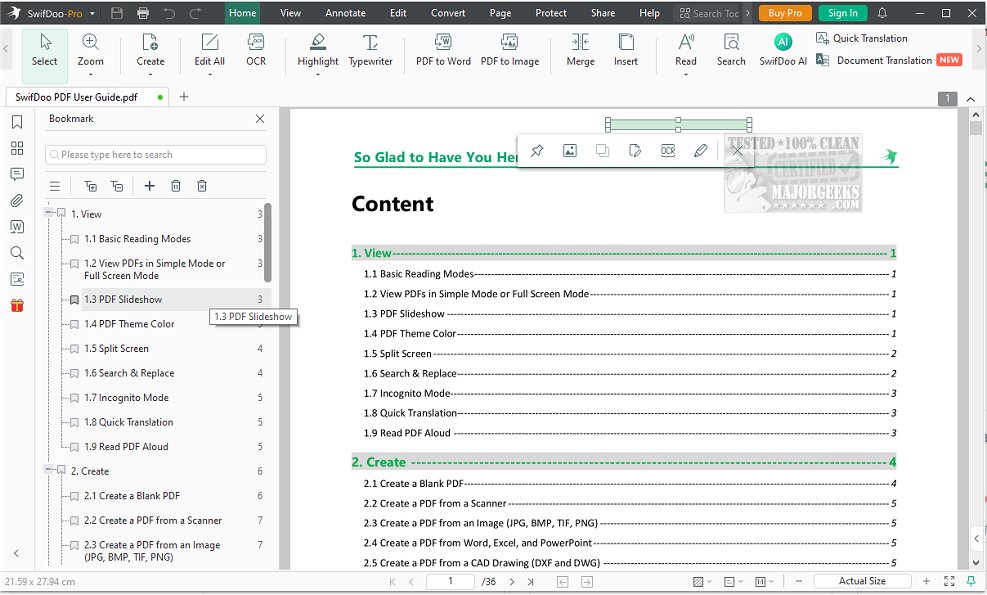
SwifDoo PDF has announced the release of version 2.0.7.5, enhancing its suite of tools designed for efficient PDF management. This software provides a comprehensive solution for organizing, editing, and handling PDF documents, making it an essential tool for both personal and professional use.
Key features of SwifDoo PDF include robust document annotation capabilities, which allow users to tailor their files by making edits, inserting images, creating notes, highlighting text, commenting, and adding document stamps. The software also excels in conversion, enabling users to efficiently convert single or multiple PDF files into various formats, including Word, Excel, PowerPoint, and images. Additionally, it supports the conversion of CAD files and MS Office documents into PDFs. A convenient 'Conversion History' feature helps users track their conversion activities.
For users needing to manage file sizes, SwifDoo PDF offers a compression tool that allows for the reduction of file size at different quality levels, with a preview option available before finalizing the compression.
Security is a priority with SwifDoo PDF, as it provides features for password protection, electronic signatures, and customizable watermarks. Users can define watermark text, placement, orientation, and opacity, with a preview available to ensure satisfaction before applying changes.
The user experience is enhanced through a modern design and intuitive interface, featuring distinctive icons that simplify document management. Additional functionalities include the ability to open, create, read, edit, annotate, merge, split, and print PDFs, as well as the option to add links, pages, and images.
Overall, SwifDoo PDF stands out as a versatile and efficient PDF application that meets a wide range of document handling needs, making it a go-to choice for users seeking a reliable PDF management solution.
As an extension of its capabilities, future updates could include enhanced collaboration features that allow multiple users to work on a document simultaneously, improved cloud integration for seamless access across devices, and advanced search functionalities to quickly locate specific content within PDFs
Key features of SwifDoo PDF include robust document annotation capabilities, which allow users to tailor their files by making edits, inserting images, creating notes, highlighting text, commenting, and adding document stamps. The software also excels in conversion, enabling users to efficiently convert single or multiple PDF files into various formats, including Word, Excel, PowerPoint, and images. Additionally, it supports the conversion of CAD files and MS Office documents into PDFs. A convenient 'Conversion History' feature helps users track their conversion activities.
For users needing to manage file sizes, SwifDoo PDF offers a compression tool that allows for the reduction of file size at different quality levels, with a preview option available before finalizing the compression.
Security is a priority with SwifDoo PDF, as it provides features for password protection, electronic signatures, and customizable watermarks. Users can define watermark text, placement, orientation, and opacity, with a preview available to ensure satisfaction before applying changes.
The user experience is enhanced through a modern design and intuitive interface, featuring distinctive icons that simplify document management. Additional functionalities include the ability to open, create, read, edit, annotate, merge, split, and print PDFs, as well as the option to add links, pages, and images.
Overall, SwifDoo PDF stands out as a versatile and efficient PDF application that meets a wide range of document handling needs, making it a go-to choice for users seeking a reliable PDF management solution.
As an extension of its capabilities, future updates could include enhanced collaboration features that allow multiple users to work on a document simultaneously, improved cloud integration for seamless access across devices, and advanced search functionalities to quickly locate specific content within PDFs
SwifDoo PDF 2.0.7.5 released
SwifDoo PDF offers comprehensive features for efficiently organizing, editing, and handling PDF documents.