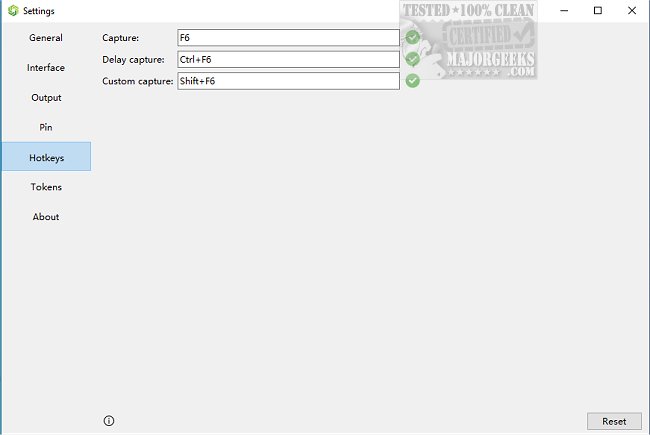
SunnyCapturer version 5.2.0 has been released, offering a comprehensive and user-friendly open-source screen capture tool. Designed for ease of use, SunnyCapturer allows users to effortlessly capture screenshots on their desktops. The application can be accessed conveniently from the System Tray or by using the F6 shortcut key. Users have the flexibility to select the screen area they wish to capture by dragging the corners or using arrow keys for precise adjustments.
One of the standout features of SunnyCapturer is the display of exact coordinates in the top left corner of the selected capture area, which can be beneficial for arranging content during video conferences or for making additional snapshots. The interface also provides various customization options for enhancing captured images, such as different orientations for the drawing toolbar, contrast color themes, and settings for scaling and transparency of pinned images.
The tool is equipped with advanced functionalities like Optical Character Recognition (OCR) and image translation capabilities, which allow users to extract and translate text from images. This feature proves especially useful for handling multilingual content or poorly scanned documents, making SunnyCapturer a versatile choice for users beyond basic screenshot needs.
Additional features include support for different system themes, customizable frosted glass effects, options for regular, delayed, and custom screenshots, and the ability to save captures automatically. The software also supports multiple text formats during image editing, enhancing its usability for various tasks.
In summary, SunnyCapturer 5.2.0 is a powerful and customizable screen capture tool that not only simplifies the process of taking screenshots but also enriches the user experience with advanced features tailored for productivity and creativity.
Future updates could potentially include even more advanced editing tools, improved integrations with cloud storage for easier sharing, and enhanced collaboration features to support remote teamwork. As the tool evolves, users can expect a growing array of functionalities that cater to both individual and professional needs
One of the standout features of SunnyCapturer is the display of exact coordinates in the top left corner of the selected capture area, which can be beneficial for arranging content during video conferences or for making additional snapshots. The interface also provides various customization options for enhancing captured images, such as different orientations for the drawing toolbar, contrast color themes, and settings for scaling and transparency of pinned images.
The tool is equipped with advanced functionalities like Optical Character Recognition (OCR) and image translation capabilities, which allow users to extract and translate text from images. This feature proves especially useful for handling multilingual content or poorly scanned documents, making SunnyCapturer a versatile choice for users beyond basic screenshot needs.
Additional features include support for different system themes, customizable frosted glass effects, options for regular, delayed, and custom screenshots, and the ability to save captures automatically. The software also supports multiple text formats during image editing, enhancing its usability for various tasks.
In summary, SunnyCapturer 5.2.0 is a powerful and customizable screen capture tool that not only simplifies the process of taking screenshots but also enriches the user experience with advanced features tailored for productivity and creativity.
Future updates could potentially include even more advanced editing tools, improved integrations with cloud storage for easier sharing, and enhanced collaboration features to support remote teamwork. As the tool evolves, users can expect a growing array of functionalities that cater to both individual and professional needs
SunnyCapturer 5.2.0 released
SunnyCapturer lets you capture your screen, annotate, and even translate text, all from a comprehensive Open Source but user-friendly screen capture tool.