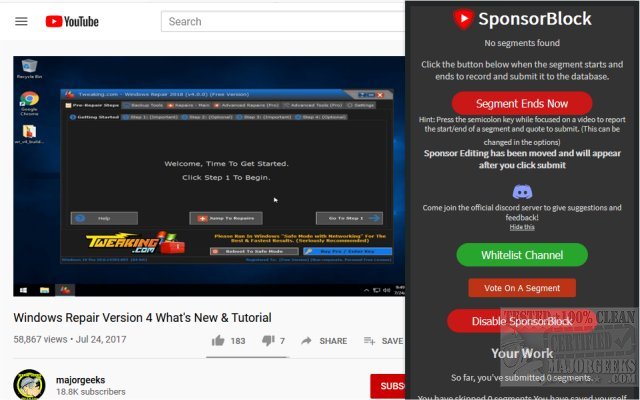
SponsorBlock has released version 6.1.4 for Chrome, Firefox, Edge, and Safari, enhancing the user experience on YouTube by allowing users to skip various video segments, including sponsors. This crowdsourced browser extension utilizes a community-reported database to identify known sponsorships, enabling automatic skipping of these segments during video playback. Users can also contribute by reporting any sponsors that have not yet been included in the database.
In addition to skipping sponsors, SponsorBlock offers the ability to bypass other video sections such as intros, outros, reminders to subscribe, and non-music parts of music videos. The extension boasts a comprehensive options list, allowing users to customize their viewing experience according to their preferences.
While SponsorBlock is an excellent tool for reducing distractions and optimizing video consumption time, users are encouraged to whitelist channels they frequently watch, such as MajorGeeks, to support content creators and ensure they continue producing the videos viewers enjoy.
As video content continues to dominate the online landscape, tools like SponsorBlock play an essential role in enhancing user experience by streamlining video consumption. This extension not only saves time but also empowers viewers to take control of their viewing preferences. As video platforms evolve, similar extensions may emerge, further improving how users interact with and enjoy online content
In addition to skipping sponsors, SponsorBlock offers the ability to bypass other video sections such as intros, outros, reminders to subscribe, and non-music parts of music videos. The extension boasts a comprehensive options list, allowing users to customize their viewing experience according to their preferences.
While SponsorBlock is an excellent tool for reducing distractions and optimizing video consumption time, users are encouraged to whitelist channels they frequently watch, such as MajorGeeks, to support content creators and ensure they continue producing the videos viewers enjoy.
As video content continues to dominate the online landscape, tools like SponsorBlock play an essential role in enhancing user experience by streamlining video consumption. This extension not only saves time but also empowers viewers to take control of their viewing preferences. As video platforms evolve, similar extensions may emerge, further improving how users interact with and enjoy online content
SponsorBlock for Chrome, Firefox, Edge, and Safari 6.1.4 released
SponsorBlock for Chrome, Firefox, Edge, and Opera permits you to skip video sponsors while using YouTube.
SponsorBlock for Chrome, Firefox, Edge, and Safari 6.1.4 released @ MajorGeeks