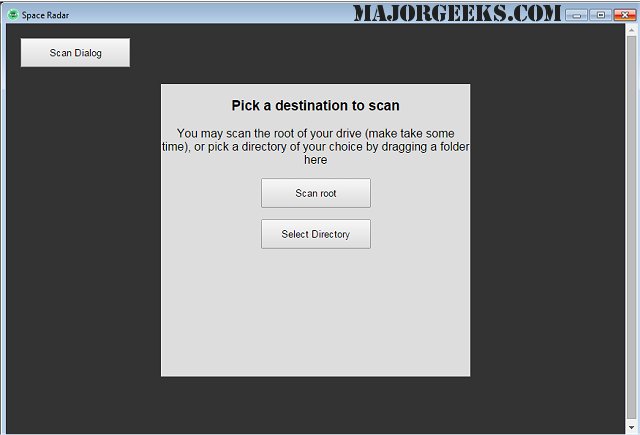
Space Radar has released version 6.0.0, a sophisticated tool designed for visualizing hard drive and memory space. It offers interactive charting options, including Sunburst and Treemap views, which allow users to easily understand the distribution of their data. The updated interface has adopted a more Mac-like aesthetic, enhancing user experience as it allows for scanning of drives, folders, or memory, as well as loading Disk Usage (DU) files upon startup.
The initial scan of a drive can take some time, but once completed, users are presented with an aesthetically pleasing sunburst diagram that visually represents the space usage on the drive. Key details about what is consuming space are conveniently displayed in the top right corner, and users can hover over different sections of the sunburst for additional information. For those who prefer a different visualization style, there is an option to switch to a treemapping view.
However, there have been some issues with the memory scanning functionality, which did not work during testing on a virtual machine setup, despite the author's claims and provided screenshots showing its functionality. This aspect remains untested in the review process, leading to a gap in the evaluation of the software.
Space Radar addresses the limitations of the built-in drive and memory management tools available in Windows by offering comprehensive insights into storage usage, making it a valuable tool for users seeking detailed information about their system's data consumption.
In future updates, the developers could focus on addressing the memory scanning issues to enhance the software's functionality further. Additionally, expanding support for more operating systems or enhancing compatibility with various virtual environments could broaden its user base and utility
The initial scan of a drive can take some time, but once completed, users are presented with an aesthetically pleasing sunburst diagram that visually represents the space usage on the drive. Key details about what is consuming space are conveniently displayed in the top right corner, and users can hover over different sections of the sunburst for additional information. For those who prefer a different visualization style, there is an option to switch to a treemapping view.
However, there have been some issues with the memory scanning functionality, which did not work during testing on a virtual machine setup, despite the author's claims and provided screenshots showing its functionality. This aspect remains untested in the review process, leading to a gap in the evaluation of the software.
Space Radar addresses the limitations of the built-in drive and memory management tools available in Windows by offering comprehensive insights into storage usage, making it a valuable tool for users seeking detailed information about their system's data consumption.
In future updates, the developers could focus on addressing the memory scanning issues to enhance the software's functionality further. Additionally, expanding support for more operating systems or enhancing compatibility with various virtual environments could broaden its user base and utility
Space Radar 6.0.0 released
Space Radar is a hard drive and memory space visualizer that allows interactive Sunburst and Treemap charting of the results.