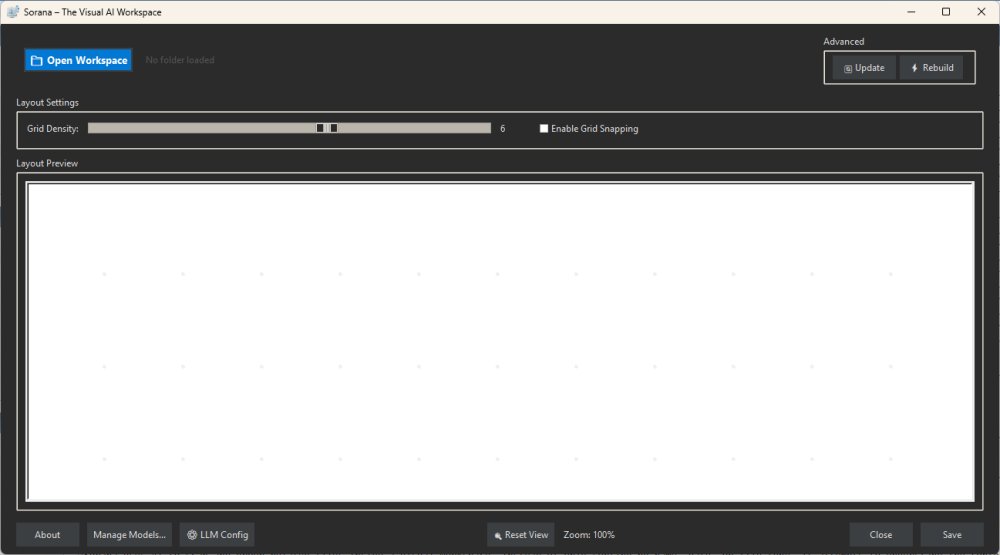
Sorana is a newly released free AI-powered visual workspace for Windows, designed to help users better organize files, documents, and AI workflows. It targets professionals such as researchers, developers, and creative individuals who often manage large collections of documents that traditional file systems struggle to organize. Sorana utilizes AI to scan and group related files on a visual canvas, allowing for a more intuitive organization method than simply sorting by name, date, or type.
Key Features and Functionality:
- Visual Organization: Users can drag and drop files, create groups, rename sections, and organize projects visually, making it easier to understand how files relate to each other.
- AI-Powered Interaction: Sorana supports Optical Character Recognition (OCR) for PDFs and text extraction, enabling users to query scanned documents without manual searching.
- No-Code AI Pipelines: The application allows users to create connected workflows without needing scripting skills, enhancing productivity through automated processes.
- Local and Cloud AI Support: Sorana integrates with local AI backends like Ollama and LM Studio, as well as cloud services such as OpenAI and Mistral, catering to users concerned about privacy.
- Portable and Privacy-Friendly: The application is designed to be adaptable for various workflows while keeping user data secure.
Usage Recommendations:
To effectively use Sorana, users should start with a specific project or collection of files instead of overwhelming the system with an entire directory. After the AI scans the files, users can review and manually adjust the visual groups created. For document-heavy tasks, users can leverage chat features to summarize or extract key information from documents.
Limitations and Considerations:
While Sorana is not meant to replace traditional file explorers, it serves as a specialized workspace for managing complex projects. There is a learning curve associated with its interface and features, which may deter casual users looking for straightforward file management solutions. The app is still considered experimental, and users should test it with smaller projects before fully integrating it into their workflows.
Conclusion:
Sorana presents a unique and innovative approach to file organization, particularly for those in research, development, and creative fields. Although it may not be suited for everyone due to its complexity and learning curve, it shows promise for users willing to invest time in mastering its features. With its AI capabilities and visual workspace, Sorana has the potential to redefine how users manage and interact with their documents.
Extension:
Future updates could enhance Sorana's usability by simplifying the interface for casual users and providing more intuitive onboarding processes. Additionally, expanding integration with other productivity tools and platforms could further streamline workflows. User feedback will likely play a crucial role in shaping subsequent versions, allowing Sorana to evolve based on the needs and preferences of its user base. As AI technology advances, Sorana may also incorporate more sophisticated AI models, improving its ability to understand and organize files more effectively
Key Features and Functionality:
- Visual Organization: Users can drag and drop files, create groups, rename sections, and organize projects visually, making it easier to understand how files relate to each other.
- AI-Powered Interaction: Sorana supports Optical Character Recognition (OCR) for PDFs and text extraction, enabling users to query scanned documents without manual searching.
- No-Code AI Pipelines: The application allows users to create connected workflows without needing scripting skills, enhancing productivity through automated processes.
- Local and Cloud AI Support: Sorana integrates with local AI backends like Ollama and LM Studio, as well as cloud services such as OpenAI and Mistral, catering to users concerned about privacy.
- Portable and Privacy-Friendly: The application is designed to be adaptable for various workflows while keeping user data secure.
Usage Recommendations:
To effectively use Sorana, users should start with a specific project or collection of files instead of overwhelming the system with an entire directory. After the AI scans the files, users can review and manually adjust the visual groups created. For document-heavy tasks, users can leverage chat features to summarize or extract key information from documents.
Limitations and Considerations:
While Sorana is not meant to replace traditional file explorers, it serves as a specialized workspace for managing complex projects. There is a learning curve associated with its interface and features, which may deter casual users looking for straightforward file management solutions. The app is still considered experimental, and users should test it with smaller projects before fully integrating it into their workflows.
Conclusion:
Sorana presents a unique and innovative approach to file organization, particularly for those in research, development, and creative fields. Although it may not be suited for everyone due to its complexity and learning curve, it shows promise for users willing to invest time in mastering its features. With its AI capabilities and visual workspace, Sorana has the potential to redefine how users manage and interact with their documents.
Extension:
Future updates could enhance Sorana's usability by simplifying the interface for casual users and providing more intuitive onboarding processes. Additionally, expanding integration with other productivity tools and platforms could further streamline workflows. User feedback will likely play a crucial role in shaping subsequent versions, allowing Sorana to evolve based on the needs and preferences of its user base. As AI technology advances, Sorana may also incorporate more sophisticated AI models, improving its ability to understand and organize files more effectively
Sorana 1.0.84.0 released
Sorana is a free AI-powered visual workspace for Windows that rethinks how you organize files, documents, and AI workflows.