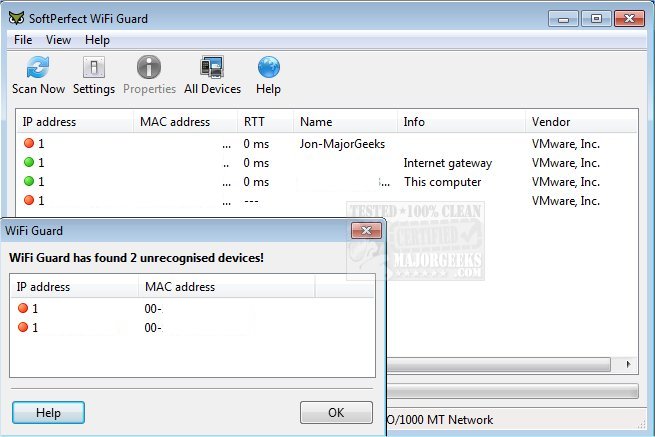
SoftPerfect WiFi Guard has recently released version 25.12, enhancing its capabilities as a vital tool for individuals managing small Wi-Fi networks and aiming for robust security. While modern Wi-Fi networks come equipped with various protective measures, they are still susceptible to security vulnerabilities, such as weaknesses in encryption protocols and brute force attacks. These vulnerabilities can allow unauthorized users to access your Internet and local area network (LAN), potentially leading to the exploitation of your connection for malicious activities, such as reading personal emails, stealing sensitive information, or engaging in illegal online behavior.
SoftPerfect WiFi Guard is designed to help users monitor their network effectively. It functions as a specialized network scanner that periodically scans your network and promptly alerts you if it detects any unfamiliar devices that may indicate unauthorized access. This proactive monitoring is crucial for maintaining the integrity and privacy of your online activities.
In addition to its primary features, users may find it beneficial to explore related topics such as how to retrieve Wi-Fi passwords, assess wireless network signal strength on Windows 10 and 11, and hide nearby Wi-Fi connections from their list of available networks. Expanding your knowledge in these areas can further enhance your network security and overall experience.
To enhance the security of your Wi-Fi network, consider implementing additional protective measures, such as using stronger encryption methods (like WPA3), regularly changing your Wi-Fi password, and disabling guest access if it's not necessary. Additionally, staying informed about the latest security trends and updates can help you keep your network secure against emerging threats
SoftPerfect WiFi Guard is designed to help users monitor their network effectively. It functions as a specialized network scanner that periodically scans your network and promptly alerts you if it detects any unfamiliar devices that may indicate unauthorized access. This proactive monitoring is crucial for maintaining the integrity and privacy of your online activities.
In addition to its primary features, users may find it beneficial to explore related topics such as how to retrieve Wi-Fi passwords, assess wireless network signal strength on Windows 10 and 11, and hide nearby Wi-Fi connections from their list of available networks. Expanding your knowledge in these areas can further enhance your network security and overall experience.
To enhance the security of your Wi-Fi network, consider implementing additional protective measures, such as using stronger encryption methods (like WPA3), regularly changing your Wi-Fi password, and disabling guest access if it's not necessary. Additionally, staying informed about the latest security trends and updates can help you keep your network secure against emerging threats
SoftPerfect WiFi Guard 25.12 released
SoftPerfect WiFi Guard is an essential tool for everyone running a small Wi-Fi network and striving to keep it secure.