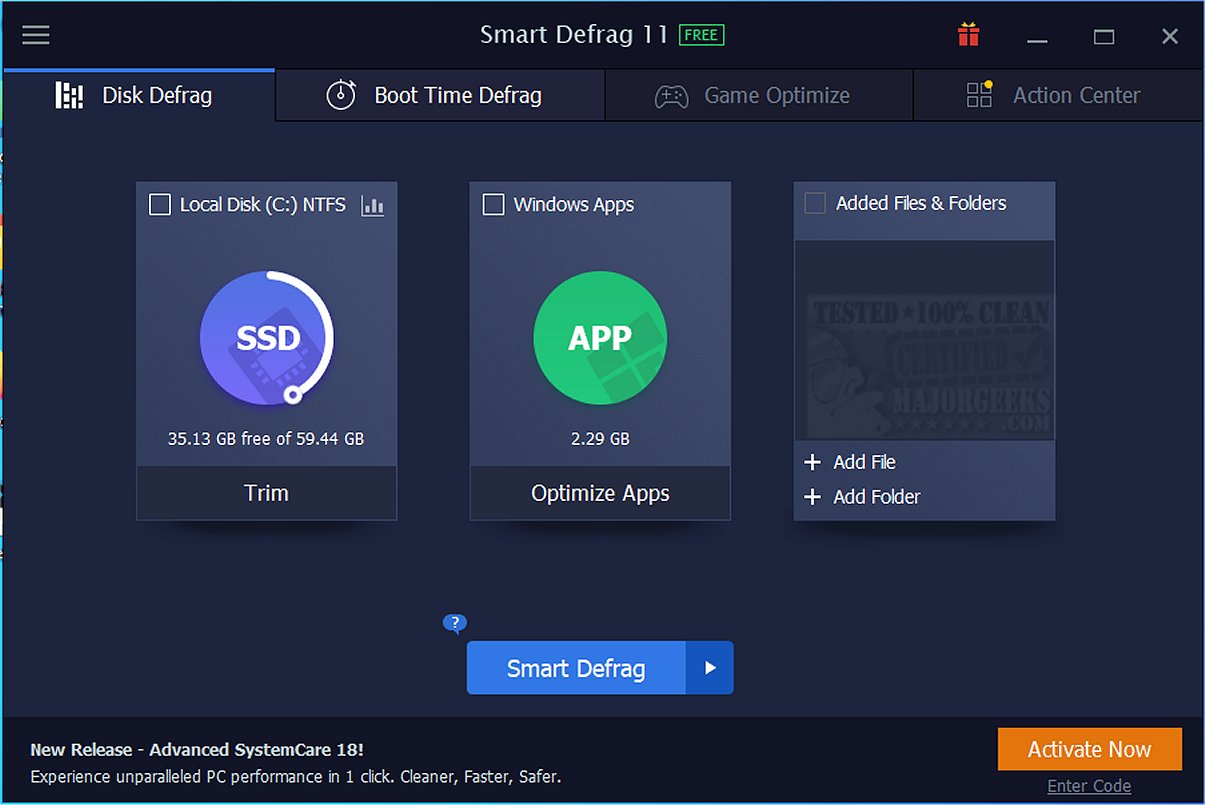
The latest version of Smart Defrag, 11.2.0.472, has been launched, offering users an enhanced tool for optimizing their hard drives. Smart Defrag allows for defragmentation of files, folders, and entire drives either on demand or through a scheduled process. It is particularly beneficial for SSDs, providing trimming capabilities that extend performance and lifespan. Current IObit users can access a direct download link, and a portable version is also available.
If your computer is sluggish, causing delays in loading games or applications, Smart Defrag can revitalize your system. It transcends the basic Windows defragmentation tool by serving as a comprehensive drive optimizer suitable for both traditional HDDs and modern SSDs. Smart Defrag acts as a digital housekeeping tool, decluttering drives, enhancing read/write speeds, and utilizing advanced TRIM technology to prolong SSD life.
Key Features of Smart Defrag:
1. Ultra-Fast Defragmentation: Smart Defrag employs an advanced engine to efficiently organize fragmented files on HDDs and optimize SSDs using precise TRIM operations, resulting in improved system performance.
2. Gamer-Friendly Optimization: For gamers, Smart Defrag organizes game files for quicker access, significantly reducing loading times.
3. Boot Time Defrag: This feature addresses files that Windows cannot move during normal operation, allowing users to customize the defragmentation of specific system files for a faster boot process.
4. Real-Time Disk Health Monitoring: Smart Defrag includes monitoring tools that track critical drive statistics, alerting users to potential issues before they escalate.
5. Intelligent Auto Features: With Auto Defrag and Scheduled Defrag, users can maintain optimal drive conditions without manual intervention.
Importance of SSD Optimization: For SSD users, Smart Defrag focuses on TRIM commands rather than traditional defragmentation. This approach offers several advantages:
- Extended Lifespan: Reduces unnecessary write operations, preserving SSD durability.
- Consistent Speed: Keeps SSD performance high by clearing obsolete data.
- Improved Reliability: Regular TRIM operations mitigate risks of slowdowns and drive failures.
Target Audience: Smart Defrag is ideal for anyone with a hard drive, from hardcore gamers seeking peak performance to everyday users desiring a faster, more reliable computer. Its user-friendly interface ensures that even those less tech-savvy can navigate it easily, while customizable options appeal to advanced users.
Conclusion: Smart Defrag is a valuable tool for anyone looking to enhance their system performance, whether it be extending an SSD's life or speeding up an older machine. With its robust features, including SSD TRIM support and game optimization, it outperforms the basic Windows defragmentation tool. It is a reliable, ad-free, and feature-rich optimizer, perfect for maintaining a smoothly running PC.
For users interested in Smart Defrag, a portable version is also available, and you can find a direct download link for current IObit users.
Explore Related Topics:
- How to Check If Your Hard Drive is SSD or HDD
- Do You Need to Defragment an SSD? Understanding TRIM and NVME Optimization
- How to Add Optimize Drives Context Menu in Windows 10 & 11
- How to Check Your Hard Disk Health Using WMIC
- How to Check Drive Temperature in Windows 10 & 1
If your computer is sluggish, causing delays in loading games or applications, Smart Defrag can revitalize your system. It transcends the basic Windows defragmentation tool by serving as a comprehensive drive optimizer suitable for both traditional HDDs and modern SSDs. Smart Defrag acts as a digital housekeeping tool, decluttering drives, enhancing read/write speeds, and utilizing advanced TRIM technology to prolong SSD life.
Key Features of Smart Defrag:
1. Ultra-Fast Defragmentation: Smart Defrag employs an advanced engine to efficiently organize fragmented files on HDDs and optimize SSDs using precise TRIM operations, resulting in improved system performance.
2. Gamer-Friendly Optimization: For gamers, Smart Defrag organizes game files for quicker access, significantly reducing loading times.
3. Boot Time Defrag: This feature addresses files that Windows cannot move during normal operation, allowing users to customize the defragmentation of specific system files for a faster boot process.
4. Real-Time Disk Health Monitoring: Smart Defrag includes monitoring tools that track critical drive statistics, alerting users to potential issues before they escalate.
5. Intelligent Auto Features: With Auto Defrag and Scheduled Defrag, users can maintain optimal drive conditions without manual intervention.
Importance of SSD Optimization: For SSD users, Smart Defrag focuses on TRIM commands rather than traditional defragmentation. This approach offers several advantages:
- Extended Lifespan: Reduces unnecessary write operations, preserving SSD durability.
- Consistent Speed: Keeps SSD performance high by clearing obsolete data.
- Improved Reliability: Regular TRIM operations mitigate risks of slowdowns and drive failures.
Target Audience: Smart Defrag is ideal for anyone with a hard drive, from hardcore gamers seeking peak performance to everyday users desiring a faster, more reliable computer. Its user-friendly interface ensures that even those less tech-savvy can navigate it easily, while customizable options appeal to advanced users.
Conclusion: Smart Defrag is a valuable tool for anyone looking to enhance their system performance, whether it be extending an SSD's life or speeding up an older machine. With its robust features, including SSD TRIM support and game optimization, it outperforms the basic Windows defragmentation tool. It is a reliable, ad-free, and feature-rich optimizer, perfect for maintaining a smoothly running PC.
For users interested in Smart Defrag, a portable version is also available, and you can find a direct download link for current IObit users.
Explore Related Topics:
- How to Check If Your Hard Drive is SSD or HDD
- Do You Need to Defragment an SSD? Understanding TRIM and NVME Optimization
- How to Add Optimize Drives Context Menu in Windows 10 & 11
- How to Check Your Hard Disk Health Using WMIC
- How to Check Drive Temperature in Windows 10 & 1
Smart Defrag 11.2.0.472 released
Smart Defrag can defragment files, folders, and entire drives as needed or scheduled. It also features SSD trimming to prolong your SSD performance and life. Here is a direct link to download Smart Defrag for current IObit users. Portable version is also available.