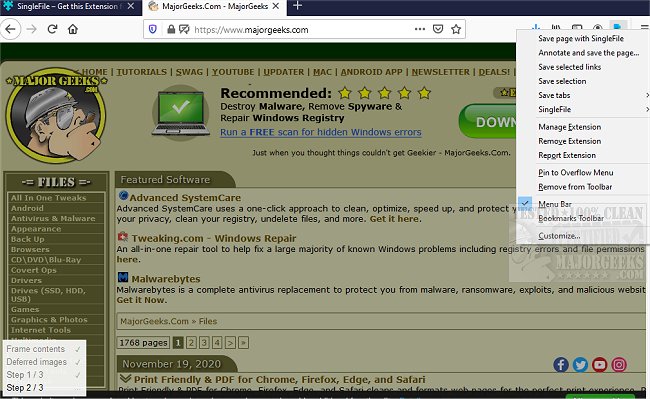
The latest release of SingleFile for Chrome, Firefox, and Edge (version 1.22.98) introduces an efficient Command Line Interface (CLI) tool designed to assist users in saving complete web pages as standalone HTML files. This browser extension captures all elements of a webpage, including HTML, CSS, JavaScript, images, and other resources, packaging them into a single, self-contained file. This functionality allows users to access saved web pages offline, making it convenient for sharing, referencing, or experimenting without the need for an internet connection. SingleFile streamlines the process that many have traditionally done manually, enhancing the browsing experience by simplifying how web content is preserved.
In addition to its core functionality, SingleFile can be particularly useful for developers and researchers who need to archive web pages for documentation or analysis. The ability to save a complete webpage in one file eliminates the hassle of managing multiple resources and ensures that all elements remain intact for future use. As web technologies evolve and online content becomes increasingly dynamic, tools like SingleFile are invaluable for maintaining access to information. Future updates may include enhancements such as improved user interface features, additional export options, and compatibility with more web standards to further enhance its capabilities.
Overall, SingleFile is an essential tool for anyone looking to efficiently manage and archive web content, catering to a wide range of users from casual browsers to professionals in various fields
In addition to its core functionality, SingleFile can be particularly useful for developers and researchers who need to archive web pages for documentation or analysis. The ability to save a complete webpage in one file eliminates the hassle of managing multiple resources and ensures that all elements remain intact for future use. As web technologies evolve and online content becomes increasingly dynamic, tools like SingleFile are invaluable for maintaining access to information. Future updates may include enhancements such as improved user interface features, additional export options, and compatibility with more web standards to further enhance its capabilities.
Overall, SingleFile is an essential tool for anyone looking to efficiently manage and archive web content, catering to a wide range of users from casual browsers to professionals in various fields
SingleFile for Chrome, Firefox, and Edge 1.22.98 released
SingleFile for Chrome, Firefox, and Edge is a CLI tool capable of helping you save a complete web page as a single HTML file.
SingleFile for Chrome, Firefox, and Edge 1.22.98 released @ MajorGeeks