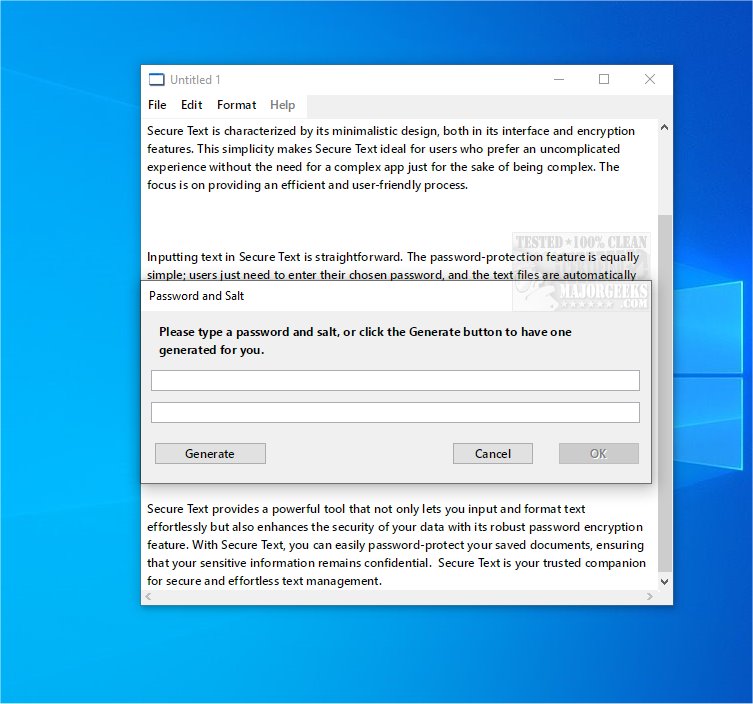
Secure Text is a user-friendly application designed to safeguard your text data through encryption and password protection. This tool allows users to easily input and save their content in encrypted files, ensuring that sensitive information remains confidential.
Key Features of Secure Text
The software is noted for its minimalist design, which streamlines both its interface and encryption capabilities. This simplicity caters to users who prefer an uncomplicated experience without the complexity often found in other applications. Secure Text focuses on delivering an efficient and user-friendly process, making it accessible to a wide audience.
User-Friendly Functionality
Using Secure Text is easy. Users can input their text without hassle, and the password protection feature is straightforward—simply enter a chosen password, and the files are automatically encrypted for enhanced security.
Additional Security Tools
To further strengthen security, Secure Text includes a password generator, allowing users to create strong, unique passwords for their documents. This feature complements the basic text formatting tools available, enabling users to make minor adjustments to the appearance of their text.
Conclusion and User Recommendation
Overall, Secure Text is a powerful tool that combines simplicity with essential security features, providing a practical solution for anyone looking to protect their textual content. Its robust password encryption ensures that your sensitive information remains confidential, making Secure Text a trusted companion for secure and effortless text management.
Future Enhancements
Looking ahead, Secure Text could benefit from the inclusion of advanced features such as cloud storage integration, multi-platform compatibility, and enhanced formatting options. By continually evolving and incorporating user feedback, Secure Text can maintain its relevance and effectiveness in an ever-changing digital landscape
Key Features of Secure Text
The software is noted for its minimalist design, which streamlines both its interface and encryption capabilities. This simplicity caters to users who prefer an uncomplicated experience without the complexity often found in other applications. Secure Text focuses on delivering an efficient and user-friendly process, making it accessible to a wide audience.
User-Friendly Functionality
Using Secure Text is easy. Users can input their text without hassle, and the password protection feature is straightforward—simply enter a chosen password, and the files are automatically encrypted for enhanced security.
Additional Security Tools
To further strengthen security, Secure Text includes a password generator, allowing users to create strong, unique passwords for their documents. This feature complements the basic text formatting tools available, enabling users to make minor adjustments to the appearance of their text.
Conclusion and User Recommendation
Overall, Secure Text is a powerful tool that combines simplicity with essential security features, providing a practical solution for anyone looking to protect their textual content. Its robust password encryption ensures that your sensitive information remains confidential, making Secure Text a trusted companion for secure and effortless text management.
Future Enhancements
Looking ahead, Secure Text could benefit from the inclusion of advanced features such as cloud storage integration, multi-platform compatibility, and enhanced formatting options. By continually evolving and incorporating user feedback, Secure Text can maintain its relevance and effectiveness in an ever-changing digital landscape
Secure Text 1.3.1 released
Secure Text gives you a reliable tool for keeping your text data secure. This straightforward tool allows you to freely enter and save content in encrypted, password-protected files, ensuring confidentiality.