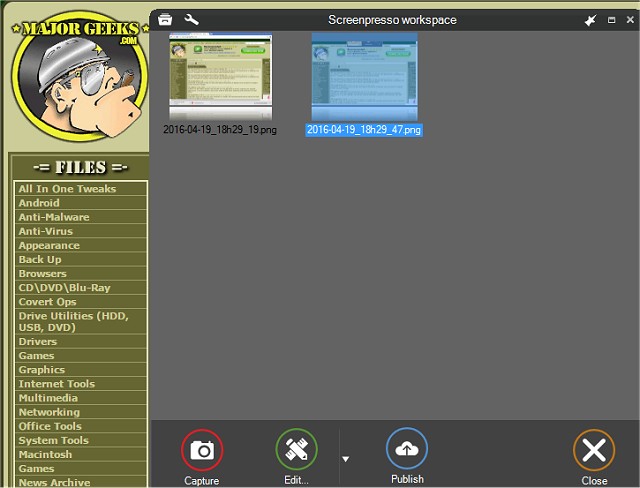
Screenpresso 2.2.10 has been released, enhancing its capabilities as a versatile screen capture tool. This application allows users to effortlessly take screenshots and record high-definition videos, making it an invaluable resource for organizing training materials, collaborative design projects, and documenting IT issues.
The features of Screenpresso are extensive, providing users with multiple options for processing images and videos. It includes a built-in image editor, a user guide generator, and various sharing capabilities, which streamline the workflow for professionals. Users can keep Screenpresso running in the background, enabling quick access to capture screens with a single click from the system tray.
Key features of Screenpresso include:
- The ability to capture the entire screen, a designated area, or a specific window using customizable shortcuts.
- A zoom lens tool that allows for pixel-perfect accuracy when selecting regions of the screen.
- A stitching mechanism for capturing scrolling windows that cannot fit on the screen.
- Options to include the mouse cursor and context in screenshots, as well as a delay feature for capturing context menus.
- Video capture in MP4 format, which results in lighter file sizes.
- Functionality to record audio from the microphone and video from the webcam.
- Built-in editing tools to refine captures before sharing.
- Easy publishing options to various platforms, including email, cloud services, and social media, without the need for registration through Screenpresso Cloud.
In addition to its core functionalities, Screenpresso continues to evolve, adapting to the needs of users by incorporating user feedback and technological advancements. With its intuitive interface and robust features, Screenpresso remains a preferred choice for individuals and teams seeking effective screen capture solutions for a wide range of applications
The features of Screenpresso are extensive, providing users with multiple options for processing images and videos. It includes a built-in image editor, a user guide generator, and various sharing capabilities, which streamline the workflow for professionals. Users can keep Screenpresso running in the background, enabling quick access to capture screens with a single click from the system tray.
Key features of Screenpresso include:
- The ability to capture the entire screen, a designated area, or a specific window using customizable shortcuts.
- A zoom lens tool that allows for pixel-perfect accuracy when selecting regions of the screen.
- A stitching mechanism for capturing scrolling windows that cannot fit on the screen.
- Options to include the mouse cursor and context in screenshots, as well as a delay feature for capturing context menus.
- Video capture in MP4 format, which results in lighter file sizes.
- Functionality to record audio from the microphone and video from the webcam.
- Built-in editing tools to refine captures before sharing.
- Easy publishing options to various platforms, including email, cloud services, and social media, without the need for registration through Screenpresso Cloud.
In addition to its core functionalities, Screenpresso continues to evolve, adapting to the needs of users by incorporating user feedback and technological advancements. With its intuitive interface and robust features, Screenpresso remains a preferred choice for individuals and teams seeking effective screen capture solutions for a wide range of applications
Screenpresso 2.2.10 released
Screenpresso is a screen capture tool with the ability to allow you to smoothly take screenshots and record HD videos.