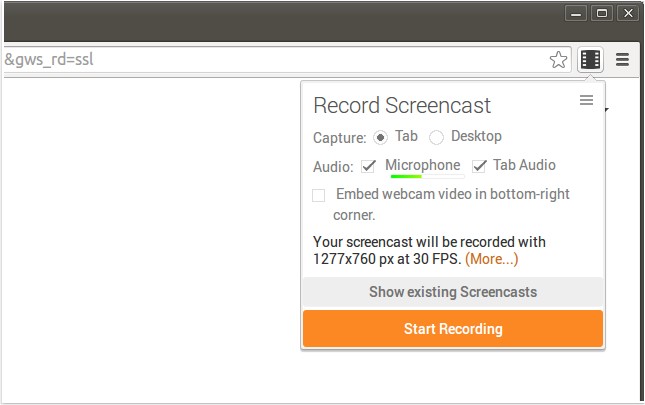
The latest release of Screencastify for Chrome, version 4.24.0, offers robust screen recording capabilities, making it an ideal tool for creating YouTube tutorials, presentations, and other instructional content. This extension allows users to capture all screen activity along with audio, ensuring a comprehensive recording experience. The output files are saved in WebM/vp8 format with Ogg Vorbis audio, which enhances compatibility and quality.
One of the key features of Screencastify is its seamless integration with Google Drive, enabling users to store their recordings in the cloud for easy access from any device. This feature is particularly beneficial for users with limited local storage, such as those using Chromebooks. Additionally, users can save recordings directly to their local storage if preferred.
Sharing recordings is made effortless with Screencastify, as users can upload their videos to YouTube with a single click, generating a shareable link instantly. For recordings already stored in Google Drive, the upload process to YouTube is streamlined through Google's data centers, enhancing efficiency.
Further enhancing its functionality, Screencastify allows users to add a webcam feed to their recordings, which can personalize the content by incorporating the presenter’s image. Users can also customize keyboard shortcuts for quick access to recording features, improving usability.
In summary, Screencastify for Chrome 4.24.0 not only simplifies the screen recording process but also integrates powerful sharing and storage options, making it a valuable tool for educators, content creators, and anyone looking to produce high-quality video content. With features designed for convenience and efficiency, Screencastify continues to be a leading choice for screen recording on Chrome.
Looking ahead, future updates could potentially include enhanced editing features, support for additional video formats, and improved collaboration tools for teams working on shared projects
One of the key features of Screencastify is its seamless integration with Google Drive, enabling users to store their recordings in the cloud for easy access from any device. This feature is particularly beneficial for users with limited local storage, such as those using Chromebooks. Additionally, users can save recordings directly to their local storage if preferred.
Sharing recordings is made effortless with Screencastify, as users can upload their videos to YouTube with a single click, generating a shareable link instantly. For recordings already stored in Google Drive, the upload process to YouTube is streamlined through Google's data centers, enhancing efficiency.
Further enhancing its functionality, Screencastify allows users to add a webcam feed to their recordings, which can personalize the content by incorporating the presenter’s image. Users can also customize keyboard shortcuts for quick access to recording features, improving usability.
In summary, Screencastify for Chrome 4.24.0 not only simplifies the screen recording process but also integrates powerful sharing and storage options, making it a valuable tool for educators, content creators, and anyone looking to produce high-quality video content. With features designed for convenience and efficiency, Screencastify continues to be a leading choice for screen recording on Chrome.
Looking ahead, future updates could potentially include enhanced editing features, support for additional video formats, and improved collaboration tools for teams working on shared projects
Screencastify for Chrome 4.24.0 released
Screencastify for Chrome will record all your screen activity including audio making it perfect for YouTube tutorials, presentations and more.