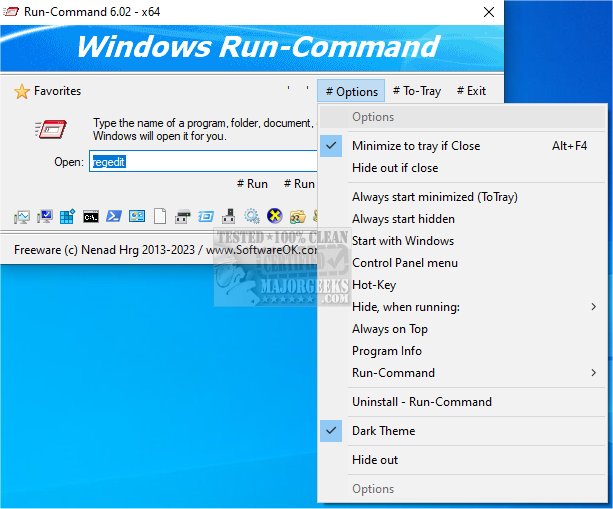
Run-Command is a compact freeware application that serves as a robust alternative to the default Microsoft Windows Run dialog. The latest version, 6.41, introduces several enhancements aimed at improving user experience and functionality. Key features include the ability to run commands as an administrator and an option to add frequently used commands to a favorites list for easy access. Users can also efficiently organize their favorite commands by categorizing them.
Key Features of Run-Command:
- Lightweight application
- Ability to create arbitrary Windows shortcuts
- Execute programs through the command line interface
- Quick access to favorite commands
- Run commands with administrative privileges
- Supports Windows Environment Variables
Similar Tools:
- PowerShell and Command Prompt Basics
- Comprehensive Lists of Command Prompt and PowerShell Commands
- Guide on Running PowerShell or Command Prompt as Administrator
Extension:
The release of Run-Command 6.41 marks a significant step forward for users seeking a more versatile tool for executing commands within Windows. Its lightweight nature ensures that it does not consume excessive system resources, making it ideal for both casual users and advanced professionals. The added functionalities, such as the favorites management system, not only streamline workflow but also enhance productivity by reducing the time spent navigating through commands.
Moreover, as technology evolves, the integration of Run-Command with modern Windows features, such as virtual desktops and enhanced security protocols, could further increase its utility. Future updates could consider introducing customization options for the user interface and expanding compatibility with other operating systems or platforms, thereby broadening its appeal. Additionally, incorporating user feedback could lead to the introduction of more features tailored to specific user needs, ensuring that Run-Command remains a relevant tool in the ever-changing landscape of software applications
Key Features of Run-Command:
- Lightweight application
- Ability to create arbitrary Windows shortcuts
- Execute programs through the command line interface
- Quick access to favorite commands
- Run commands with administrative privileges
- Supports Windows Environment Variables
Similar Tools:
- PowerShell and Command Prompt Basics
- Comprehensive Lists of Command Prompt and PowerShell Commands
- Guide on Running PowerShell or Command Prompt as Administrator
Extension:
The release of Run-Command 6.41 marks a significant step forward for users seeking a more versatile tool for executing commands within Windows. Its lightweight nature ensures that it does not consume excessive system resources, making it ideal for both casual users and advanced professionals. The added functionalities, such as the favorites management system, not only streamline workflow but also enhance productivity by reducing the time spent navigating through commands.
Moreover, as technology evolves, the integration of Run-Command with modern Windows features, such as virtual desktops and enhanced security protocols, could further increase its utility. Future updates could consider introducing customization options for the user interface and expanding compatibility with other operating systems or platforms, thereby broadening its appeal. Additionally, incorporating user feedback could lead to the introduction of more features tailored to specific user needs, ensuring that Run-Command remains a relevant tool in the ever-changing landscape of software applications
Run-Command 6.41 released
Run-Command is a small freeware program designed as a fully functional alternative to the standard Microsoft Windows Run-Dialog.