JetBrains Rider 2025.3.2 has been released, offering a powerful cross-platform IDE specifically designed for .NET and C# developers. This IDE is ideal for those seeking robust code insights, quick performance, and seamless integration with both modern and legacy tools. Users familiar with JetBrains' IntelliJ IDEA, PyCharm, or WebStorm will find Rider's interface recognizable, as it shares a common foundation while being optimized for .NET development.
Rider appeals to developers looking for a lightweight alternative to Visual Studio, which can sometimes be slow. It boasts features that cater to freelancers and solo developers, including built-in terminal, templates, version control, and live code snippets. Out of the box, Rider supports a diverse range of frameworks, such as .NET Framework, .NET Core, Mono, Xamarin, ASP.NET, Unity, and even front-end technologies like JavaScript, TypeScript, and React. It also includes support for SQL, Docker, and Git.
Key features of Rider include:
- Extensive code analysis and refactoring tools with over 2,200 inspections and 1,000+ context actions, ensuring code quality before build.
- High performance, optimized for large projects, contrasting with the heaviness sometimes associated with Visual Studio.
- A comprehensive debugger and test runner supporting .NET, Mono, Unity, NUnit, xUnit, and MSTest.
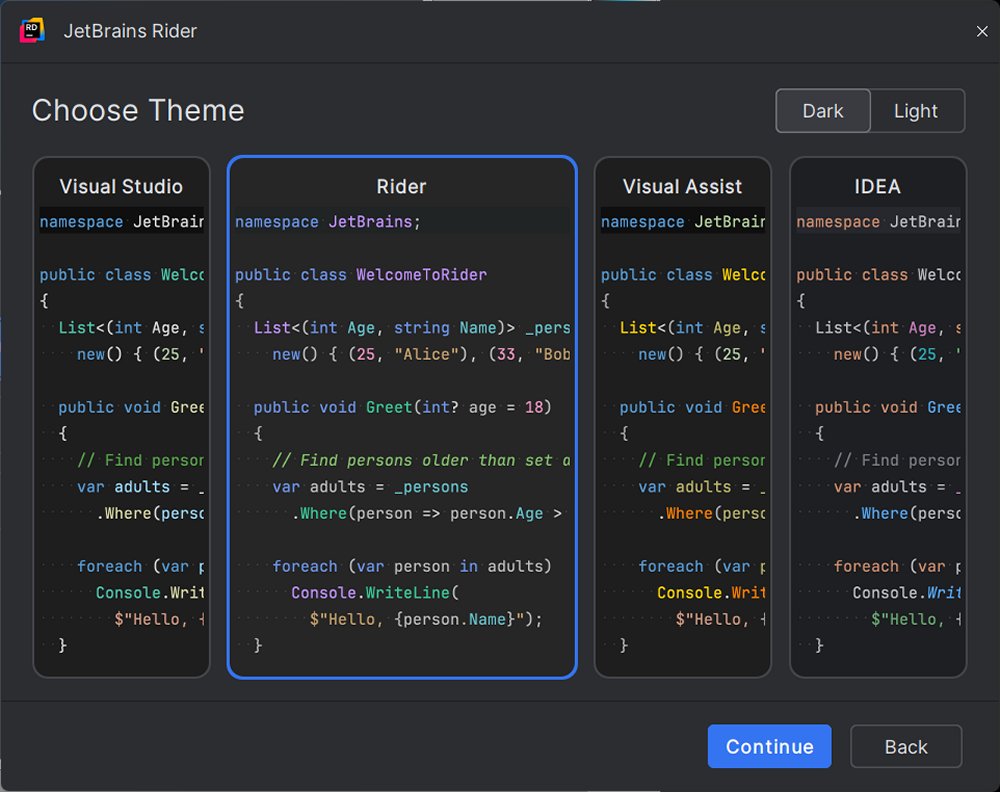
- An intuitive user interface offering smart code suggestions, customizable layouts, and themes, including dark mode.
Rider is suitable for various development scenarios, including:
- Game development with Unity, thanks to its strong integration and quick asset navigation.
- Web development with ASP.NET paired with React or Angular, allowing management of both frontend and backend code in one place.
- Enterprise development involving microservices, containers, and SQL databases, with integrated Docker and database tools.
Transitioning from Visual Studio to Rider is straightforward, as it can directly open existing solution (.sln) and project (.csproj) files, recognizing most settings like build configurations. Users may need to adjust preferences, such as keybindings or UI layout, but Rider offers a Visual Studio keymap for a smoother transition. Additionally, for those familiar with ReSharper, the built-in functionality in Rider will feel familiar.
JetBrains Rider is available for Windows, macOS, and Linux, supporting .NET Framework 4.6.1 or later, .NET Core, and Mono. It is free for non-commercial use, including educational and open-source projects, while commercial licenses start at $149 per month with a 30-day free trial.
Pros:
- Fast performance, even with large projects.
- Integrated ReSharper functionality.
- Strong support for Unity, ASP.NET Core, and Xamarin.
- Cross-platform capabilities with consistent features.
- Robust version control, Docker, and database tools.
Cons:
- Initial indexing may take time with large solutions.
- Requires some adjustment for Visual Studio users, but the transition is generally beneficial.
Geek Verdict:
JetBrains Rider is an excellent choice for developers seeking speed, control, and a streamlined experience. It is particularly advantageous for those working with large .NET solutions or in Unity, offering a modern, customizable environment that enhances the software development process.
Looking forward, as technology evolves, Rider may continue to incorporate more advanced features and integrations, potentially enhancing its appeal among the developer community and addressing any limitations noted by users. The IDE's focus on performance and user experience positions it well in a competitive landscape, making it a strong contender for .NET development in the future
Rider appeals to developers looking for a lightweight alternative to Visual Studio, which can sometimes be slow. It boasts features that cater to freelancers and solo developers, including built-in terminal, templates, version control, and live code snippets. Out of the box, Rider supports a diverse range of frameworks, such as .NET Framework, .NET Core, Mono, Xamarin, ASP.NET, Unity, and even front-end technologies like JavaScript, TypeScript, and React. It also includes support for SQL, Docker, and Git.
Key features of Rider include:
- Extensive code analysis and refactoring tools with over 2,200 inspections and 1,000+ context actions, ensuring code quality before build.
- High performance, optimized for large projects, contrasting with the heaviness sometimes associated with Visual Studio.
- A comprehensive debugger and test runner supporting .NET, Mono, Unity, NUnit, xUnit, and MSTest.
- An intuitive user interface offering smart code suggestions, customizable layouts, and themes, including dark mode.
Rider is suitable for various development scenarios, including:
- Game development with Unity, thanks to its strong integration and quick asset navigation.
- Web development with ASP.NET paired with React or Angular, allowing management of both frontend and backend code in one place.
- Enterprise development involving microservices, containers, and SQL databases, with integrated Docker and database tools.
Transitioning from Visual Studio to Rider is straightforward, as it can directly open existing solution (.sln) and project (.csproj) files, recognizing most settings like build configurations. Users may need to adjust preferences, such as keybindings or UI layout, but Rider offers a Visual Studio keymap for a smoother transition. Additionally, for those familiar with ReSharper, the built-in functionality in Rider will feel familiar.
JetBrains Rider is available for Windows, macOS, and Linux, supporting .NET Framework 4.6.1 or later, .NET Core, and Mono. It is free for non-commercial use, including educational and open-source projects, while commercial licenses start at $149 per month with a 30-day free trial.
Pros:
- Fast performance, even with large projects.
- Integrated ReSharper functionality.
- Strong support for Unity, ASP.NET Core, and Xamarin.
- Cross-platform capabilities with consistent features.
- Robust version control, Docker, and database tools.
Cons:
- Initial indexing may take time with large solutions.
- Requires some adjustment for Visual Studio users, but the transition is generally beneficial.
Geek Verdict:
JetBrains Rider is an excellent choice for developers seeking speed, control, and a streamlined experience. It is particularly advantageous for those working with large .NET solutions or in Unity, offering a modern, customizable environment that enhances the software development process.
Looking forward, as technology evolves, Rider may continue to incorporate more advanced features and integrations, potentially enhancing its appeal among the developer community and addressing any limitations noted by users. The IDE's focus on performance and user experience positions it well in a competitive landscape, making it a strong contender for .NET development in the future
Rider 2025.3.2 released
JetBrains Rider is a cross-platform .NET IDE built for serious developers who want deep code insight, fast performance, and smooth integration tailored for .NET and C#.