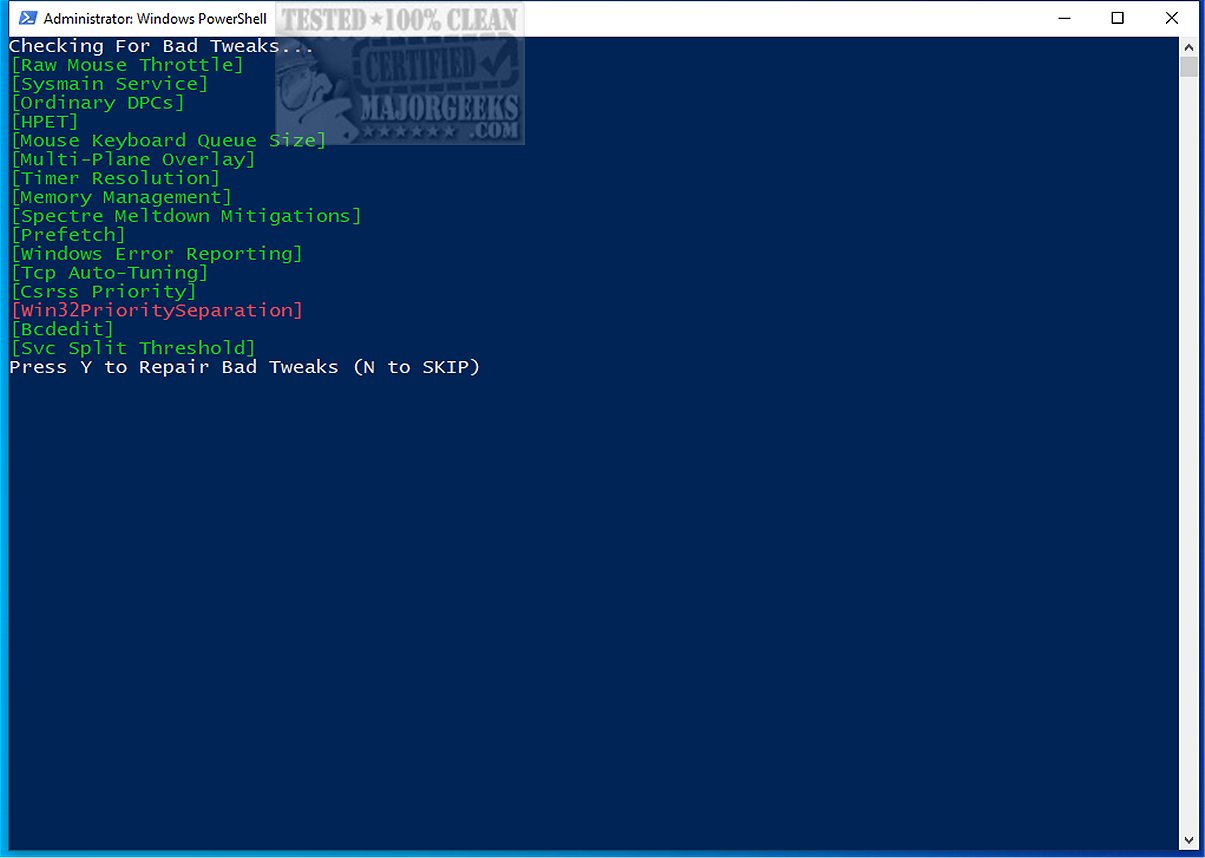
Repair Bad Tweaks is a PowerShell script designed to restore various system tweaks in Windows to their original default settings. By undoing potentially harmful adjustments made to system configurations, the script aims to enhance system performance and stability.
The Importance of Repair Bad Tweaks
As customization of Windows operating systems becomes increasingly popular, many self-proclaimed experts misinterpret official Microsoft documentation. This misinformation can mislead less tech-savvy users into trusting inappropriate tweaks that negatively impact their system's usability and security. The growing trend of misguided tweaks highlights the necessity of relying on credible sources and exercising caution when modifying system settings.
How to Use Repair Bad Tweaks
There are two options for using the Repair Bad Tweaks script:
1. Run the Script Directly from Terminal or PowerShell Prompt as Admin:
Execute the following command:
2. Download and Run the Script Locally:
Before running the script on Windows 11, ensure to unblock PowerShell scripts to prevent them from closing instantly:
Tweaks Addressed by the Script
The Repair Bad Tweaks script targets various settings, including:
- Svc Split Threshold
- Bcdedit settings
- Timer Resolution
- Win32PrioritySeparation
- TCP Auto-Tuning
- Prefetch and Superfetch (Sysmain)
- Windows Error Reporting
- Ordinary DPCs
- Spectre Meltdown Mitigations
- High Precision Event Timer (HPET)
- Mouse Keyboard Queue Size
- Csrss Priority
- Multi-Plane Overlay
- Memory Management
If the script detects any problematic tweak, it will attempt to revert it to the default setting. However, the developer recommends performing a fresh installation for the most effective restoration.
Backup Recommendations
Before proceeding with the script, it is advisable to create a system restore point and back up the registry to ensure a fallback option in case any issues arise during the tweaking process.
Conclusion: The Geek Verdict
If you're facing issues with a Windows tweak that is malfunctioning or not delivering as expected, Repair Bad Tweaks provides a user-friendly solution to revert your system settings to their original state. This script allows users to reverse any unwanted changes, ensuring optimal system performance. Whether encountering minor glitches or significant problems, Repair Bad Tweaks simplifies the process of restoring system configurations, making it an essential tool for Windows users seeking stability and reliability.
Future Enhancements
To extend the functionality of Repair Bad Tweaks, future updates could include a user interface for easier navigation, detailed logging of changes made, and the ability to selectively restore specific tweaks rather than resetting everything. Additionally, providing a broader range of supported operating systems and ensuring compatibility with future Windows updates could further enhance its usability and adoption among users
The Importance of Repair Bad Tweaks
As customization of Windows operating systems becomes increasingly popular, many self-proclaimed experts misinterpret official Microsoft documentation. This misinformation can mislead less tech-savvy users into trusting inappropriate tweaks that negatively impact their system's usability and security. The growing trend of misguided tweaks highlights the necessity of relying on credible sources and exercising caution when modifying system settings.
How to Use Repair Bad Tweaks
There are two options for using the Repair Bad Tweaks script:
1. Run the Script Directly from Terminal or PowerShell Prompt as Admin:
Execute the following command:
powershelliwr 'https://raw.githubusercontent.com/zoicware/RepairBadTweaks/main/RepairTweaks.ps1' | iex
2. Download and Run the Script Locally:
Before running the script on Windows 11, ensure to unblock PowerShell scripts to prevent them from closing instantly:
powershellSet-ExecutionPolicy Unrestricted -Force
Tweaks Addressed by the Script
The Repair Bad Tweaks script targets various settings, including:
- Svc Split Threshold
- Bcdedit settings
- Timer Resolution
- Win32PrioritySeparation
- TCP Auto-Tuning
- Prefetch and Superfetch (Sysmain)
- Windows Error Reporting
- Ordinary DPCs
- Spectre Meltdown Mitigations
- High Precision Event Timer (HPET)
- Mouse Keyboard Queue Size
- Csrss Priority
- Multi-Plane Overlay
- Memory Management
If the script detects any problematic tweak, it will attempt to revert it to the default setting. However, the developer recommends performing a fresh installation for the most effective restoration.
Backup Recommendations
Before proceeding with the script, it is advisable to create a system restore point and back up the registry to ensure a fallback option in case any issues arise during the tweaking process.
Conclusion: The Geek Verdict
If you're facing issues with a Windows tweak that is malfunctioning or not delivering as expected, Repair Bad Tweaks provides a user-friendly solution to revert your system settings to their original state. This script allows users to reverse any unwanted changes, ensuring optimal system performance. Whether encountering minor glitches or significant problems, Repair Bad Tweaks simplifies the process of restoring system configurations, making it an essential tool for Windows users seeking stability and reliability.
Future Enhancements
To extend the functionality of Repair Bad Tweaks, future updates could include a user interface for easier navigation, detailed logging of changes made, and the ability to selectively restore specific tweaks rather than resetting everything. Additionally, providing a broader range of supported operating systems and ensuring compatibility with future Windows updates could further enhance its usability and adoption among users
Repair Bad Tweaks released
Repair Bad Tweaks is a PowerShell script that restores various system tweaks to their original default settings.