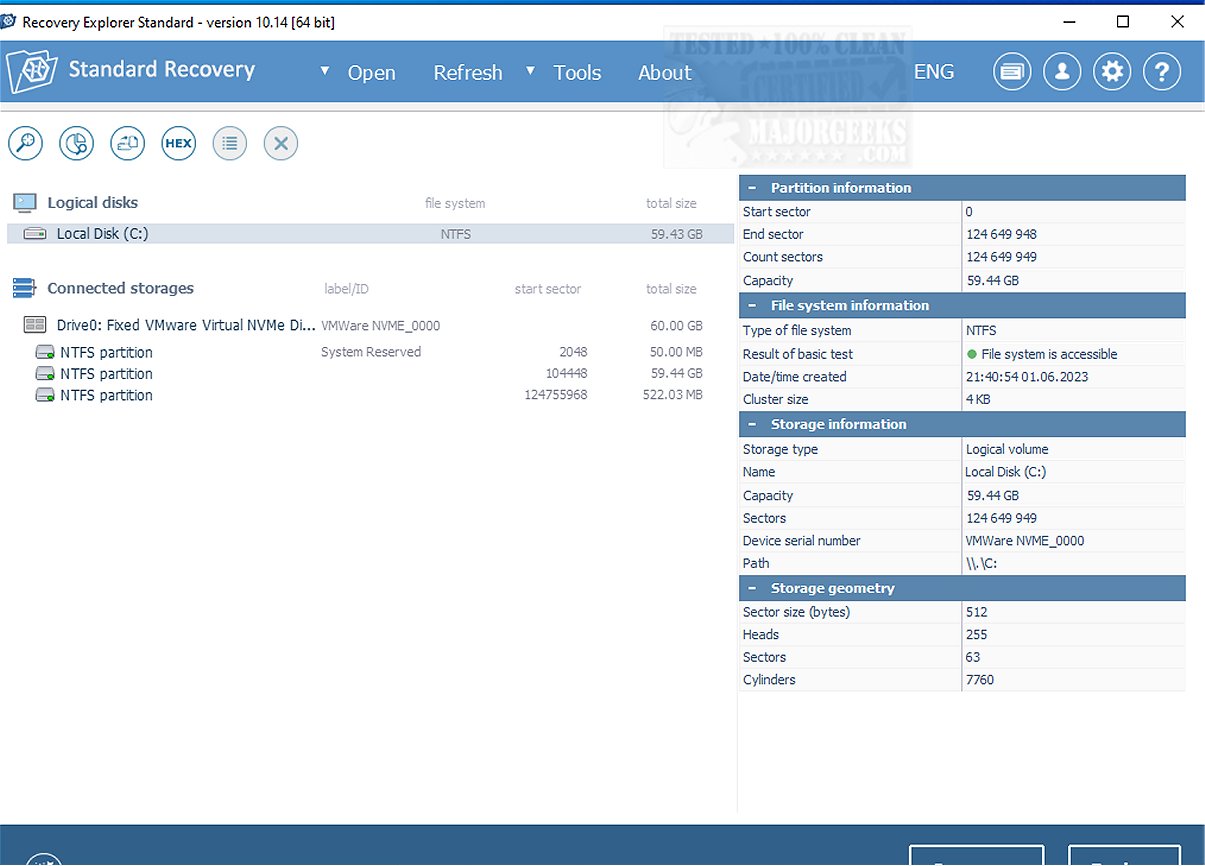
The latest version of Recovery Explorer Standard, 10.18, has been launched with the primary goal of simplifying the data recovery process. This software aims to provide users with a seamless experience in the aftermath of accidental deletions, formatting errors, and various forms of data loss or file system corruption.
Compatibility Across File Systems and Storage Media
Recovery Explorer Standard boasts compatibility with a wide array of file systems, including FAT, FAT32, NTFS, and ExFAT for Windows users, as well as Ext2 to Ext4, UFS/UFS2, JFS, ReiserFS, XFS, and Btrfs for Linux environments. Moreover, macOS users can take advantage of its support for APFS and HFS+ file systems. The software is versatile in terms of storage media, working effectively with local and external hard drives, USB flash drives, and removable memory cards typically utilized in mobile devices and cameras. It also supports recovery from disk images and virtual disks associated with virtualization platforms like VMware, Hyper-V, QEMU, XEN, and VirtualBox. Notably, it can recover data from Apple’s Time Machine backups, including complex structures like spanned volumes, mdadm, LVM, and Windows dynamic disks.
User-Friendly Wizard Mode
To further enhance the user experience, Recovery Explorer Standard features a wizard mode that simplifies the recovery process to just a few clicks, making it accessible even to novices in data recovery. This intuitive approach is especially beneficial during stressful recovery situations.
Comprehensive Tools for Enhanced Functionality
In addition to its core functionalities, Recovery Explorer Standard includes a variety of tools designed to enhance the user's recovery experience. These tools include a hexadecimal viewer for detailed analysis of raw file content, customizable scanning options for targeted storage, and a built-in disk image creator. A S.M.A.R.T monitoring tool is also integrated, allowing users to check the health of their drives. Furthermore, the ability to preview files—such as images and documents—prior to recovery empowers users to confidently retrieve the exact files they need.
Conclusion: A Reliable Data Recovery Solution
The Recovery Explorer Standard is regarded as a robust solution for data recovery, particularly for users seeking a straightforward and effective method to address common data loss scenarios. With its intuitive interface and extensive compatibility with various storage devices and file systems, it stands out as a reliable choice for those navigating the complexities of data recovery. Beyond simplifying the recovery process, Recovery Explorer Standard instills confidence in users facing the challenges of data loss.
Additional Resources:
- Learn how to securely delete files in Windows 10/11 using PowerShell and Cipher.
- Discover how to use Storage Sense for automatic junk file deletion in Windows 10/11.
- Explore methods to protect files and folders from accidental deletion.
- Find out how to add 'Secure Delete' to the context menu in Windows 10, 11, 8, and 7.
With its latest updates, Recovery Explorer Standard continues to evolve, ensuring that users have access to effective data recovery tools to handle unexpected data loss with ease
Compatibility Across File Systems and Storage Media
Recovery Explorer Standard boasts compatibility with a wide array of file systems, including FAT, FAT32, NTFS, and ExFAT for Windows users, as well as Ext2 to Ext4, UFS/UFS2, JFS, ReiserFS, XFS, and Btrfs for Linux environments. Moreover, macOS users can take advantage of its support for APFS and HFS+ file systems. The software is versatile in terms of storage media, working effectively with local and external hard drives, USB flash drives, and removable memory cards typically utilized in mobile devices and cameras. It also supports recovery from disk images and virtual disks associated with virtualization platforms like VMware, Hyper-V, QEMU, XEN, and VirtualBox. Notably, it can recover data from Apple’s Time Machine backups, including complex structures like spanned volumes, mdadm, LVM, and Windows dynamic disks.
User-Friendly Wizard Mode
To further enhance the user experience, Recovery Explorer Standard features a wizard mode that simplifies the recovery process to just a few clicks, making it accessible even to novices in data recovery. This intuitive approach is especially beneficial during stressful recovery situations.
Comprehensive Tools for Enhanced Functionality
In addition to its core functionalities, Recovery Explorer Standard includes a variety of tools designed to enhance the user's recovery experience. These tools include a hexadecimal viewer for detailed analysis of raw file content, customizable scanning options for targeted storage, and a built-in disk image creator. A S.M.A.R.T monitoring tool is also integrated, allowing users to check the health of their drives. Furthermore, the ability to preview files—such as images and documents—prior to recovery empowers users to confidently retrieve the exact files they need.
Conclusion: A Reliable Data Recovery Solution
The Recovery Explorer Standard is regarded as a robust solution for data recovery, particularly for users seeking a straightforward and effective method to address common data loss scenarios. With its intuitive interface and extensive compatibility with various storage devices and file systems, it stands out as a reliable choice for those navigating the complexities of data recovery. Beyond simplifying the recovery process, Recovery Explorer Standard instills confidence in users facing the challenges of data loss.
Additional Resources:
- Learn how to securely delete files in Windows 10/11 using PowerShell and Cipher.
- Discover how to use Storage Sense for automatic junk file deletion in Windows 10/11.
- Explore methods to protect files and folders from accidental deletion.
- Find out how to add 'Secure Delete' to the context menu in Windows 10, 11, 8, and 7.
With its latest updates, Recovery Explorer Standard continues to evolve, ensuring that users have access to effective data recovery tools to handle unexpected data loss with ease
Recovery Explorer Standard 10.18 released
Recovery Explorer Standard is designed to streamline the data recovery process, ensuring a hassle-free experience following accidental deletions, formatting mishaps, and other instances of data loss or file system corruption.