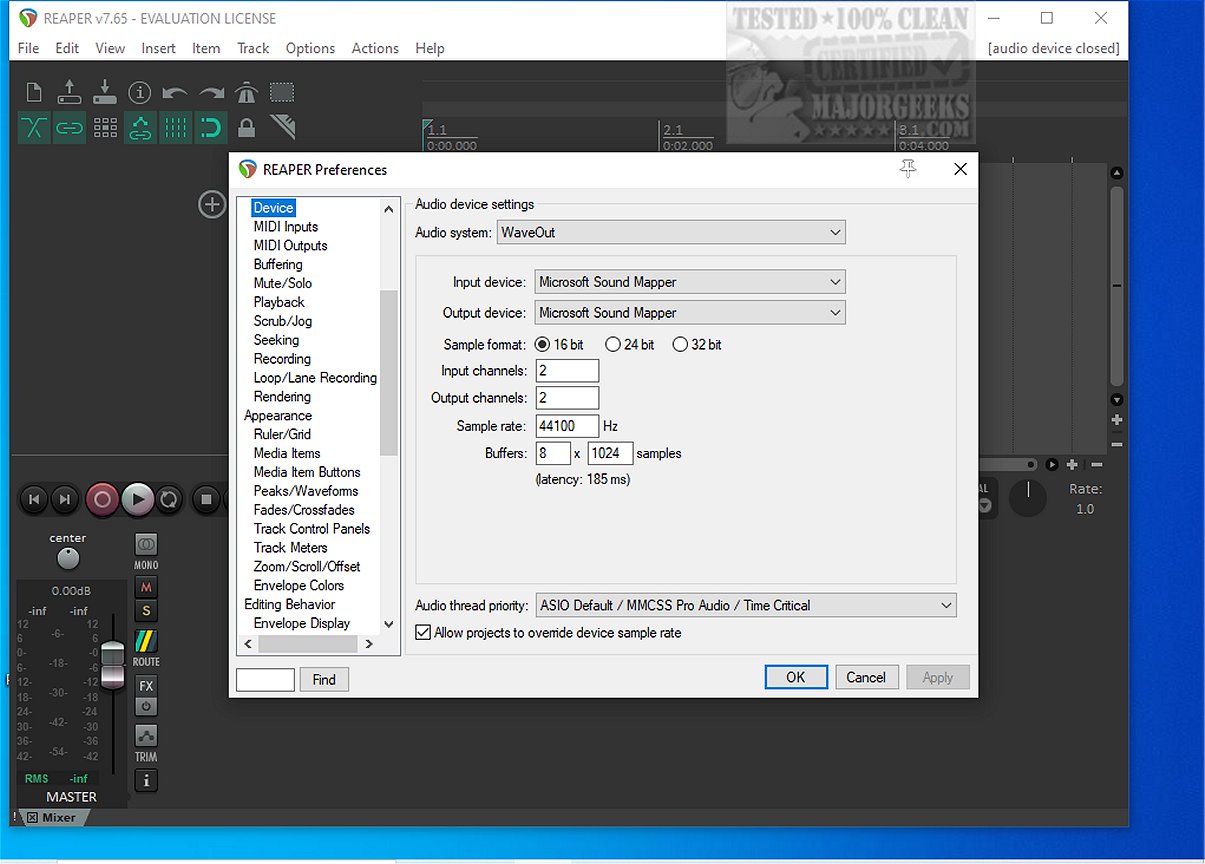
Reaper 7.78 has been released, continuing to establish itself as a versatile and efficient digital audio workstation (DAW) for recording, arranging, editing, and rendering multi-track audio. This application is particularly appealing to audio professionals and enthusiasts looking for a lightweight and stable solution that doesn't require extensive system resources or hefty sample libraries. Unlike larger DAWs such as Studio One, Reaper is known for its speed and efficiency, making it a favorite among those who prioritize performance over flashy features.
Key features of Reaper include robust driver support that allows users to switch between ASIO, Kernel Streaming, WaveOut, and DirectSound, which can save critical time during late-night mixing sessions. It supports a straightforward array of file formats including WAV, OGG, MP3, and MIDI, and allows for unlimited tracks without any paywalls. Users can create extensive vocal stacks without the software imposing limitations.
Reaper is compatible with a wide range of plugins including DirectX, VST, and Jesusonic, and its automation tools are user-friendly, providing consistent control over per-track volume and pan. The software also offers extensive customization options, allowing users to modify color themes and settings to suit their preferences.
Despite its many strengths, Reaper may not be the best fit for those who expect an abundance of built-in synthesizers and loops, or for users who dislike customizing software, as it is laden with options. However, it is surprisingly beginner-friendly, with a logical workflow that becomes intuitive once the basics are mastered. The lightweight nature of Reaper means that it performs well even on older hardware, providing a seamless experience for users who might stack multiple plugins.
In conclusion, Reaper 7.78 is a powerful DAW that caters to both professionals and beginners, offering an efficient audio production experience. While its interface may appear outdated at first glance, users can enhance it through community themes, and the extensive customization options allow for a personalized workflow. For those who encounter challenges setting up or scripting, resources are available through forums like MajorGeeks for support.
As audio technology evolves, Reaper continues to adapt, promising ongoing updates and features that keep it relevant in the competitive landscape of digital audio workstations. Whether you're a seasoned audio engineer or a novice looking to explore sound production, Reaper provides the tools necessary for creating high-quality audio projects
Key features of Reaper include robust driver support that allows users to switch between ASIO, Kernel Streaming, WaveOut, and DirectSound, which can save critical time during late-night mixing sessions. It supports a straightforward array of file formats including WAV, OGG, MP3, and MIDI, and allows for unlimited tracks without any paywalls. Users can create extensive vocal stacks without the software imposing limitations.
Reaper is compatible with a wide range of plugins including DirectX, VST, and Jesusonic, and its automation tools are user-friendly, providing consistent control over per-track volume and pan. The software also offers extensive customization options, allowing users to modify color themes and settings to suit their preferences.
Despite its many strengths, Reaper may not be the best fit for those who expect an abundance of built-in synthesizers and loops, or for users who dislike customizing software, as it is laden with options. However, it is surprisingly beginner-friendly, with a logical workflow that becomes intuitive once the basics are mastered. The lightweight nature of Reaper means that it performs well even on older hardware, providing a seamless experience for users who might stack multiple plugins.
In conclusion, Reaper 7.78 is a powerful DAW that caters to both professionals and beginners, offering an efficient audio production experience. While its interface may appear outdated at first glance, users can enhance it through community themes, and the extensive customization options allow for a personalized workflow. For those who encounter challenges setting up or scripting, resources are available through forums like MajorGeeks for support.
As audio technology evolves, Reaper continues to adapt, promising ongoing updates and features that keep it relevant in the competitive landscape of digital audio workstations. Whether you're a seasoned audio engineer or a novice looking to explore sound production, Reaper provides the tools necessary for creating high-quality audio projects
Reaper 7.78 released
REAPER is an application that lets you record, arrange, edit, and render multi-track waveform audio. The last freeware version also available.