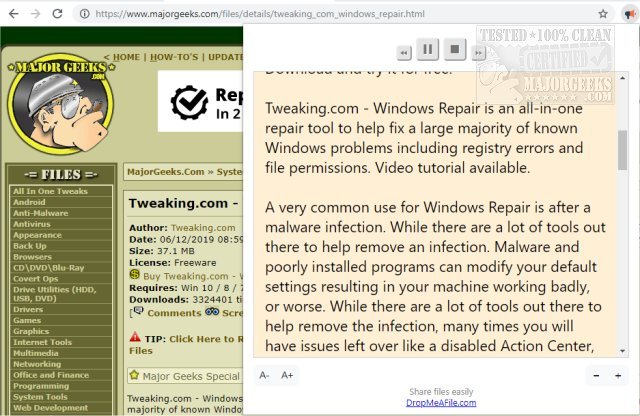
The Read Aloud: A Text-to-Speech Voice Reader extension for Chrome, Firefox, and Edge has been updated to version 2.22.0. This tool can read entire web pages aloud with just a single click, offering support for over 40 languages. Users can utilize their Amazon Web Services (AWS) or Google Cloud Platform (GCP) accounts to access advanced voice options such as Amazon Polly and Google Wavenet.
This extension is designed for a wide array of online content, including news articles, blogs, academic publications, and educational materials, making it particularly useful for those who prefer auditory learning or have reading difficulties, such as dyslexia. It also serves children who are learning to read by providing an alternative method to engage with text.
Read Aloud allows users to select from a range of text-to-speech voices, including those available through the browser and various cloud service providers like IBM Watson and Microsoft. This versatility enhances the usability of the tool, catering to different user preferences for voice quality and style.
In addition to its core functionalities, users may also benefit from related resources such as guides on managing speech voices in Windows and tips for optimizing browsing experiences in Chrome and Firefox.
To further enhance the user experience, future updates could consider integrating more personalized features, such as adjustable reading speeds and pitch, as well as improved voice options for a more natural listening experience. Additionally, incorporating user feedback mechanisms could help in refining the tool to better meet the needs of diverse audiences
This extension is designed for a wide array of online content, including news articles, blogs, academic publications, and educational materials, making it particularly useful for those who prefer auditory learning or have reading difficulties, such as dyslexia. It also serves children who are learning to read by providing an alternative method to engage with text.
Read Aloud allows users to select from a range of text-to-speech voices, including those available through the browser and various cloud service providers like IBM Watson and Microsoft. This versatility enhances the usability of the tool, catering to different user preferences for voice quality and style.
In addition to its core functionalities, users may also benefit from related resources such as guides on managing speech voices in Windows and tips for optimizing browsing experiences in Chrome and Firefox.
To further enhance the user experience, future updates could consider integrating more personalized features, such as adjustable reading speeds and pitch, as well as improved voice options for a more natural listening experience. Additionally, incorporating user feedback mechanisms could help in refining the tool to better meet the needs of diverse audiences
Read Aloud: A Text-to-Speech Voice Reader for Chrome, Firefox, and Edge 2.22.0 released
Read Aloud: A Text-to-Speech Voice Reader for Chrome, Firefox, and Edge will read entire web pages aloud in as little as one click and include support for more than 40 different languages.
Read Aloud: A Text-to-Speech Voice Reader for Chrome, Firefox, and Edge 2.22.0 released @ MajorGeeks