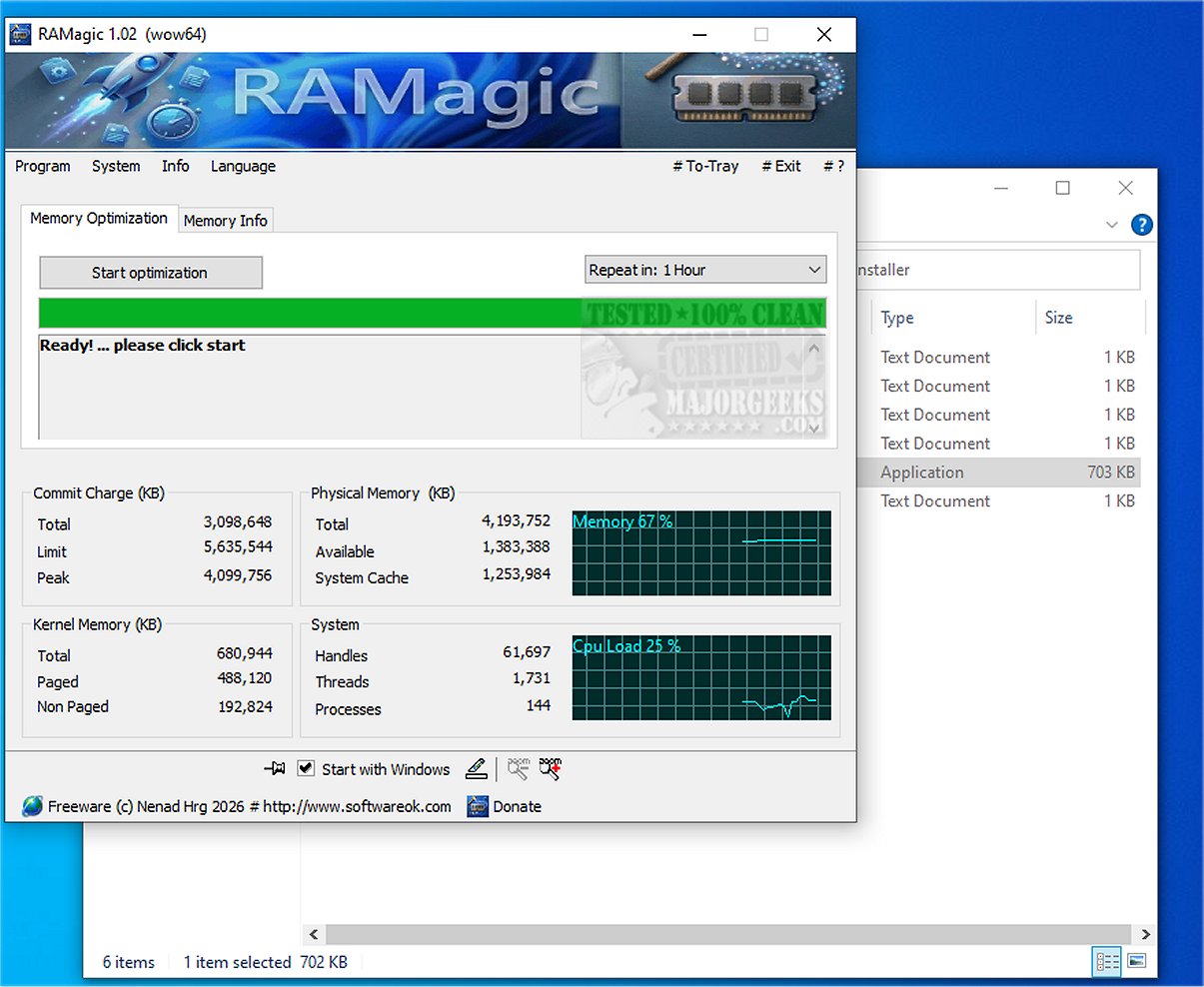
The latest release of RAMagic, version 1.22, introduces a powerful and intelligent solution for RAM optimization that enhances system performance. This lightweight tool is designed to effortlessly improve the functionality and responsiveness of your computer.
Current Memory Management Challenges
Despite personal computers being equipped with a wide range of RAM capacities, from 16 GB to 128 GB, Windows operating systems often struggle with effective memory management. Users frequently encounter issues such as fragmented memory, outdated working sets, and excessive cache data that consume valuable RAM resources. These inefficiencies can lead to slower performance and hinder the full potential of high-performance PCs. This is where RAMagic becomes beneficial.
How RAMagic Optimizes Memory
RAMagic actively analyzes all processes running on the system to identify and eliminate unnecessary working sets. It also clears the standby cache, reclaiming "forgotten" memory and making it readily available for use. By intelligently reallocating RAM, RAMagic ensures that your system operates smoothly and efficiently. This optimization addresses common memory-related issues, enabling users to harness the full power of their computer's memory for enhanced performance and productivity.
Key Features of RAMagic:
- Intelligent Working Set Optimization: Cleans outdated process data effectively.
- Clear Standby Cache: Frees up reserved memory for immediate use.
- Live Memory Monitoring: Offers real-time comparisons before and after optimization.
- Clear Memory Overview: Provides a snapshot of total, available, and used memory.
- Administrator Mode: Allows for deeper system optimization.
- Minimal Resource Usage: Only a few kilobytes in size and low CPU consumption.
- User-Friendly Interface: Features clear fonts and adjustable sizes for accessibility.
Geek Verdict
RAMagic significantly boosts multitasking capabilities, accelerates program launches, and reduces loading times, especially on older systems with numerous installed applications. Regular use of RAMagic can yield remarkable improvements in system performance.
Additional Resources:
For users interested in memory optimization, additional related resources include guides on Windows repair with included memory cleaning tools, troubleshooting low memory errors during file transfers, and tips on managing virtual memory in Windows 10 and 11.
Future Prospects
As technology continues to evolve, RAMagic may further enhance its capabilities to cater to emerging memory management challenges, ensuring that both new and older systems can perform at their best. Future updates could also integrate artificial intelligence to proactively manage memory usage based on user behavior, providing an even smarter optimization solution
Current Memory Management Challenges
Despite personal computers being equipped with a wide range of RAM capacities, from 16 GB to 128 GB, Windows operating systems often struggle with effective memory management. Users frequently encounter issues such as fragmented memory, outdated working sets, and excessive cache data that consume valuable RAM resources. These inefficiencies can lead to slower performance and hinder the full potential of high-performance PCs. This is where RAMagic becomes beneficial.
How RAMagic Optimizes Memory
RAMagic actively analyzes all processes running on the system to identify and eliminate unnecessary working sets. It also clears the standby cache, reclaiming "forgotten" memory and making it readily available for use. By intelligently reallocating RAM, RAMagic ensures that your system operates smoothly and efficiently. This optimization addresses common memory-related issues, enabling users to harness the full power of their computer's memory for enhanced performance and productivity.
Key Features of RAMagic:
- Intelligent Working Set Optimization: Cleans outdated process data effectively.
- Clear Standby Cache: Frees up reserved memory for immediate use.
- Live Memory Monitoring: Offers real-time comparisons before and after optimization.
- Clear Memory Overview: Provides a snapshot of total, available, and used memory.
- Administrator Mode: Allows for deeper system optimization.
- Minimal Resource Usage: Only a few kilobytes in size and low CPU consumption.
- User-Friendly Interface: Features clear fonts and adjustable sizes for accessibility.
Geek Verdict
RAMagic significantly boosts multitasking capabilities, accelerates program launches, and reduces loading times, especially on older systems with numerous installed applications. Regular use of RAMagic can yield remarkable improvements in system performance.
Additional Resources:
For users interested in memory optimization, additional related resources include guides on Windows repair with included memory cleaning tools, troubleshooting low memory errors during file transfers, and tips on managing virtual memory in Windows 10 and 11.
Future Prospects
As technology continues to evolve, RAMagic may further enhance its capabilities to cater to emerging memory management challenges, ensuring that both new and older systems can perform at their best. Future updates could also integrate artificial intelligence to proactively manage memory usage based on user behavior, providing an even smarter optimization solution
RAMagic 1.22 released
RAMagic offers an efficient and intelligent solution for RAM optimization. Its lightweight design ensures you can effortlessly enhance your system's performance, resulting in improved functionality and responsiveness.