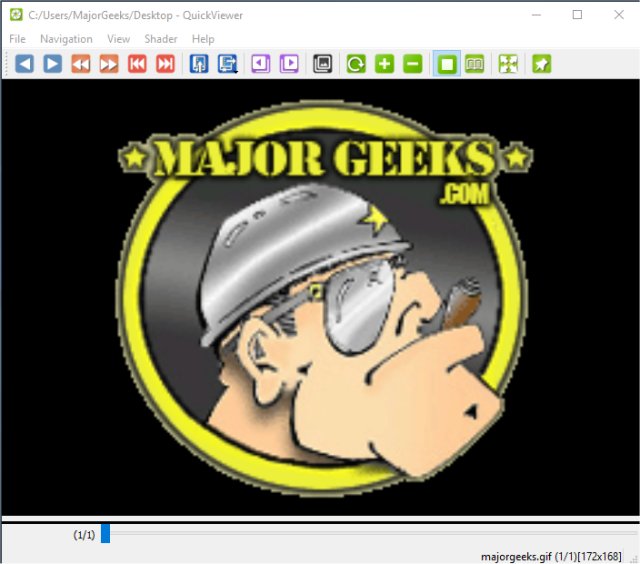
QuickViewer 1.2.8 has been released as an efficient OpenGL graphic image viewer that supports a wide range of image formats, including raw files. As an open-source and portable application, QuickViewer stands out for its speed, as it preloads images and utilizes OpenGL for fast rendering. While it displays the dimensions of the currently viewed image, it does not indicate the image size.
The user interface consists of five main tabs: File, Navigation, View, Shader, and Help. The File tab allows users to open images, access history, and auto-load the last viewed image. The Navigation tab facilitates browsing through images, offering options to move forward or backward, as well as a fast-forward feature. Users can also bookmark images and run slideshows of the loaded images from this tab.
The View tab provides options to customize the interface, such as enabling full-screen mode or keeping QuickViewer always on top, in addition to functionality for scaling, rotating, and fitting images. The Shader tab includes resampling and filtering options like Bilinear, Bicubic, Lanczos, and Nearest Neighbor, which enhance the viewing experience.
Unlike many image viewers that become bloated with unnecessary processing tools over time, QuickViewer maintains its simplicity while still offering essential features. It remains a fast, free, and straightforward solution for browsing images.
To further enhance QuickViewer's capabilities, future releases could consider adding features such as advanced image editing tools, integration with cloud storage for easier access to images, or support for additional image formats. User feedback could also drive improvements in user experience and interface design, ensuring it remains a top choice for image viewing in the ever-evolving tech landscape
The user interface consists of five main tabs: File, Navigation, View, Shader, and Help. The File tab allows users to open images, access history, and auto-load the last viewed image. The Navigation tab facilitates browsing through images, offering options to move forward or backward, as well as a fast-forward feature. Users can also bookmark images and run slideshows of the loaded images from this tab.
The View tab provides options to customize the interface, such as enabling full-screen mode or keeping QuickViewer always on top, in addition to functionality for scaling, rotating, and fitting images. The Shader tab includes resampling and filtering options like Bilinear, Bicubic, Lanczos, and Nearest Neighbor, which enhance the viewing experience.
Unlike many image viewers that become bloated with unnecessary processing tools over time, QuickViewer maintains its simplicity while still offering essential features. It remains a fast, free, and straightforward solution for browsing images.
To further enhance QuickViewer's capabilities, future releases could consider adding features such as advanced image editing tools, integration with cloud storage for easier access to images, or support for additional image formats. User feedback could also drive improvements in user experience and interface design, ensuring it remains a top choice for image viewing in the ever-evolving tech landscape
QuickViewer 1.2.8 released
QuickViewer is an OpenGL graphic image viewer for browsing most image formats including raw files.