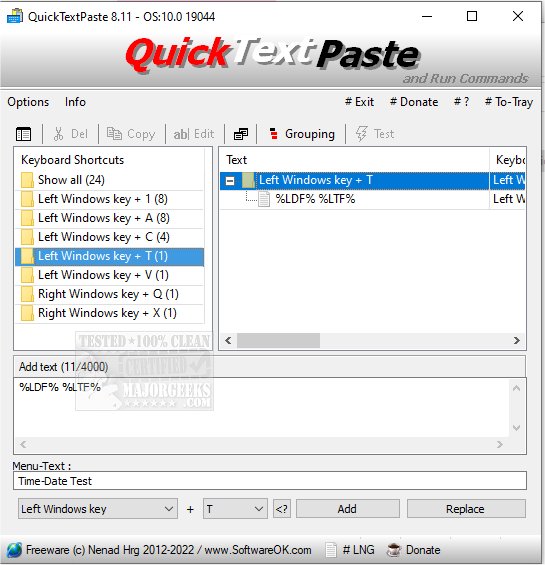
QuickTextPaste 9.45 has been released, offering users a lightweight and portable solution for inserting pre-defined text into any Windows application using keyboard shortcuts. This tool not only facilitates text insertion but also allows users to execute commands and launch programs quickly, enhancing productivity and minimizing the chances of spelling mistakes.
Key features of QuickTextPaste include:
- The ability to select text fields with a single hotkey.
- Running multiple commands or launching programs with a single shortcut.
- Customizable Windows shortcuts for various tasks.
- Support for inserting multi-line text.
- Command line launching of applications via keyboard shortcuts.
- A feature to paste frequently used text snippets.
- Low CPU usage, ensuring it runs efficiently in the background.
- Multilingual support to cater to users across different languages.
QuickTextPaste is an essential tool for those looking to streamline their workflow and reduce repetitive typing tasks.
In addition to the above functionalities, users might find it beneficial to explore similar tools, such as methods for copying file paths to the clipboard, clearing clipboard history with shortcuts, and disabling clipboard history in Windows 10 and 11. These related features can further enhance the efficiency of managing text and commands on Windows systems.
As technology continues to evolve, tools like QuickTextPaste will likely incorporate more advanced features, such as cloud synchronization for text snippets and integration with other productivity applications, making them even more indispensable for everyday users
Key features of QuickTextPaste include:
- The ability to select text fields with a single hotkey.
- Running multiple commands or launching programs with a single shortcut.
- Customizable Windows shortcuts for various tasks.
- Support for inserting multi-line text.
- Command line launching of applications via keyboard shortcuts.
- A feature to paste frequently used text snippets.
- Low CPU usage, ensuring it runs efficiently in the background.
- Multilingual support to cater to users across different languages.
QuickTextPaste is an essential tool for those looking to streamline their workflow and reduce repetitive typing tasks.
In addition to the above functionalities, users might find it beneficial to explore similar tools, such as methods for copying file paths to the clipboard, clearing clipboard history with shortcuts, and disabling clipboard history in Windows 10 and 11. These related features can further enhance the efficiency of managing text and commands on Windows systems.
As technology continues to evolve, tools like QuickTextPaste will likely incorporate more advanced features, such as cloud synchronization for text snippets and integration with other productivity applications, making them even more indispensable for everyday users
QuickTextPaste 9.45 released
QuickTextPaste is a small, portable program that allows you to insert (paste) pre-defined text in any Windows application via keyboard shortcuts.