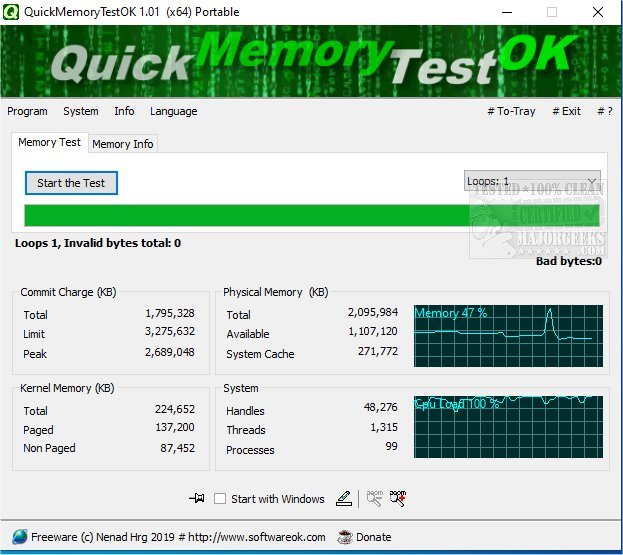
QuickMemoryTestOK version 5.44 has been released as a free utility designed for efficiently testing the RAM of your PC. This tool is particularly useful for users who have systems equipped with large amounts of RAM, such as 16GB, 32GB, 64GB, or even 128GB. Since many users may not fully utilize all available memory, it is advisable to conduct tests to identify any defective areas within the main memory.
The utility is not only beneficial for new PC purchases but can also aid in diagnosing high memory usage issues that may contribute to serious system errors.
Key Features of QuickMemoryTestOK:
- Quick memory testing capabilities
- The ability to pause tests for monitoring systems under high RAM loads
- Customizable test runs to suit user preferences
- Clear and informative display of memory status
- Consideration of CPU behavior during tests
- Access to essential memory and system functions
- Zoom functionality for visually impaired users
- Compact size and low CPU usage
- Multilingual support
Additionally, users can find similar resources, such as guides on using the Windows Memory Diagnostic Tool, checking RAM speed, handling memory errors in Windows 10, and managing SysMain (Superfetch) settings.
With the advancements in RAM technology and increasing memory capacities, tools like QuickMemoryTestOK are becoming increasingly vital for maintaining system performance and reliability. Users are encouraged to regularly check their memory health, especially after hardware upgrades or system changes, to ensure optimal functionality and prevent potential issues down the line
The utility is not only beneficial for new PC purchases but can also aid in diagnosing high memory usage issues that may contribute to serious system errors.
Key Features of QuickMemoryTestOK:
- Quick memory testing capabilities
- The ability to pause tests for monitoring systems under high RAM loads
- Customizable test runs to suit user preferences
- Clear and informative display of memory status
- Consideration of CPU behavior during tests
- Access to essential memory and system functions
- Zoom functionality for visually impaired users
- Compact size and low CPU usage
- Multilingual support
Additionally, users can find similar resources, such as guides on using the Windows Memory Diagnostic Tool, checking RAM speed, handling memory errors in Windows 10, and managing SysMain (Superfetch) settings.
With the advancements in RAM technology and increasing memory capacities, tools like QuickMemoryTestOK are becoming increasingly vital for maintaining system performance and reliability. Users are encouraged to regularly check their memory health, especially after hardware upgrades or system changes, to ensure optimal functionality and prevent potential issues down the line
QuickMemoryTestOK 5.44 released
QuickMemoryTestOK is a free utility for quickly testing your PC's RAM.