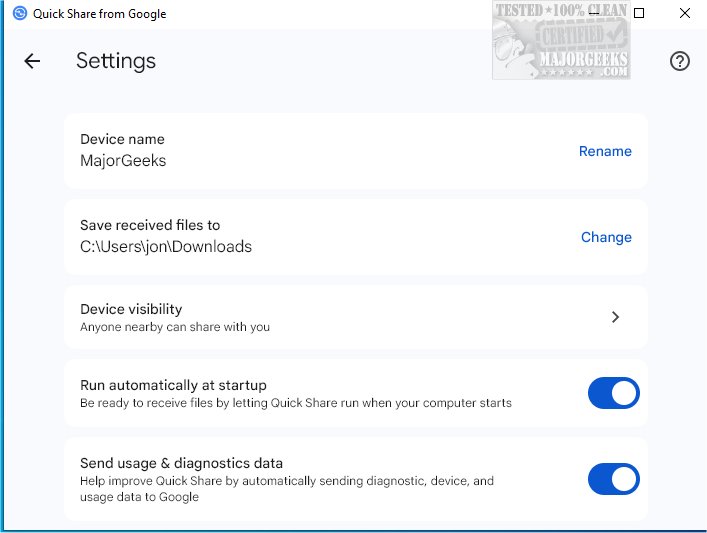
Google has released version 1.0.2527.0 of Quick Share, previously known as Nearby Share. This application facilitates wireless sharing, allowing users to easily send and receive various types of content, such as photos and documents, with nearby Android devices and PCs. For Windows users, Quick Share requires that their smartphone is paired with the computer to ensure successful transfers.
One of the standout features of Quick Share is its emphasis on safety and privacy. Users can manage their device's visibility and control who can send files to them, with options to allow sharing from everyone, only friends and family, or just their own devices. This is particularly useful for users looking to edit or proofread images or documents, as they can transfer files to their PC for a more comfortable editing experience before sending them back to their smartphone.
Setting up Quick Share is a simple process. Users need to download and install the application on their Windows PC and sign in to their Google account to customize visibility preferences. Once set up, users can start sharing with a selected audience. For those with Android devices running version 6 or later, Quick Share is already integrated into the system, though it must be activated as it is defaulted to off.
In extending this overview, it is important to note how Quick Share enhances productivity and collaboration among users. The ability to seamlessly transfer files between devices streamlines workflows for both personal and professional tasks. Furthermore, as remote work continues to be prevalent, tools like Quick Share can foster better communication and efficiency among teams. Users should also be aware of potential updates and enhancements that Google may introduce in future versions, which could include improved transfer speeds, additional file types, or enhanced security features. Overall, Quick Share represents a convenient solution for modern file sharing needs across multiple devices
One of the standout features of Quick Share is its emphasis on safety and privacy. Users can manage their device's visibility and control who can send files to them, with options to allow sharing from everyone, only friends and family, or just their own devices. This is particularly useful for users looking to edit or proofread images or documents, as they can transfer files to their PC for a more comfortable editing experience before sending them back to their smartphone.
Setting up Quick Share is a simple process. Users need to download and install the application on their Windows PC and sign in to their Google account to customize visibility preferences. Once set up, users can start sharing with a selected audience. For those with Android devices running version 6 or later, Quick Share is already integrated into the system, though it must be activated as it is defaulted to off.
In extending this overview, it is important to note how Quick Share enhances productivity and collaboration among users. The ability to seamlessly transfer files between devices streamlines workflows for both personal and professional tasks. Furthermore, as remote work continues to be prevalent, tools like Quick Share can foster better communication and efficiency among teams. Users should also be aware of potential updates and enhancements that Google may introduce in future versions, which could include improved transfer speeds, additional file types, or enhanced security features. Overall, Quick Share represents a convenient solution for modern file sharing needs across multiple devices
Quick Share (formerly Nearby Share) from Google 1.0.2527.0 released
Quick Share (formerly Nearby Share) from Google enables wireless sharing, allowing you to send/receive photos, documents, etc., with nearby Android devices and PCs.
Quick Share (formerly Nearby Share) from Google 1.0.2527.0 released @ MajorGeeks