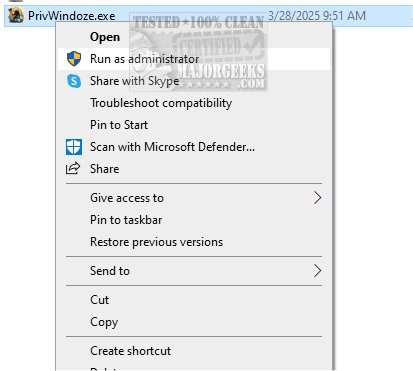
PrivWindoze 7.0.4 has been released, offering a potent anti-telemetry script that significantly enhances user privacy on Windows systems. The primary function of PrivWindoze is to adjust various system policies to minimize data collection and tracking by Microsoft and original equipment manufacturers (OEMs). In addition to boosting privacy, the script also removes unnecessary bloatware that often comes preinstalled on new devices, allowing users to streamline their systems and reclaim resources for a more efficient computing experience.
One of the notable features of PrivWindoze is its ability to optimize system performance by terminating non-essential processes during scans while maintaining a small whitelist of essential applications. The script purges all RunOnce entries from the Windows Registry and clears several Event Viewer Logs, covering applications, security, setup, system, and forwarded events. It targets cache files from various popular applications, including web browsers and gaming platforms, ensuring a thorough clean-up.
To ensure user security, PrivWindoze creates a System Restore Point named 'PrivWindoze' before making any changes, provided that System Restore is enabled. It also removes BitsTransfer Jobs and deletes Temporary Internet Files while preserving cookies for existing logins. Additionally, the tool disables the 'Show me suggested content in the Settings app' feature in Windows 10 and 11, which many users find intrusive. Furthermore, it restores the traditional right-click context menu and eliminates several preinstalled applications from OEM devices, such as Microsoft Edge, OneDrive, and various bundled software from manufacturers like Acer and HP.
In summary, if you are concerned about your privacy and the clutter of unnecessary software on your Windows device, PrivWindoze offers a tailored solution to enhance your privacy and streamline your computing experience.
Extension: As digital privacy concerns continue to grow, tools like PrivWindoze are becoming increasingly essential for users who wish to regain control over their data. With the rise of telemetry and data tracking practices by tech companies, solutions that provide users with the ability to customize their privacy settings and eliminate unwanted software are in high demand. Furthermore, as operating systems evolve, maintaining user privacy while ensuring a smooth user experience remains a significant challenge.
The release of PrivWindoze 7.0.4 exemplifies the ongoing efforts in the tech community to address these issues, providing users with powerful tools to take charge of their digital environments. As more individuals become aware of their digital footprints, the adoption of such privacy-enhancing solutions may lead to a broader movement towards more secure and user-friendly operating systems
One of the notable features of PrivWindoze is its ability to optimize system performance by terminating non-essential processes during scans while maintaining a small whitelist of essential applications. The script purges all RunOnce entries from the Windows Registry and clears several Event Viewer Logs, covering applications, security, setup, system, and forwarded events. It targets cache files from various popular applications, including web browsers and gaming platforms, ensuring a thorough clean-up.
To ensure user security, PrivWindoze creates a System Restore Point named 'PrivWindoze' before making any changes, provided that System Restore is enabled. It also removes BitsTransfer Jobs and deletes Temporary Internet Files while preserving cookies for existing logins. Additionally, the tool disables the 'Show me suggested content in the Settings app' feature in Windows 10 and 11, which many users find intrusive. Furthermore, it restores the traditional right-click context menu and eliminates several preinstalled applications from OEM devices, such as Microsoft Edge, OneDrive, and various bundled software from manufacturers like Acer and HP.
In summary, if you are concerned about your privacy and the clutter of unnecessary software on your Windows device, PrivWindoze offers a tailored solution to enhance your privacy and streamline your computing experience.
Extension: As digital privacy concerns continue to grow, tools like PrivWindoze are becoming increasingly essential for users who wish to regain control over their data. With the rise of telemetry and data tracking practices by tech companies, solutions that provide users with the ability to customize their privacy settings and eliminate unwanted software are in high demand. Furthermore, as operating systems evolve, maintaining user privacy while ensuring a smooth user experience remains a significant challenge.
The release of PrivWindoze 7.0.4 exemplifies the ongoing efforts in the tech community to address these issues, providing users with powerful tools to take charge of their digital environments. As more individuals become aware of their digital footprints, the adoption of such privacy-enhancing solutions may lead to a broader movement towards more secure and user-friendly operating systems
PrivWindoze 7.0.4 released
PrivWindoze, short for Private Windows, offers a comprehensive anti-telemetry script designed to enhance your privacy while using Windows.