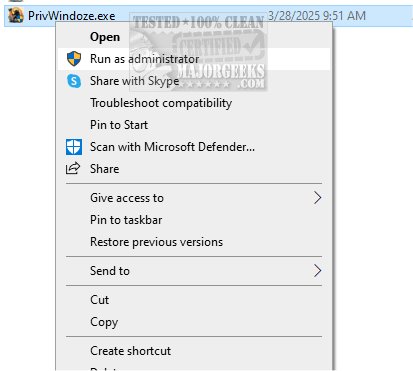
PrivWindoze, short for Private Windows, has launched its latest version, 6.0.1, featuring an advanced anti-telemetry script aimed at improving user privacy on Windows operating systems. This powerful tool is designed to tackle data collection and tracking practices employed by Microsoft and original equipment manufacturers (OEMs).
Key Features of PrivWindoze:
1. Data Collection Limitation: The script alters various system policies to significantly reduce the amount of data collected by both Microsoft and OEMs, ensuring a more private user experience.
2. Bloatware Removal: PrivWindoze streamlines your system by uninstalling unnecessary preinstalled software, also known as bloatware, that can consume resources and pose privacy risks.
3. Performance Optimization: The script intelligently shuts down non-essential processes during scanning operations while maintaining a small whitelist for essential applications. This feature ensures optimal system performance even during intensive tasks.
4. Cleaning Operations: PrivWindoze purges RunOnce entries from the Windows Registry and clears logs from the Event Viewer, including Application, Security, Setup, System, and Forwarded Events. It also targets cache files from popular applications like Microsoft Edge, Google Chrome, and Discord, among others.
5. System Restore Point Creation: To safeguard against potential issues caused by the script, PrivWindoze creates a System Restore Point named 'PrivWindoze,' provided the System Restore feature is activated.
6. Targeted File Deletion: The tool removes BitsTransfer Jobs and deletes Temporary Internet Files without affecting cookies, allowing users to keep their login sessions intact.
7. User Preference Customization: PrivWindoze disables the 'Show me suggested content in the Settings app' feature on Windows 10 and 11, which many users find intrusive. It also restores the classic right-click Context Menu, enhancing the overall user experience.
8. OEM Application Removal: The script removes commonly preinstalled applications, such as Microsoft Edge, OneDrive, and Xbox, that come bundled with OEM devices from manufacturers like Acer, Dell, and Lenovo.
Conclusion: If you are concerned about your privacy and the clutter of unnecessary applications on your Windows device, PrivWindoze offers a tailored solution to enhance your computing experience. By focusing on both privacy and system efficiency, PrivWindoze empowers users to regain control over their personal information and streamline their operating system.
Future Developments: Looking ahead, the developers of PrivWindoze may continue to enhance the script by incorporating user feedback, expanding its compatibility with more applications, and introducing new features that further bolster privacy and performance on Windows systems
Key Features of PrivWindoze:
1. Data Collection Limitation: The script alters various system policies to significantly reduce the amount of data collected by both Microsoft and OEMs, ensuring a more private user experience.
2. Bloatware Removal: PrivWindoze streamlines your system by uninstalling unnecessary preinstalled software, also known as bloatware, that can consume resources and pose privacy risks.
3. Performance Optimization: The script intelligently shuts down non-essential processes during scanning operations while maintaining a small whitelist for essential applications. This feature ensures optimal system performance even during intensive tasks.
4. Cleaning Operations: PrivWindoze purges RunOnce entries from the Windows Registry and clears logs from the Event Viewer, including Application, Security, Setup, System, and Forwarded Events. It also targets cache files from popular applications like Microsoft Edge, Google Chrome, and Discord, among others.
5. System Restore Point Creation: To safeguard against potential issues caused by the script, PrivWindoze creates a System Restore Point named 'PrivWindoze,' provided the System Restore feature is activated.
6. Targeted File Deletion: The tool removes BitsTransfer Jobs and deletes Temporary Internet Files without affecting cookies, allowing users to keep their login sessions intact.
7. User Preference Customization: PrivWindoze disables the 'Show me suggested content in the Settings app' feature on Windows 10 and 11, which many users find intrusive. It also restores the classic right-click Context Menu, enhancing the overall user experience.
8. OEM Application Removal: The script removes commonly preinstalled applications, such as Microsoft Edge, OneDrive, and Xbox, that come bundled with OEM devices from manufacturers like Acer, Dell, and Lenovo.
Conclusion: If you are concerned about your privacy and the clutter of unnecessary applications on your Windows device, PrivWindoze offers a tailored solution to enhance your computing experience. By focusing on both privacy and system efficiency, PrivWindoze empowers users to regain control over their personal information and streamline their operating system.
Future Developments: Looking ahead, the developers of PrivWindoze may continue to enhance the script by incorporating user feedback, expanding its compatibility with more applications, and introducing new features that further bolster privacy and performance on Windows systems
PrivWindoze 6.0.1 released
PrivWindoze, short for Private Windows, offers a comprehensive anti-telemetry script designed to enhance your privacy while using Windows.