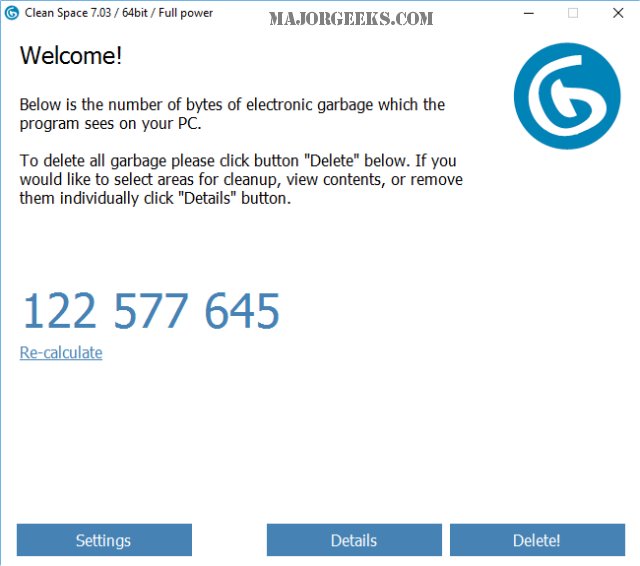
PrivacyRoot Clean Space 724 has been released, offering users a tool to efficiently remove unnecessary files from their drives while also ensuring their privacy by making deleted files unrecoverable. The program is user-friendly, allowing users to operate it in Administrator mode for enhanced functionality. On its first run, it automatically prompts users to enable Administrator mode if they wish. Upon startup, Clean Space quickly scans the system and presents a summary of files eligible for deletion, with the option to recalculate if the program is left running for an extended period.
The application categorizes detected files based on their origin, including Windows 10, media applications, and various web browsers, providing users with detailed insights into what can be safely removed. Users have the flexibility to exclude certain data, like cookies or browsing history, if they wish to retain them. The clean-up process is straightforward—simply select the files to delete and click the delete button.
In comparison to other popular cleaning tools like CCleaner and Wise Disk Cleaner, Clean Space offers a balance between efficiency and simplicity. While CCleaner identified a similar amount of junk files, Clean Space does so without the additional features that some users might find cumbersome, such as a registry cleaner or startup manager. This makes Clean Space an appealing option for those who prefer a streamlined experience focused solely on junk file removal.
Overall, PrivacyRoot Clean Space stands out as an effective solution for users looking to declutter their systems and maintain privacy without the hassle of navigating a complex interface. Its simplicity may resonate with users who prefer straightforward cleaning processes over extensive options.
For users interested in secure file deletion, additional resources and comparisons with other cleaning tools like CCleaner, Wise Disk Cleaner, and PrivaZer can provide further insights into the best choices for their needs
The application categorizes detected files based on their origin, including Windows 10, media applications, and various web browsers, providing users with detailed insights into what can be safely removed. Users have the flexibility to exclude certain data, like cookies or browsing history, if they wish to retain them. The clean-up process is straightforward—simply select the files to delete and click the delete button.
In comparison to other popular cleaning tools like CCleaner and Wise Disk Cleaner, Clean Space offers a balance between efficiency and simplicity. While CCleaner identified a similar amount of junk files, Clean Space does so without the additional features that some users might find cumbersome, such as a registry cleaner or startup manager. This makes Clean Space an appealing option for those who prefer a streamlined experience focused solely on junk file removal.
Overall, PrivacyRoot Clean Space stands out as an effective solution for users looking to declutter their systems and maintain privacy without the hassle of navigating a complex interface. Its simplicity may resonate with users who prefer straightforward cleaning processes over extensive options.
For users interested in secure file deletion, additional resources and comparisons with other cleaning tools like CCleaner, Wise Disk Cleaner, and PrivaZer can provide further insights into the best choices for their needs
PrivacyRoot Clean Space 724 released
PrivacyRoot Clean Space can remove unneeded files that waste space on your drive and protect your privacy by making deleted files unrecoverable.