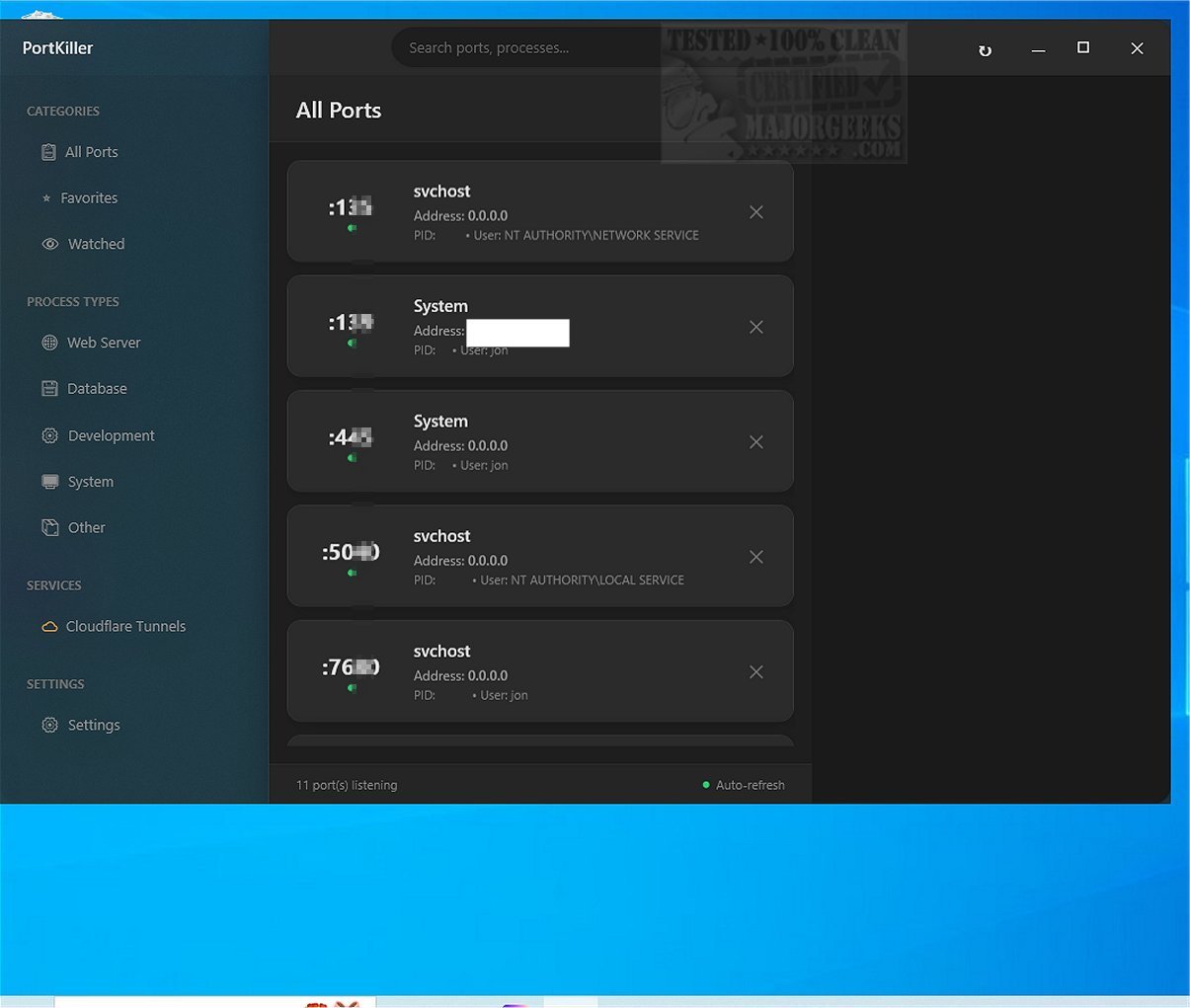
PortKiller 3.3.0 has been released, enhancing its status as a versatile cross-platform tool for port monitoring and management. This application not only closes ports but also actively listens on all TCP ports, checks running processes, and provides detailed information about each connection, making it particularly beneficial for software developers and network administrators.
Key features of PortKiller include:
- Comprehensive Port Management: The tool automatically discovers all listening TCP ports, allows for one-click process termination (both graceful and force kill), and features an auto-refresh option with a configurable interval. Users can search and filter by port number or process name, create a favorites list for quick access to important ports, and set up notifications for monitored connections. PortKiller also categorizes processes into predefined groups like Web Servers, Databases, Development, and System for easier navigation.
- Kubernetes Port Forwarding: PortKiller enables users to create and manage kubectl port-forward sessions, with functionality for auto-reconnection on connection loss and connection logging. Notifications on connect/disconnect events enhance user awareness.
- Cloudflare Tunnel Management: With the requirement of the Cloudflared tool, PortKiller offers management for active Cloudflare Tunnel connections, allowing users to view statuses and monitor uptime directly from the interface.
PortKiller’s user-friendly design includes a straightforward, portable setup—requiring no installation—allowing users to launch the application simply by double-clicking its executable. The main interface provides a consolidated view of all active TCP processes and port connections.
For an even more tailored experience, PortKiller includes features like a Favorites list and a Watched section, facilitating the tracking of essential ports and connections. This sorting capability ensures users can efficiently manage their open connections and processes.
In conclusion, PortKiller stands out as a robust management tool for developers and network administrators, especially those with advanced networking skills. Its open-source nature, combined with functionalities like Cloudflare Tunnel sharing and Kubernetes port-forwarding, positions it as a valuable asset in the realm of network monitoring and management.
Extended Considerations: As networking technology continues to evolve, tools like PortKiller must adapt to emerging standards and protocols. Future updates may include enhanced security features, better integration with cloud services, and support for additional protocols beyond TCP. Moreover, expanding its user base by providing comprehensive documentation and tutorials could further solidify PortKiller’s role as an essential tool for both novice and expert users in network management
Key features of PortKiller include:
- Comprehensive Port Management: The tool automatically discovers all listening TCP ports, allows for one-click process termination (both graceful and force kill), and features an auto-refresh option with a configurable interval. Users can search and filter by port number or process name, create a favorites list for quick access to important ports, and set up notifications for monitored connections. PortKiller also categorizes processes into predefined groups like Web Servers, Databases, Development, and System for easier navigation.
- Kubernetes Port Forwarding: PortKiller enables users to create and manage kubectl port-forward sessions, with functionality for auto-reconnection on connection loss and connection logging. Notifications on connect/disconnect events enhance user awareness.
- Cloudflare Tunnel Management: With the requirement of the Cloudflared tool, PortKiller offers management for active Cloudflare Tunnel connections, allowing users to view statuses and monitor uptime directly from the interface.
PortKiller’s user-friendly design includes a straightforward, portable setup—requiring no installation—allowing users to launch the application simply by double-clicking its executable. The main interface provides a consolidated view of all active TCP processes and port connections.
For an even more tailored experience, PortKiller includes features like a Favorites list and a Watched section, facilitating the tracking of essential ports and connections. This sorting capability ensures users can efficiently manage their open connections and processes.
In conclusion, PortKiller stands out as a robust management tool for developers and network administrators, especially those with advanced networking skills. Its open-source nature, combined with functionalities like Cloudflare Tunnel sharing and Kubernetes port-forwarding, positions it as a valuable asset in the realm of network monitoring and management.
Extended Considerations: As networking technology continues to evolve, tools like PortKiller must adapt to emerging standards and protocols. Future updates may include enhanced security features, better integration with cloud services, and support for additional protocols beyond TCP. Moreover, expanding its user base by providing comprehensive documentation and tutorials could further solidify PortKiller’s role as an essential tool for both novice and expert users in network management
PortKiller 3.3.0 released
PortKiller is a versatile cross-platform tool designed for port monitoring and management. It goes beyond the basic function of simply closing a port; it also allows listening on all TCP ports, checking running processes, and presenting detailed information about each connection.