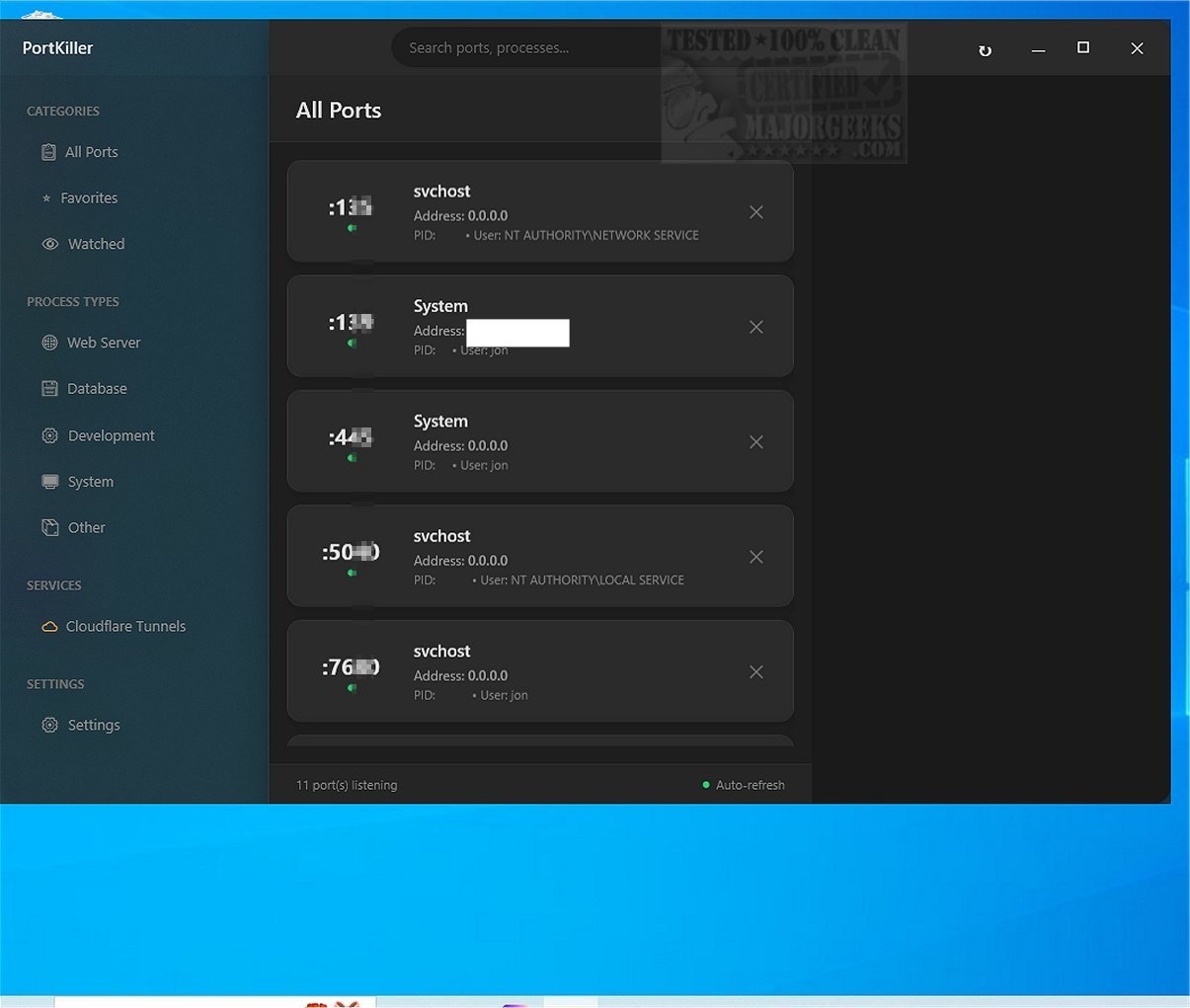
PortKiller 3.2.0 has been released, offering an advanced cross-platform tool for comprehensive port monitoring and management. This tool not only facilitates the closing of ports but also enables users to listen on all TCP ports, check running processes, and access detailed information about each connection, making it particularly useful for software developers and network administrators.
Key features of PortKiller include:
- Port Management: Automatic discovery of all listening TCP ports, one-click process termination (both graceful and force kill), auto-refresh capabilities, and search/filter options by port number or process name. Users can also categorize ports for quick access and receive notifications for watched ports.
- Kubernetes Port Forwarding: Users can create and manage kubectl port-forward sessions, with auto-reconnect functionality during connection losses, as well as logs and notifications for connection status.
- Cloudflare Tunnel Management: Requires the Cloudflared tool for viewing and managing active Cloudflare Tunnel connections, allowing users to monitor tunnel status and accessibility.
PortKiller's user-friendly interface allows for immediate port monitoring without the need for installation — users simply double-click the executable to start. The application features a Favorites list and a Watched section to prioritize important ports, with predefined categories for easier navigation through diverse types of processes, including web servers and database connections.
In summary, PortKiller 3.2.0 emerges as a robust application for those requiring effective port management and monitoring, particularly beneficial for those with advanced networking skills. Its open-source nature adds to its appeal, making it a valuable tool in both development and network management settings.
Extension: Future versions of PortKiller could potentially include enhancements such as support for additional tunneling protocols, an integrated user guide for beginners, or advanced analytics for tracking port usage over time. Furthermore, community-driven plugins could expand functionality, allowing users to tailor the tool to their specific needs. Additionally, incorporating a graphical representation of port connections could further aid in visualizing network activity and troubleshooting
Key features of PortKiller include:
- Port Management: Automatic discovery of all listening TCP ports, one-click process termination (both graceful and force kill), auto-refresh capabilities, and search/filter options by port number or process name. Users can also categorize ports for quick access and receive notifications for watched ports.
- Kubernetes Port Forwarding: Users can create and manage kubectl port-forward sessions, with auto-reconnect functionality during connection losses, as well as logs and notifications for connection status.
- Cloudflare Tunnel Management: Requires the Cloudflared tool for viewing and managing active Cloudflare Tunnel connections, allowing users to monitor tunnel status and accessibility.
PortKiller's user-friendly interface allows for immediate port monitoring without the need for installation — users simply double-click the executable to start. The application features a Favorites list and a Watched section to prioritize important ports, with predefined categories for easier navigation through diverse types of processes, including web servers and database connections.
In summary, PortKiller 3.2.0 emerges as a robust application for those requiring effective port management and monitoring, particularly beneficial for those with advanced networking skills. Its open-source nature adds to its appeal, making it a valuable tool in both development and network management settings.
Extension: Future versions of PortKiller could potentially include enhancements such as support for additional tunneling protocols, an integrated user guide for beginners, or advanced analytics for tracking port usage over time. Furthermore, community-driven plugins could expand functionality, allowing users to tailor the tool to their specific needs. Additionally, incorporating a graphical representation of port connections could further aid in visualizing network activity and troubleshooting
PortKiller 3.2.0 released
PortKiller is a versatile cross-platform tool designed for port monitoring and management. It goes beyond the basic function of simply closing a port; it also allows listening on all TCP ports, checking running processes, and presenting detailed information about each connection.