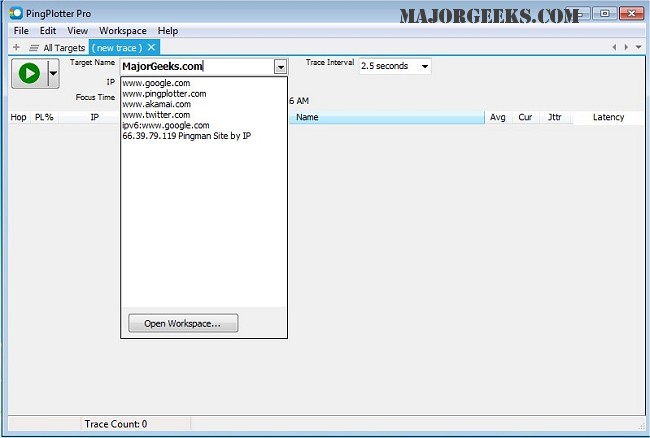
PingPlotter version 5.27.8 has been released, offering users a powerful tool for diagnosing network issues. This application maps the route from a user's computer to a specified target, calculating various performance metrics that help pinpoint the origins of network problems. With its intuitive graphical interface, PingPlotter makes it easy for both casual internet users and networking professionals to visualize and monitor their connections over time, allowing for the identification of persistent issues.
Key features of PingPlotter include real-time and historical graphs, the ability to zoom in on specific problems, customizable alerts, and the capability to graph multiple hops simultaneously. Additionally, users can create images of their graphs to share via email, facilitating easier communication about network performance.
To enhance user experience, the software continues to monitor network connections over extended periods, providing insights into the consistency and reliability of their internet service.
In addition to its core functionality, users may find it beneficial to explore related topics such as using the Ping command in Windows, understanding Windows Auto-Tuning, improving wireless network performance, fixing slow internet issues on Windows 10 and 11, and resetting network settings in these operating systems.
Overall, PingPlotter stands out as a versatile tool for anyone looking to troubleshoot and optimize their network performance
Key features of PingPlotter include real-time and historical graphs, the ability to zoom in on specific problems, customizable alerts, and the capability to graph multiple hops simultaneously. Additionally, users can create images of their graphs to share via email, facilitating easier communication about network performance.
To enhance user experience, the software continues to monitor network connections over extended periods, providing insights into the consistency and reliability of their internet service.
In addition to its core functionality, users may find it beneficial to explore related topics such as using the Ping command in Windows, understanding Windows Auto-Tuning, improving wireless network performance, fixing slow internet issues on Windows 10 and 11, and resetting network settings in these operating systems.
Overall, PingPlotter stands out as a versatile tool for anyone looking to troubleshoot and optimize their network performance
PingPlotter 5.27.8 released
PingPlotter will map the route from your computer to a target and calculate performance metrics that help determine determine the origin of any network issues.