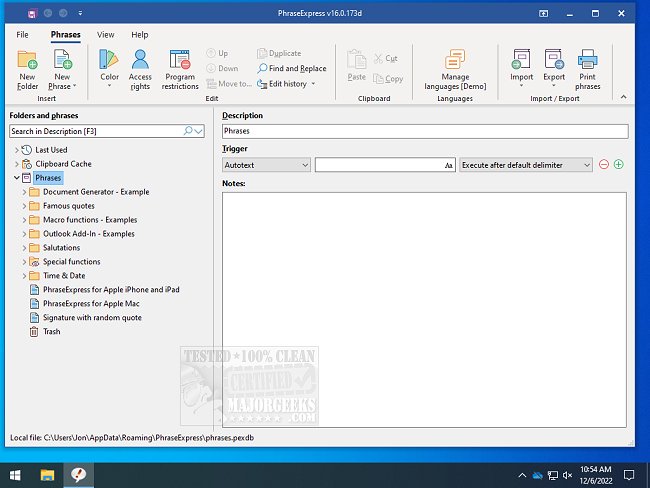
PhraseExpress has released its latest versions, 18.0.47.0 Beta and 17.0.133, enhancing its functionality for users who need efficient text management. This software is designed for organizing frequently used text phrases or snippets, expanding abbreviations, launching programs via text shortcuts, and more.
With PhraseExpress, users can streamline their typing by saving specific keystrokes that automatically convert abbreviations into complete text snippets. For instance, typing "sig" can instantly insert your signature into any document or application. Similarly, a user could set a shortcut such that typing "DCT" would automatically expand to "Dear Customer, Thank you for contacting us." This feature significantly reduces the time spent on repetitive tasks and enhances productivity.
In addition to text expansion, PhraseExpress offers capabilities such as the organization of commonly used snippets, auto-completion of repetitive phrases, quick access to the Windows Clipboard History, and spelling correction across all applications.
Moreover, PhraseExpress is not just limited to text management; it also provides tools that enhance user efficiency, such as shortcuts for copying file paths or clearing clipboard history in Windows.
As PhraseExpress continues to evolve, users can expect even more features aimed at improving their workflow and reducing the time spent on mundane tasks. The latest updates are part of the ongoing effort to make text handling faster and more intuitive, catering to both casual users and professionals alike
With PhraseExpress, users can streamline their typing by saving specific keystrokes that automatically convert abbreviations into complete text snippets. For instance, typing "sig" can instantly insert your signature into any document or application. Similarly, a user could set a shortcut such that typing "DCT" would automatically expand to "Dear Customer, Thank you for contacting us." This feature significantly reduces the time spent on repetitive tasks and enhances productivity.
In addition to text expansion, PhraseExpress offers capabilities such as the organization of commonly used snippets, auto-completion of repetitive phrases, quick access to the Windows Clipboard History, and spelling correction across all applications.
Moreover, PhraseExpress is not just limited to text management; it also provides tools that enhance user efficiency, such as shortcuts for copying file paths or clearing clipboard history in Windows.
As PhraseExpress continues to evolve, users can expect even more features aimed at improving their workflow and reducing the time spent on mundane tasks. The latest updates are part of the ongoing effort to make text handling faster and more intuitive, catering to both casual users and professionals alike
PhraseExpress 18.0.47.0 Beta / 17.0.133 released
PhraseExpress is for the organization of frequently used text phrases or snippets, expanding abbreviations, launching programs with text shortcuts, and more.
PhraseExpress 18.0.47.0 Beta / 17.0.133 released @ MajorGeeks