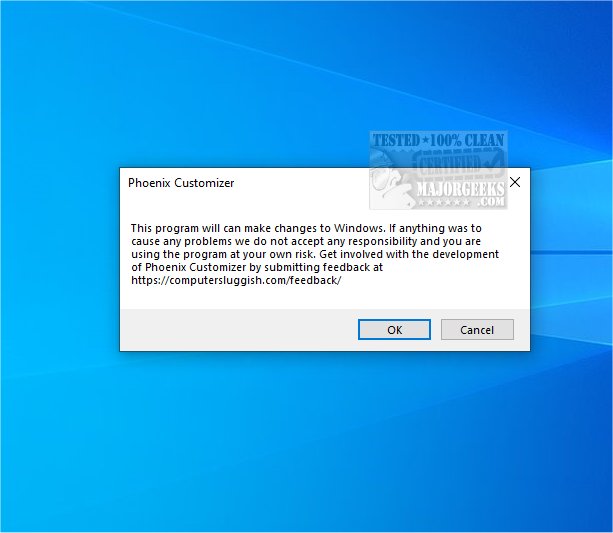
Phoenix Customizer is an innovative tool designed to enhance the personalization of Windows 10 and Windows 11 operating systems. With the latest release, version 1.1.15, users can enjoy an extensive array of customization options that allow them to tailor their experience according to their individual style and preferences.
Key Features:
1. Color Customization: Users can easily modify the colors and visual effects of Windows folders, which not only aids in organization but also contributes to a more visually appealing workspace. This feature allows for the creation of a personalized environment that reflects the user's unique aesthetic.
2. Taskbar Personalization: The tool offers comprehensive options to customize the taskbar, enabling users to adjust visual elements like color schemes and icon arrangements. Additionally, it allows for modifications to functionality by adding or removing shortcuts and organizing applications for improved workflow. This personal touch helps in crafting a computing environment that is both efficient and pleasing to the eye.
3. Floating Widget: The inclusion of a versatile floating widget provides quick access to frequently used shortcuts and items. This widget can be positioned anywhere on the screen, allowing users to customize its location based on their workflow. By making essential tools readily accessible, it boosts productivity and simplifies task management.
4. Context Menu Modifications: Users can enhance their workflow by modifying the Windows context menu. This feature allows for the addition or removal of options tailored to individual needs, resulting in a more functional and enjoyable operating system experience.
Overall, Phoenix Customizer 1.1.15 empowers users to fully personalize their desktop experience, creating a workspace that aligns with their specific needs and preferences. It stands out as an excellent choice for anyone looking to enhance their Windows operating system with a tailored, organized, and visually attractive environment.
Future Developments: As the tool continues to evolve, potential future updates could include expanded themes, integration with new apps, or even AI-driven customization suggestions to further enhance user experience. The goal remains to provide a seamless and intuitive interface that adapts to the ever-changing needs of its users, ensuring that Phoenix Customizer stays at the forefront of personalization tools for Windows systems
Key Features:
1. Color Customization: Users can easily modify the colors and visual effects of Windows folders, which not only aids in organization but also contributes to a more visually appealing workspace. This feature allows for the creation of a personalized environment that reflects the user's unique aesthetic.
2. Taskbar Personalization: The tool offers comprehensive options to customize the taskbar, enabling users to adjust visual elements like color schemes and icon arrangements. Additionally, it allows for modifications to functionality by adding or removing shortcuts and organizing applications for improved workflow. This personal touch helps in crafting a computing environment that is both efficient and pleasing to the eye.
3. Floating Widget: The inclusion of a versatile floating widget provides quick access to frequently used shortcuts and items. This widget can be positioned anywhere on the screen, allowing users to customize its location based on their workflow. By making essential tools readily accessible, it boosts productivity and simplifies task management.
4. Context Menu Modifications: Users can enhance their workflow by modifying the Windows context menu. This feature allows for the addition or removal of options tailored to individual needs, resulting in a more functional and enjoyable operating system experience.
Overall, Phoenix Customizer 1.1.15 empowers users to fully personalize their desktop experience, creating a workspace that aligns with their specific needs and preferences. It stands out as an excellent choice for anyone looking to enhance their Windows operating system with a tailored, organized, and visually attractive environment.
Future Developments: As the tool continues to evolve, potential future updates could include expanded themes, integration with new apps, or even AI-driven customization suggestions to further enhance user experience. The goal remains to provide a seamless and intuitive interface that adapts to the ever-changing needs of its users, ensuring that Phoenix Customizer stays at the forefront of personalization tools for Windows systems
Phoenix Customizer 1.1.15 released
Phoenix Customizer provides a wide range of options to tailor your Windows 10 or Windows 11 operating system according to your personal style and preferences.