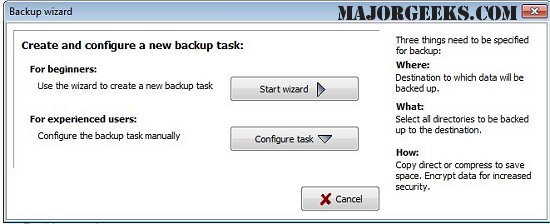
Personal Backup 6.4.8.0 has been officially released, bringing enhanced features for efficiently saving personal data. This versatile software allows users to back up their data to various destinations, including local fixed or removable drives, Windows network servers, or FTP servers.
Users can create and configure an unlimited number of backup tasks, enabling the selection of files on a by-folder basis while automatically including all subfolders. The software also provides the flexibility to include or exclude specific subdirectories based on user-defined filters, file types, ages, or name criteria. The original drive structures (like C, D, etc.) are preserved as subdirectories (LwC, LwD, etc.), ensuring that the data organization remains intact.
Additionally, Personal Backup offers options for data compression using gzip and the ability to encrypt data with the AES algorithm for added security.
Key features of Personal Backup include:
- A user-friendly wizard for easy task creation
- Unlimited configurable backup tasks
- Complete directory structure backups
- On-demand or automatic backup options
- FTP backup capabilities, including support for proxy and FTPS
- Multiple backup options, allowing users to create single files or zip files with various configurations.
Overall, Personal Backup is a comprehensive tool for individuals seeking reliable data protection, offering a wide range of options to suit different backup needs.
For users looking to optimize their Windows experience, additional resources are available, such as guides on resetting or reinstalling Windows 10, managing system restore points, and adjusting system protection storage sizes in Windows 10 and 11. These resources can help ensure that users maintain secure and efficient system operations alongside their data backup solutions
Users can create and configure an unlimited number of backup tasks, enabling the selection of files on a by-folder basis while automatically including all subfolders. The software also provides the flexibility to include or exclude specific subdirectories based on user-defined filters, file types, ages, or name criteria. The original drive structures (like C, D, etc.) are preserved as subdirectories (LwC, LwD, etc.), ensuring that the data organization remains intact.
Additionally, Personal Backup offers options for data compression using gzip and the ability to encrypt data with the AES algorithm for added security.
Key features of Personal Backup include:
- A user-friendly wizard for easy task creation
- Unlimited configurable backup tasks
- Complete directory structure backups
- On-demand or automatic backup options
- FTP backup capabilities, including support for proxy and FTPS
- Multiple backup options, allowing users to create single files or zip files with various configurations.
Overall, Personal Backup is a comprehensive tool for individuals seeking reliable data protection, offering a wide range of options to suit different backup needs.
For users looking to optimize their Windows experience, additional resources are available, such as guides on resetting or reinstalling Windows 10, managing system restore points, and adjusting system protection storage sizes in Windows 10 and 11. These resources can help ensure that users maintain secure and efficient system operations alongside their data backup solutions
Personal Backup 6.4.8.0 released
Personal Backup saves personal data to any destination folder located on a local fixed or removable drive, Windows network server, or an FTP server.