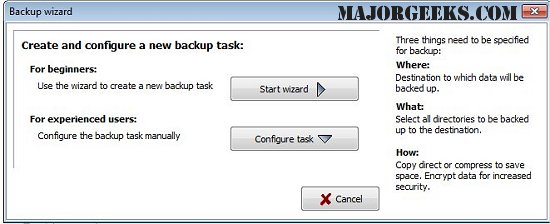
The latest version of Personal Backup, 6.4.7.0, has been released, offering users an efficient way to save their personal data. This software allows the backup of files to any designated folder on local drives, removable drives, Windows network servers, or FTP servers. Users can set up an unlimited number of configurable backup tasks, selecting files on a per-folder basis, with the option to include or exclude specific subdirectories using filters. The software also provides advanced selection criteria based on file type, age, and name.
The backup process maintains the original directory structure, with drives displayed as subdirectories (e.g., LwC for drive C). Data can be compressed using gzip or stored in zip files, and users have the option to encrypt their backups using the AES algorithm for added security.
Key features of Personal Backup include:
- A wizard for easy creation of backup tasks
- Unlimited configurable backup tasks
- The ability to back up complete directory structures
- Options for on-demand or automatic backups
- FTP support with options for proxy and FTPS
- Flexible backup options including gzip compression and zip file management
In addition to these features, users may find it useful to explore related topics such as resetting or reinstalling Windows 10 using cloud services, methods to reinstall Windows 10 without losing files, managing system restore points, and adjusting system protection storage sizes in Windows 10 and 11. These resources can enhance user knowledge and improve data management practices alongside using Personal Backup
The backup process maintains the original directory structure, with drives displayed as subdirectories (e.g., LwC for drive C). Data can be compressed using gzip or stored in zip files, and users have the option to encrypt their backups using the AES algorithm for added security.
Key features of Personal Backup include:
- A wizard for easy creation of backup tasks
- Unlimited configurable backup tasks
- The ability to back up complete directory structures
- Options for on-demand or automatic backups
- FTP support with options for proxy and FTPS
- Flexible backup options including gzip compression and zip file management
In addition to these features, users may find it useful to explore related topics such as resetting or reinstalling Windows 10 using cloud services, methods to reinstall Windows 10 without losing files, managing system restore points, and adjusting system protection storage sizes in Windows 10 and 11. These resources can enhance user knowledge and improve data management practices alongside using Personal Backup
Personal Backup 6.4.7.0 released
Personal Backup saves personal data to any destination folder located on a local fixed or removable drive, Windows network server, or an FTP server.