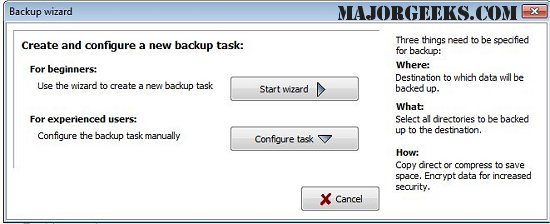
Personal Backup is a versatile tool designed to help users save personal data to various destinations, including local fixed or removable drives, Windows network servers, and FTP servers. The latest version, 6.4.6.0, allows users to configure and store multiple backup tasks, providing a tailored approach to data management.
Users can select files for backup on a by-folder basis, and all subfolders are included by default. However, the software offers flexibility, enabling users to include or exclude specific subdirectories through selection or filters. Additional selection criteria include file type, age, and name filters, ensuring that users can customize their backup process according to their needs.
The application organizes original drives (C, D, etc.) as subdirectories (LwC, LwD, etc.), preserving the original directory structure. Users have the option to compress files in gzip format, either entirely or by subfolders as zip files. To enhance security, data can also be encrypted using the AES algorithm.
Key Features of Personal Backup:
- A user-friendly wizard for creating new backup tasks.
- An unlimited number of configurable backup tasks.
- Capability to back up complete directory structures.
- Options for on-demand backups or scheduled automatic runs.
- FTP backup support, including proxy and FTPS functionalities.
- Various backup options include:
- Copying files with or without compression while maintaining the directory structure.
- Creating zip files, with options for handling files larger than 4GB and organizing them by subdirectories or root directories.
Extending the Functionality of Personal Backup:
To further enhance the utility of Personal Backup, additional features could be considered for future updates. These could include:
- Integration with cloud storage services for off-site backups.
- A mobile application to manage backups remotely.
- Enhanced reporting features that provide users with detailed logs of backup activities.
- A user community or forum for sharing tips and best practices.
- Support for incremental backups, which would significantly reduce the time and space required for regular backups.
- Advanced scheduling options that allow users to set specific conditions for when backups should occur, such as based on system idle time or low disk space.
Overall, Personal Backup 6.4.6.0 offers a robust solution for personal data management, with flexibility and security at its core, while also leaving room for future enhancements that could further improve user experience and functionality
Users can select files for backup on a by-folder basis, and all subfolders are included by default. However, the software offers flexibility, enabling users to include or exclude specific subdirectories through selection or filters. Additional selection criteria include file type, age, and name filters, ensuring that users can customize their backup process according to their needs.
The application organizes original drives (C, D, etc.) as subdirectories (LwC, LwD, etc.), preserving the original directory structure. Users have the option to compress files in gzip format, either entirely or by subfolders as zip files. To enhance security, data can also be encrypted using the AES algorithm.
Key Features of Personal Backup:
- A user-friendly wizard for creating new backup tasks.
- An unlimited number of configurable backup tasks.
- Capability to back up complete directory structures.
- Options for on-demand backups or scheduled automatic runs.
- FTP backup support, including proxy and FTPS functionalities.
- Various backup options include:
- Copying files with or without compression while maintaining the directory structure.
- Creating zip files, with options for handling files larger than 4GB and organizing them by subdirectories or root directories.
Extending the Functionality of Personal Backup:
To further enhance the utility of Personal Backup, additional features could be considered for future updates. These could include:
- Integration with cloud storage services for off-site backups.
- A mobile application to manage backups remotely.
- Enhanced reporting features that provide users with detailed logs of backup activities.
- A user community or forum for sharing tips and best practices.
- Support for incremental backups, which would significantly reduce the time and space required for regular backups.
- Advanced scheduling options that allow users to set specific conditions for when backups should occur, such as based on system idle time or low disk space.
Overall, Personal Backup 6.4.6.0 offers a robust solution for personal data management, with flexibility and security at its core, while also leaving room for future enhancements that could further improve user experience and functionality
Personal Backup 6.4.6.0 released
Personal Backup saves personal data to any destination folder located on a local fixed or removable drive, Windows network server, or an FTP server.