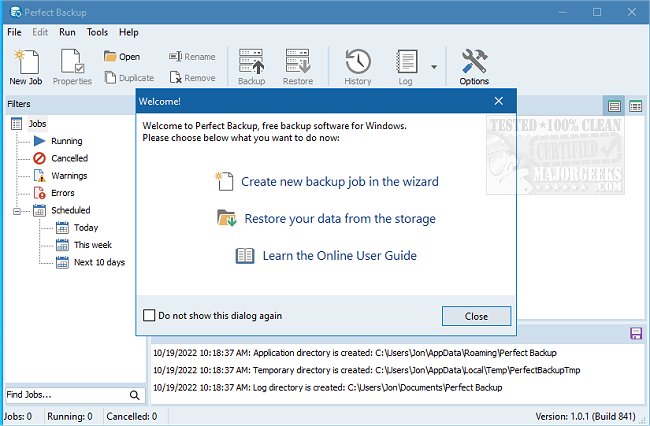
The latest version of Perfect Backup, 3.6.0.271, has been released, offering comprehensive features for reliable data backup through an intuitive, wizard-based interface. This software allows users to easily back up their data across various storage options, including local hard drives, network folders, USB drives, FTP servers, external hard drives, and multiple cloud services such as Google Drive, Microsoft OneDrive, Dropbox, and box.com.
Perfect Backup is designed for both personal and professional use, providing a robust yet user-friendly solution for data protection. Users can restore files effortlessly, regardless of the reason for data loss, whether due to hardware failure or the need to revert to a previous version. Additionally, it includes a feature that allows users to import backup files directly from storage in case of configuration loss following a system crash.
Key features of Perfect Backup include:
- User-Friendly Interface: The program features easy-to-follow wizards for creating and restoring backups.
- ZIP Compression: It compresses data during backup to save storage space and costs.
- Data Encryption: An efficient encryption engine ensures data security.
- Comprehensive Backup Types: Users can choose from incremental, differential, full backups, and synchronization options.
- Source Filters: Tailor backups to save only the necessary files.
- Task Scheduler: Automate backups on specified schedules.
- Powerful Reporting System: Access detailed logs of file operations without unnecessary information.
- Email Notifications: Receive immediate updates on backup completion.
- Easy Restoration: Select a restore point for automatic data recovery.
Perfect Backup is an essential tool for anyone who values their data and seeks a reliable way to protect it.
Extension Ideas:
1. Enhanced Cloud Integration: Future versions could include support for additional cloud storage services and improved synchronization features for seamless transitions between local and cloud data.
2. Advanced Security Features: Introducing multi-factor authentication and more robust encryption standards could further enhance data security.
3. User Community and Support: Establishing a user forum for sharing tips, troubleshooting, and best practices could create a supportive community around the software.
4. Mobile Application: A companion mobile app could allow users to manage their backups and restore options on the go, adding convenience for users who travel frequently.
5. AI-Powered Insights: Implementing AI to analyze backup patterns and suggest optimal backup strategies tailored to individual user needs could greatly enhance the user experience
Perfect Backup is designed for both personal and professional use, providing a robust yet user-friendly solution for data protection. Users can restore files effortlessly, regardless of the reason for data loss, whether due to hardware failure or the need to revert to a previous version. Additionally, it includes a feature that allows users to import backup files directly from storage in case of configuration loss following a system crash.
Key features of Perfect Backup include:
- User-Friendly Interface: The program features easy-to-follow wizards for creating and restoring backups.
- ZIP Compression: It compresses data during backup to save storage space and costs.
- Data Encryption: An efficient encryption engine ensures data security.
- Comprehensive Backup Types: Users can choose from incremental, differential, full backups, and synchronization options.
- Source Filters: Tailor backups to save only the necessary files.
- Task Scheduler: Automate backups on specified schedules.
- Powerful Reporting System: Access detailed logs of file operations without unnecessary information.
- Email Notifications: Receive immediate updates on backup completion.
- Easy Restoration: Select a restore point for automatic data recovery.
Perfect Backup is an essential tool for anyone who values their data and seeks a reliable way to protect it.
Extension Ideas:
1. Enhanced Cloud Integration: Future versions could include support for additional cloud storage services and improved synchronization features for seamless transitions between local and cloud data.
2. Advanced Security Features: Introducing multi-factor authentication and more robust encryption standards could further enhance data security.
3. User Community and Support: Establishing a user forum for sharing tips, troubleshooting, and best practices could create a supportive community around the software.
4. Mobile Application: A companion mobile app could allow users to manage their backups and restore options on the go, adding convenience for users who travel frequently.
5. AI-Powered Insights: Implementing AI to analyze backup patterns and suggest optimal backup strategies tailored to individual user needs could greatly enhance the user experience
Perfect Backup 3.6.0.271 released
Perfect Backup provides you with all the features necessary to perform solid backups through a wizard-like process.