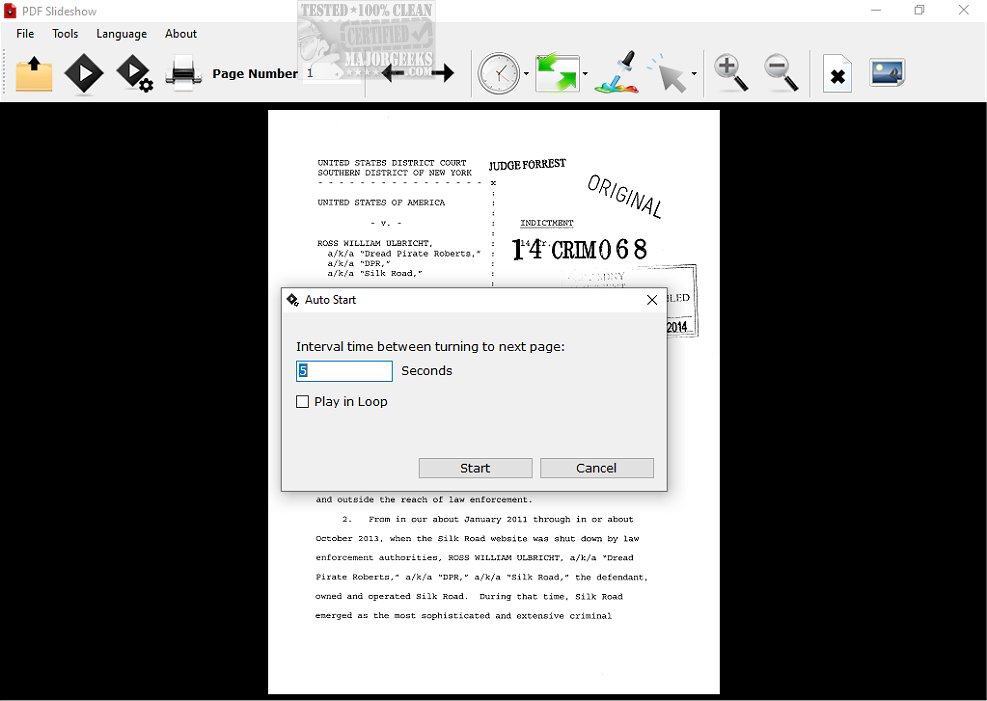
PDF Slideshow 1.0.1 has been released, offering a powerful tool for presenting PDF documents in full-screen mode, akin to a traditional PowerPoint presentation. This functionality provides an effective way to display various materials, including visual presentations and reports, making it ideal for engaging an audience.
The software includes a range of features designed to enhance the presentation experience. Users can navigate through the PDF using mouse controls, laser pointers, and page-turning mechanisms, promoting a more interactive environment. Automatic playback and loop playback options allow for a continuous presentation without requiring manual intervention, ensuring a smooth flow of information.
Customization options are also extensive. Users can alter the presentation's background color, select different page transition animations, and adjust the speed of these transitions. The ability to start the slideshow from any page within the PDF and hide non-essential pages further enhances the control presenters have over their materials. Additionally, users can change the mouse cursor's shape and color to improve visibility and audience engagement. The option to export PDF pages as images is particularly useful for creating handouts or supplementary materials.
PDF Slideshow supports both portrait and landscape orientations, making it versatile for various document types. Overall, it offers a comprehensive set of tools to elevate the presentation of PDF files, ensuring an engaging and professional experience for any audience.
As an extension, the potential future upgrades could include features such as enhanced collaboration tools for virtual presentations, integration with popular conferencing software, and additional export options to various formats. These enhancements would cater to the evolving needs of users, particularly in increasingly digital and remote working environments
The software includes a range of features designed to enhance the presentation experience. Users can navigate through the PDF using mouse controls, laser pointers, and page-turning mechanisms, promoting a more interactive environment. Automatic playback and loop playback options allow for a continuous presentation without requiring manual intervention, ensuring a smooth flow of information.
Customization options are also extensive. Users can alter the presentation's background color, select different page transition animations, and adjust the speed of these transitions. The ability to start the slideshow from any page within the PDF and hide non-essential pages further enhances the control presenters have over their materials. Additionally, users can change the mouse cursor's shape and color to improve visibility and audience engagement. The option to export PDF pages as images is particularly useful for creating handouts or supplementary materials.
PDF Slideshow supports both portrait and landscape orientations, making it versatile for various document types. Overall, it offers a comprehensive set of tools to elevate the presentation of PDF files, ensuring an engaging and professional experience for any audience.
As an extension, the potential future upgrades could include features such as enhanced collaboration tools for virtual presentations, integration with popular conferencing software, and additional export options to various formats. These enhancements would cater to the evolving needs of users, particularly in increasingly digital and remote working environments
PDF Slideshow 1.0.1 released
PDF Slideshow allows you to showcase a PDF document in full-screen mode, providing a similar experience to presenting PowerPoint slides.