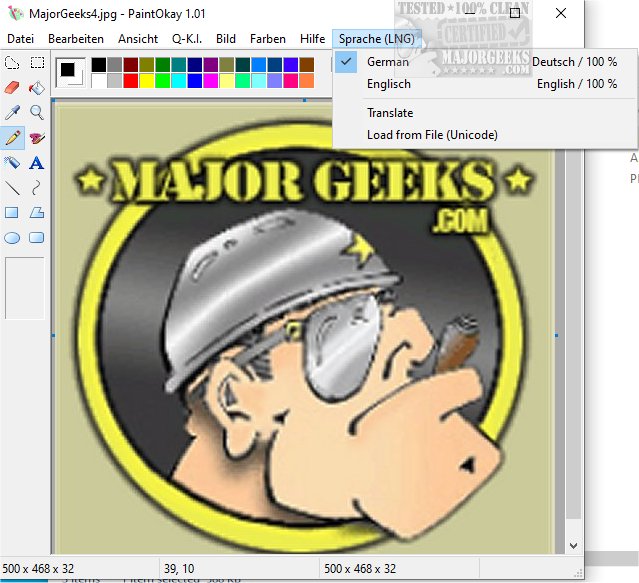
PaintOkay is a newly released streamlined alternative to the classic MS Paint XP, designed specifically for pixel-editing. It allows users to engage in precise image manipulation without the clutter of unnecessary features, making it an ideal choice for those who prefer a straightforward painting experience.
The Evolution of MS Paint
With the introduction of Windows 11, MS Paint has experienced significant changes, moving away from its traditional user-friendly interface. The updated version boasts a more modern look, complete with rounded corners and lively colors, as well as enhanced tools that cater to vector graphic design. While these improvements aim to broaden MS Paint's functionality, they also divert focus from its original purpose as a pixel-editing tool. As a result, users who value simplicity may find the new MS Paint less appealing.
PaintOkay: Preserving the Essence of Pixel Editing
In response to the evolving landscape of graphic editing software, PaintOkay is designed to retain the classic MS Paint experience while enhancing pixel-editing capabilities. It offers a range of features tailored for users seeking precise drawing tools without the complexity introduced in newer versions of MS Paint.
Key Features of PaintOkay:
- Edit Palette: Custom colors and both modern and classic palettes for diverse styles.
- Filters & Effects: Various options including monochrome, grayscale, sepia, and brightness adjustments, as well as advanced effects like Gaussian blur and edge detection.
- Optimized Color Modes: Support for color depths ranging from 16 to 32 bits per pixel, ensuring high-quality image output.
- AI Integration: The Q-A.I. feature enables users to generate images in the styles of famous artists like Picasso and Kandinsky.
- Resource Efficiency: PaintOkay is designed to consume minimal system resources, ensuring smooth performance.
Conclusion
As Microsoft continues to evolve MS Paint into a more complex graphic design tool, PaintOkay stands firm in its mission to offer a powerful, no-frills pixel editing experience. It serves as a reliable alternative for users looking for efficiency and simplicity in their image editing tasks, maintaining the essence of what made MS Paint a beloved application.
Future Prospects
Looking ahead, PaintOkay may explore additional features such as collaborative tools and enhanced sharing options to cater to a wider audience. Additionally, as the digital art landscape continues to evolve, PaintOkay could integrate more AI-driven functionalities, creating an even more versatile platform for both casual users and professional artists alike
The Evolution of MS Paint
With the introduction of Windows 11, MS Paint has experienced significant changes, moving away from its traditional user-friendly interface. The updated version boasts a more modern look, complete with rounded corners and lively colors, as well as enhanced tools that cater to vector graphic design. While these improvements aim to broaden MS Paint's functionality, they also divert focus from its original purpose as a pixel-editing tool. As a result, users who value simplicity may find the new MS Paint less appealing.
PaintOkay: Preserving the Essence of Pixel Editing
In response to the evolving landscape of graphic editing software, PaintOkay is designed to retain the classic MS Paint experience while enhancing pixel-editing capabilities. It offers a range of features tailored for users seeking precise drawing tools without the complexity introduced in newer versions of MS Paint.
Key Features of PaintOkay:
- Edit Palette: Custom colors and both modern and classic palettes for diverse styles.
- Filters & Effects: Various options including monochrome, grayscale, sepia, and brightness adjustments, as well as advanced effects like Gaussian blur and edge detection.
- Optimized Color Modes: Support for color depths ranging from 16 to 32 bits per pixel, ensuring high-quality image output.
- AI Integration: The Q-A.I. feature enables users to generate images in the styles of famous artists like Picasso and Kandinsky.
- Resource Efficiency: PaintOkay is designed to consume minimal system resources, ensuring smooth performance.
Conclusion
As Microsoft continues to evolve MS Paint into a more complex graphic design tool, PaintOkay stands firm in its mission to offer a powerful, no-frills pixel editing experience. It serves as a reliable alternative for users looking for efficiency and simplicity in their image editing tasks, maintaining the essence of what made MS Paint a beloved application.
Future Prospects
Looking ahead, PaintOkay may explore additional features such as collaborative tools and enhanced sharing options to cater to a wider audience. Additionally, as the digital art landscape continues to evolve, PaintOkay could integrate more AI-driven functionalities, creating an even more versatile platform for both casual users and professional artists alike
PaintOkay 1.07 released
PaintOkay is a streamlined and efficient alternative to the traditional MS Paint XP. It prioritizes pixel-editing functionality, allowing you to focus on precise image manipulation without the distraction of nonessential features.