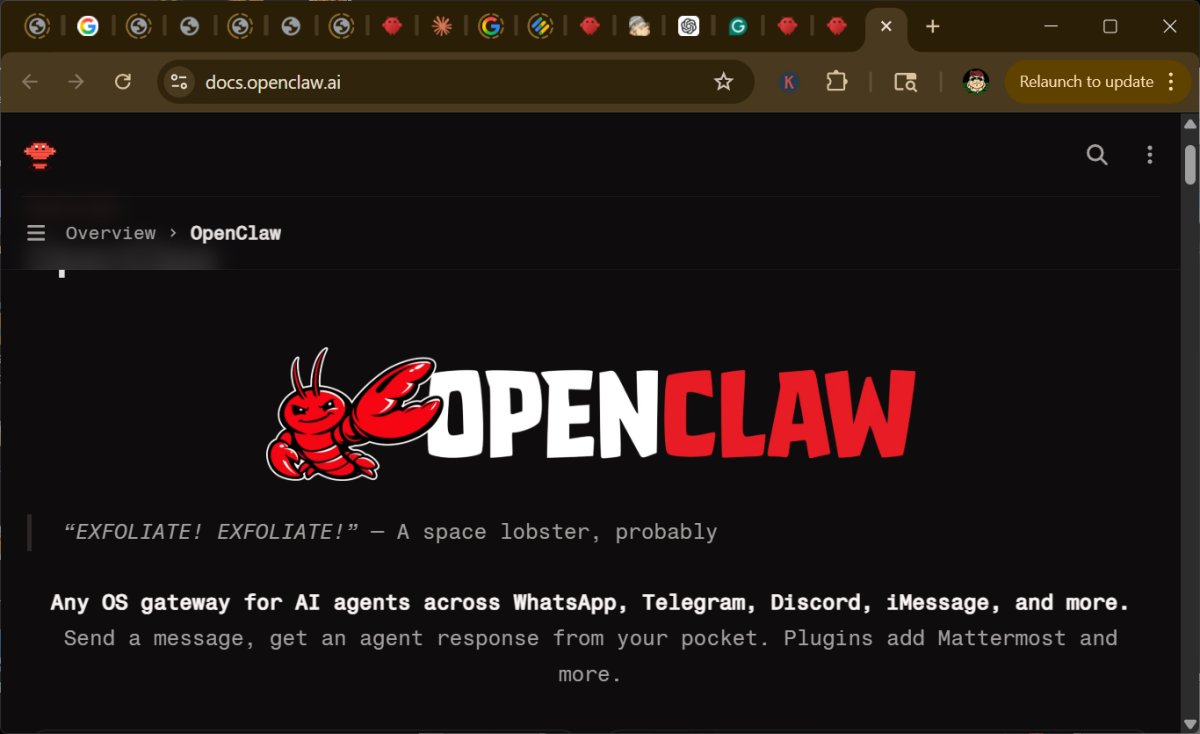
OpenClaw is a self-hosted personal AI assistant designed to operate on local hardware such as PCs, servers, or homelabs, providing users with enhanced control over their data and automations compared to cloud-based AI services. It integrates seamlessly with popular chat applications like WhatsApp, Telegram, Slack, Discord, and iMessage, allowing users to interact with the assistant via familiar platforms. While it offers significant advantages regarding data privacy and operational autonomy, users must be cautious about security implications, as self-hosting can introduce vulnerabilities.
OpenClaw functions as a bridge linking chat applications and AI agents hosted on the user's hardware. It can manage tasks, maintain memory, and connect with productivity tools like notes, reminders, emails, and calendars. This capability allows it to serve as a robust personal assistant, automating everyday tasks such as summarizing emails, scheduling, and managing home automation systems.
For businesses, OpenClaw can streamline routine operations, enhance administrative efficiency, and provide greater data control. However, the setup may require technical expertise to maximize its potential, making it less accessible for average office users without IT support.
Users are primarily drawn to OpenClaw for its control over data and functionality across multiple platforms. It enables automation of tasks such as email management and project tracking, helping users prioritize and streamline their workflows. The tool is especially appealing for those who value privacy and flexibility, as it allows for personalized configurations tailored to individual needs.
OpenClaw is targeted at developers and power users rather than casual users, necessitating the installation of Node.js (version 24 recommended). It can be installed on various operating systems, with specific command-line instructions provided for each. While the installation process can be complex, an "OpenClaw Install Helper" for Windows simplifies the setup, making it more user-friendly.
Once installed, users can connect their desired services, install relevant skills, and interact with the assistant as they would with any other AI. However, caution is urged when integrating third-party skills, as potential security risks exist, including malware threats.
Security is paramount when using OpenClaw. Users must be vigilant about access permissions, the installation of plugins, and the management of sensitive data. A robust setup involves restricting command execution, sandboxing the application, and starting with lower-risk tasks. The application operates on the principle that users must actively manage their security protocols to mitigate risks.
OpenClaw is currently not beginner-friendly. Users must be comfortable with managing infrastructure and permissions. The complexity of setup and the requirement for technical knowledge may deter non-technical users. Moreover, improper configurations can lead to significant security vulnerabilities, especially if users grant excessive permissions.
OpenClaw is a powerful tool for users seeking a self-hosted AI assistant that emphasizes privacy, control, and integration with existing chat applications. While it has substantial potential to enhance productivity and streamline workflows, users must remain cautious of the associated security risks and be prepared to engage with the technical aspects of setup and maintenance. For power users and developers, OpenClaw could indeed be a transformative solution, but casual users may benefit from waiting until security issues are more robustly addressed.
As OpenClaw evolves, improvements in user experience, security features, and ease of installation could broaden its appeal to a wider audience. Simplifying the setup while ensuring robust security measures could make OpenClaw a go-to solution for personal and business users alike. Continued community engagement may foster a safer environment by improving plugin vetting processes and enhancing educational resources for new users
Key Features and Capabilities
OpenClaw functions as a bridge linking chat applications and AI agents hosted on the user's hardware. It can manage tasks, maintain memory, and connect with productivity tools like notes, reminders, emails, and calendars. This capability allows it to serve as a robust personal assistant, automating everyday tasks such as summarizing emails, scheduling, and managing home automation systems.
For businesses, OpenClaw can streamline routine operations, enhance administrative efficiency, and provide greater data control. However, the setup may require technical expertise to maximize its potential, making it less accessible for average office users without IT support.
Reasons to Use OpenClaw
Users are primarily drawn to OpenClaw for its control over data and functionality across multiple platforms. It enables automation of tasks such as email management and project tracking, helping users prioritize and streamline their workflows. The tool is especially appealing for those who value privacy and flexibility, as it allows for personalized configurations tailored to individual needs.
Installation and Setup Requirements
OpenClaw is targeted at developers and power users rather than casual users, necessitating the installation of Node.js (version 24 recommended). It can be installed on various operating systems, with specific command-line instructions provided for each. While the installation process can be complex, an "OpenClaw Install Helper" for Windows simplifies the setup, making it more user-friendly.
Using OpenClaw Effectively
Once installed, users can connect their desired services, install relevant skills, and interact with the assistant as they would with any other AI. However, caution is urged when integrating third-party skills, as potential security risks exist, including malware threats.
Security Considerations
Security is paramount when using OpenClaw. Users must be vigilant about access permissions, the installation of plugins, and the management of sensitive data. A robust setup involves restricting command execution, sandboxing the application, and starting with lower-risk tasks. The application operates on the principle that users must actively manage their security protocols to mitigate risks.
Limitations and Challenges
OpenClaw is currently not beginner-friendly. Users must be comfortable with managing infrastructure and permissions. The complexity of setup and the requirement for technical knowledge may deter non-technical users. Moreover, improper configurations can lead to significant security vulnerabilities, especially if users grant excessive permissions.
Conclusion
OpenClaw is a powerful tool for users seeking a self-hosted AI assistant that emphasizes privacy, control, and integration with existing chat applications. While it has substantial potential to enhance productivity and streamline workflows, users must remain cautious of the associated security risks and be prepared to engage with the technical aspects of setup and maintenance. For power users and developers, OpenClaw could indeed be a transformative solution, but casual users may benefit from waiting until security issues are more robustly addressed.
Future Enhancements
As OpenClaw evolves, improvements in user experience, security features, and ease of installation could broaden its appeal to a wider audience. Simplifying the setup while ensuring robust security measures could make OpenClaw a go-to solution for personal and business users alike. Continued community engagement may foster a safer environment by improving plugin vetting processes and enhancing educational resources for new users
OpenClaw 2026.4.26 released
OpenClaw is a self-hosted personal AI assistant that runs on your own PC, server, or homelab, rather than on someone else’s cloud.