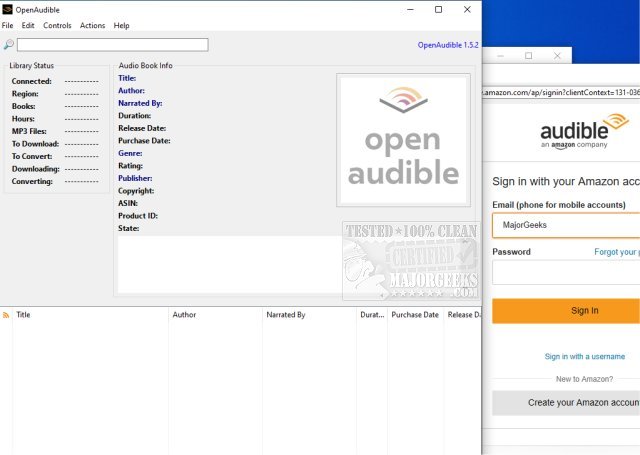
OpenAudible version 4.8.8 has been released, enhancing its functionality as an Open Source cross-platform Audible audiobook manager. This application allows users to efficiently manage their Audible content by downloading, viewing, and converting audiobooks to MP3 format, all while keeping everything organized in one accessible location.
Upon launching OpenAudible, users can open the Browser window (Ctrl-B from the Controls menu) to log into their Audible accounts and explore their purchased books. It is advisable to configure the working or output directory to a location with ample space, possibly on a network storage device, before connecting to Audible to import library details without downloading files initially. Users can then browse their audiobook collection and easily download their selected titles.
Key features of OpenAudible include:
- Importing Audible books directly from the user’s account
- Converting audiobooks to MP3 format while preserving all metadata tags
- Allowing users to import AAX files by simply dragging and dropping them into the application
- Providing a searchable user interface for easy navigation of the audiobook library
- Enabling the export of a web page or JavaScript file containing a comprehensive list of all books
In addition to these features, the latest version may include performance improvements, bug fixes, and enhanced user experience elements. With OpenAudible, users can enjoy a more streamlined and efficient way to manage their Audible audiobook collection, making it easier than ever to access and enjoy their favorite titles
Upon launching OpenAudible, users can open the Browser window (Ctrl-B from the Controls menu) to log into their Audible accounts and explore their purchased books. It is advisable to configure the working or output directory to a location with ample space, possibly on a network storage device, before connecting to Audible to import library details without downloading files initially. Users can then browse their audiobook collection and easily download their selected titles.
Key features of OpenAudible include:
- Importing Audible books directly from the user’s account
- Converting audiobooks to MP3 format while preserving all metadata tags
- Allowing users to import AAX files by simply dragging and dropping them into the application
- Providing a searchable user interface for easy navigation of the audiobook library
- Enabling the export of a web page or JavaScript file containing a comprehensive list of all books
In addition to these features, the latest version may include performance improvements, bug fixes, and enhanced user experience elements. With OpenAudible, users can enjoy a more streamlined and efficient way to manage their Audible audiobook collection, making it easier than ever to access and enjoy their favorite titles
OpenAudible 4.8.8 released
OpenAudible is an Open Source cross-platform Audible audiobook manager.