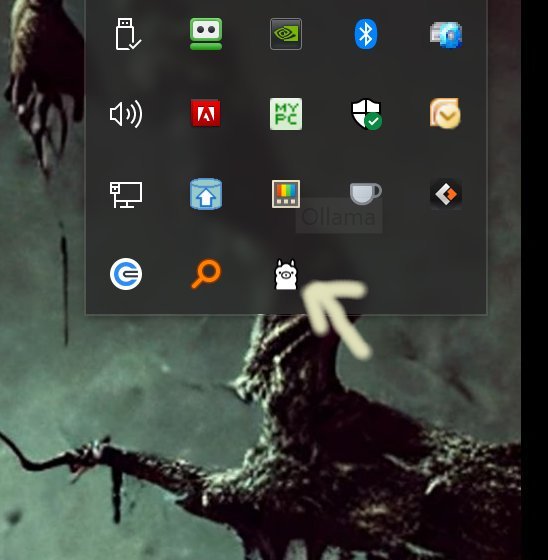
Ollama is an innovative local-first platform that allows users to run large language models (LLMs) directly from their desktops without the need for cloud connectivity or account registrations. With this latest version, 0.20.5, Ollama continues to enhance its offerings, making it a compelling choice for developers, tech enthusiasts, and privacy advocates alike.
1. Local Execution:
- All models run entirely on the user’s device, ensuring faster responses and complete control over personal data. This local-first approach eliminates concerns about data privacy and cloud dependencies.
2. Cross-Platform Compatibility:
- Ollama is designed to work seamlessly across Windows, macOS, and Linux, catering to a wide range of users regardless of their operating system.
3. Command-Line Interface (CLI):
- The platform comes with a powerful CLI that allows users to interact smoothly with the models, making it ideal for scripting and automation. Users can define behaviors and customize models via Modelfiles, enhancing the flexibility of model interactions.
4. Model Customization:
- Users can import models in various formats (like GGUF and Safetensors), tweak prompts, and build personalized assistants tailored to specific needs, all from the command line.
5. Developer-Friendly:
- Ollama includes support for Python and JavaScript, allowing developers to integrate the platform into their applications easily.
While Ollama excels in a command-line environment, users who prefer graphical interfaces can explore community-built options like Open WebUI. However, using the CLI provides the most robust control and customization capabilities. Ollama's documentation is comprehensive, covering everything from basic commands to advanced Modelfile setups, ensuring users can get started quickly or dive deeper into more complex functionalities.
- Download a Model: `ollama pull llama3`
- Run a Model Interactively: `ollama run llama3`
- Ask a One-time Question: `ollama run llama3 --prompt "Explain quantum computing in simple terms"`
- List Installed Models: `ollama list`
- Remove a Model: `ollama remove llama3`
- Run a Different Model: `ollama run gemma`
Ollama 0.20.5 stands out for its speed, efficiency, and local operation, making it a preferred choice for those who prioritize privacy and responsiveness. While its CLI-centric design may not appeal to all users, those comfortable with terminal commands will find Ollama to be a powerful tool for harnessing the capabilities of large language models. As the platform continues to evolve, it promises to deliver even more features and enhancements that cater to the needs of its user base. For those seeking a hassle-free local AI experience without the complexities often associated with cloud-based solutions, Ollama is a formidable option
Key Features of Ollama
1. Local Execution:
- All models run entirely on the user’s device, ensuring faster responses and complete control over personal data. This local-first approach eliminates concerns about data privacy and cloud dependencies.
2. Cross-Platform Compatibility:
- Ollama is designed to work seamlessly across Windows, macOS, and Linux, catering to a wide range of users regardless of their operating system.
3. Command-Line Interface (CLI):
- The platform comes with a powerful CLI that allows users to interact smoothly with the models, making it ideal for scripting and automation. Users can define behaviors and customize models via Modelfiles, enhancing the flexibility of model interactions.
4. Model Customization:
- Users can import models in various formats (like GGUF and Safetensors), tweak prompts, and build personalized assistants tailored to specific needs, all from the command line.
5. Developer-Friendly:
- Ollama includes support for Python and JavaScript, allowing developers to integrate the platform into their applications easily.
User Experience and Documentation
While Ollama excels in a command-line environment, users who prefer graphical interfaces can explore community-built options like Open WebUI. However, using the CLI provides the most robust control and customization capabilities. Ollama's documentation is comprehensive, covering everything from basic commands to advanced Modelfile setups, ensuring users can get started quickly or dive deeper into more complex functionalities.
Example Commands
- Download a Model: `ollama pull llama3`
- Run a Model Interactively: `ollama run llama3`
- Ask a One-time Question: `ollama run llama3 --prompt "Explain quantum computing in simple terms"`
- List Installed Models: `ollama list`
- Remove a Model: `ollama remove llama3`
- Run a Different Model: `ollama run gemma`
Conclusion
Ollama 0.20.5 stands out for its speed, efficiency, and local operation, making it a preferred choice for those who prioritize privacy and responsiveness. While its CLI-centric design may not appeal to all users, those comfortable with terminal commands will find Ollama to be a powerful tool for harnessing the capabilities of large language models. As the platform continues to evolve, it promises to deliver even more features and enhancements that cater to the needs of its user base. For those seeking a hassle-free local AI experience without the complexities often associated with cloud-based solutions, Ollama is a formidable option
Ollama 0.20.5 released
Ollama is the local-first platform that brings large language models (LLMs) right to your desktop.