MuMuPlayer is a powerful Android OS emulator that allows users to seamlessly run Android applications on their PCs. This latest version, 5.22.2, showcases its capabilities as a specialized emulator designed for optimal performance, precision, and reliability. It provides an excellent platform for running complex Android applications, including 3D video games that demand intricate controls and facilitate online multiplayer interactions.
Key Features and User Experience
MuMuPlayer distinguishes itself in the competitive emulator market by effectively managing system resources, which results in smooth gameplay and rapid response times. Users have the flexibility to run the Android system in either windowed or full-screen mode, optimizing multitasking and enhancing the overall experience. Whether users are interested in gaming or productivity applications, MuMuPlayer provides a versatile platform that brings the full spectrum of Android functionality to desktop or laptop computers.
Tailored for Gamers but Accessible to All
While MuMuPlayer is primarily designed for PC gamers who want to enjoy Android gaming on a larger screen, its user-friendly interface and extensive features make it accessible to all types of users. The emulator supports various mobile titles and allows gamers to expand their gaming horizons while easily connecting with friends online. Casual gamers and enthusiasts alike will find MuMuPlayer to be an excellent tool for bridging the gap between PC and mobile gaming.
Installation and Customization
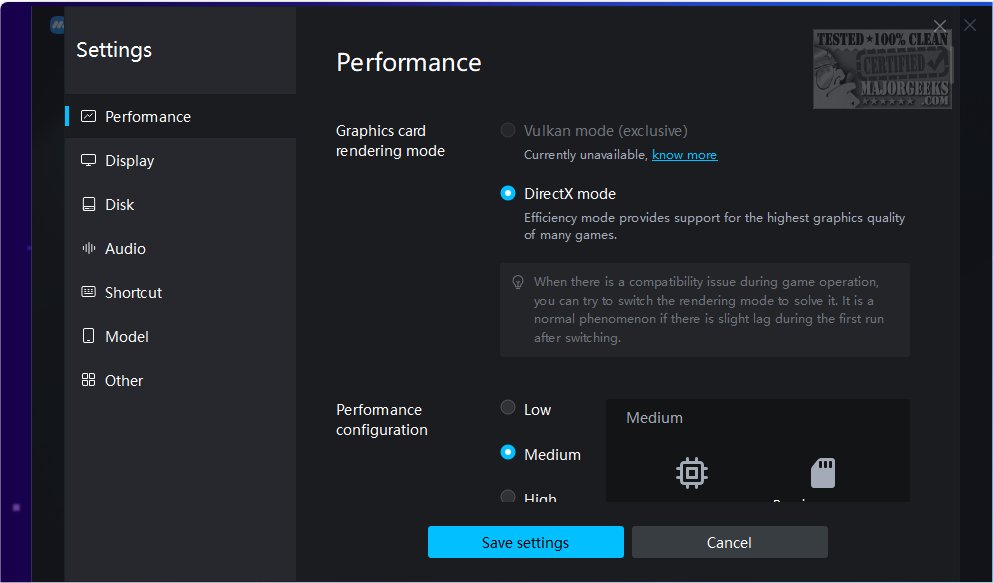
Installing MuMuPlayer is a breeze thanks to its lightweight installer that guides users through a straightforward setup process. By default, the emulator operates in tablet mode, although it accommodates portrait mode for certain games. Users can customize their experience with keyboard and mouse controls, gamepad support, and adjustments for resolution and RAM size. This flexibility ensures that fast-paced online games and 3D titles run smoothly, allowing for enjoyment of popular Android genres like FPS shooters, RPGs, and simulation games.
Pre-Loaded Games and App Store Access
MuMuPlayer comes pre-loaded with several games, and users can easily add more titles through its built-in app store. With the ability to install Google apps, users gain access to the full Google Play Store, enabling them to download the latest games and applications. The emulator also supports APK execution, GPS features, and customizable resolution settings, further enriching the user experience.
Conclusion: The Ideal Emulator for Mobile Gaming Enthusiasts
For gamers seeking a high-performance solution to play mobile games on their PCs, MuMuPlayer stands out as a top choice. Engineered for fluid gameplay and exceptional performance, it handles demanding titles with ease, ensuring an immersive gaming experience. Its intuitive interface and customizable settings cater to individual preferences, offering a platform that accommodates both action-packed adventures and complex strategy simulations. Overall, MuMuPlayer is an excellent option for anyone looking to elevate their mobile gaming experience on a larger screen.
Additional Resources:
- Explore methods to mirror your Android, iPhone, or iPad to your PC.
- Learn how to adjust Android font sizes for better readability.
With continuous updates and enhancements, MuMuPlayer is poised to remain a leading choice for Android emulation on PC
Key Features and User Experience
MuMuPlayer distinguishes itself in the competitive emulator market by effectively managing system resources, which results in smooth gameplay and rapid response times. Users have the flexibility to run the Android system in either windowed or full-screen mode, optimizing multitasking and enhancing the overall experience. Whether users are interested in gaming or productivity applications, MuMuPlayer provides a versatile platform that brings the full spectrum of Android functionality to desktop or laptop computers.
Tailored for Gamers but Accessible to All
While MuMuPlayer is primarily designed for PC gamers who want to enjoy Android gaming on a larger screen, its user-friendly interface and extensive features make it accessible to all types of users. The emulator supports various mobile titles and allows gamers to expand their gaming horizons while easily connecting with friends online. Casual gamers and enthusiasts alike will find MuMuPlayer to be an excellent tool for bridging the gap between PC and mobile gaming.
Installation and Customization
Installing MuMuPlayer is a breeze thanks to its lightweight installer that guides users through a straightforward setup process. By default, the emulator operates in tablet mode, although it accommodates portrait mode for certain games. Users can customize their experience with keyboard and mouse controls, gamepad support, and adjustments for resolution and RAM size. This flexibility ensures that fast-paced online games and 3D titles run smoothly, allowing for enjoyment of popular Android genres like FPS shooters, RPGs, and simulation games.
Pre-Loaded Games and App Store Access
MuMuPlayer comes pre-loaded with several games, and users can easily add more titles through its built-in app store. With the ability to install Google apps, users gain access to the full Google Play Store, enabling them to download the latest games and applications. The emulator also supports APK execution, GPS features, and customizable resolution settings, further enriching the user experience.
Conclusion: The Ideal Emulator for Mobile Gaming Enthusiasts
For gamers seeking a high-performance solution to play mobile games on their PCs, MuMuPlayer stands out as a top choice. Engineered for fluid gameplay and exceptional performance, it handles demanding titles with ease, ensuring an immersive gaming experience. Its intuitive interface and customizable settings cater to individual preferences, offering a platform that accommodates both action-packed adventures and complex strategy simulations. Overall, MuMuPlayer is an excellent option for anyone looking to elevate their mobile gaming experience on a larger screen.
Additional Resources:
- Explore methods to mirror your Android, iPhone, or iPad to your PC.
- Learn how to adjust Android font sizes for better readability.
With continuous updates and enhancements, MuMuPlayer is poised to remain a leading choice for Android emulation on PC
MuMuPlayer 5.22.2 released
MuMuPlayer is a full-featured Android OS emulator that provides a seamless experience of running Android applications on your computer.