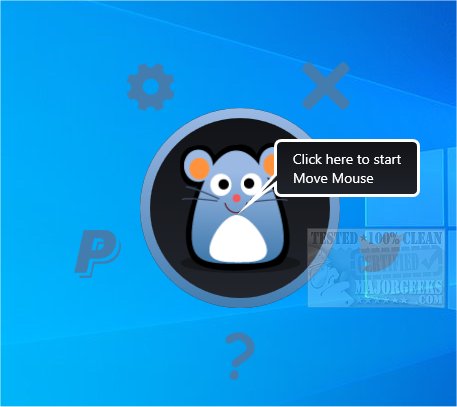
Move Mouse 4.19.1 has been released, offering a user-friendly solution for those who need to prevent their PC from going idle. This mouse movement simulator is particularly useful for remote work scenarios, video calls, or lengthy download sessions, ensuring that your computer remains active without manual intervention.
- Scheduling & Blackout Modes: Set specific times for the tool to activate and periods for it to remain inactive.
- Script Customization: Advanced users can utilize PowerShell scripts for tailored automation solutions.
- Task-Specific Actions: Execute specific tasks like repositioning the mouse, launching applications, or managing notifications.
- Automate Repetitive Tasks: Streamline workflows such as window management or background processes without manual input.
- Gaming and Farming Support: Ideal for games that require automatic clicking or farming, making it a versatile tool for gamers.
- Logitech software tools for enhanced mouse functionality
Key Features of Move Mouse:
- Mouse Movement & Click Automation: Simulate cursor movements and automated clicks, including keystrokes.- Scheduling & Blackout Modes: Set specific times for the tool to activate and periods for it to remain inactive.
- Script Customization: Advanced users can utilize PowerShell scripts for tailored automation solutions.
- Task-Specific Actions: Execute specific tasks like repositioning the mouse, launching applications, or managing notifications.
Benefits of Using Move Mouse:
- Enhance Productivity: Prevent disconnections during remote work, avoid the hassle of re-entering passwords, and eliminate interruptions from screensavers or sleep modes.- Automate Repetitive Tasks: Streamline workflows such as window management or background processes without manual input.
- Gaming and Farming Support: Ideal for games that require automatic clicking or farming, making it a versatile tool for gamers.
User-Friendly Interface:
Move Mouse features a clean, intuitive interface that simplifies setup for both tech-savvy users and novices. The dashboard allows easy configuration through organized tabs, and on-screen indicators confirm that the tool is functioning as intended.Conclusion:
Move Mouse is an essential tool for anyone looking to enhance their productivity and manage their computer's activity without constant supervision. Its combination of simplicity, powerful features, and lightweight design make it a must-have for both casual users and professionals alike. Download Move Mouse now to automate your tasks and enjoy uninterrupted work or leisure time.Additional Resources:
- Troubleshooting tips for common mouse issues- Logitech software tools for enhanced mouse functionality
Future Enhancements:
As Move Mouse continues to evolve, potential updates could include enhanced script options for more complex automation tasks, improved compatibility with additional applications, and user-driven feature requests to further tailor the experience to diverse needsMove Mouse 4.19.1 released
Move Mouse is a user-friendly mouse movement simulator with several useful options.