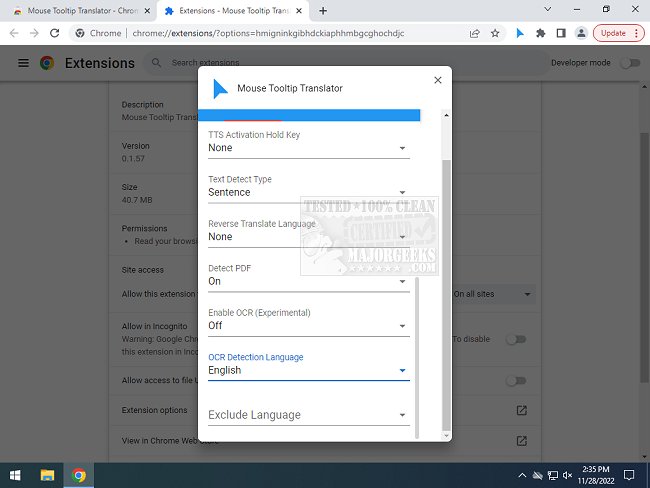
The Mouse Tooltip Translator extension for Chrome and Edge, version 0.1.247, has been released, providing users with an efficient tool for translating text while browsing. This extension allows users to hover over text in a foreign language, instantly translating it into their preferred language without the need to translate the entire webpage. This is particularly useful for those who occasionally encounter pages in languages they do not understand, as it offers a quick and convenient solution for on-the-spot translations.
The extension is user-friendly and leverages Google Translate for its translation services. Its key features include the ability to hover or select text for translation, display tooltips on any webpage (excluding the Chrome web store), and support for both Google and Bing Translators. Additionally, users can listen to translated text via Google Text-to-Speech (TTS) and view translated tooltips in PDF documents using PDF.js. It also includes experimental features such as translating YouTube captions when hovering over subtitle blocks and using Optical Character Recognition (OCR) to translate comic text when hovering over speech bubbles.
For those looking for additional tips related to language settings in browsers, the extension's release is accompanied by resources on how to manage languages in Windows 10 & 11, as well as Google Chrome.
In summary, the Mouse Tooltip Translator is a powerful tool that enhances the browsing experience by providing seamless translations, making it easier for users to navigate content in different languages without the hassle of full-page translations. As the extension continues to evolve, users can look forward to more features and improved functionality
The extension is user-friendly and leverages Google Translate for its translation services. Its key features include the ability to hover or select text for translation, display tooltips on any webpage (excluding the Chrome web store), and support for both Google and Bing Translators. Additionally, users can listen to translated text via Google Text-to-Speech (TTS) and view translated tooltips in PDF documents using PDF.js. It also includes experimental features such as translating YouTube captions when hovering over subtitle blocks and using Optical Character Recognition (OCR) to translate comic text when hovering over speech bubbles.
For those looking for additional tips related to language settings in browsers, the extension's release is accompanied by resources on how to manage languages in Windows 10 & 11, as well as Google Chrome.
In summary, the Mouse Tooltip Translator is a powerful tool that enhances the browsing experience by providing seamless translations, making it easier for users to navigate content in different languages without the hassle of full-page translations. As the extension continues to evolve, users can look forward to more features and improved functionality
Mouse Tooltip Translator for Chrome and Edge 0.1.247 released
Mouse Tooltip Translator for Chrome and Edge extension that provides mouseover tooltip language translations.
Mouse Tooltip Translator for Chrome and Edge 0.1.247 released @ MajorGeeks