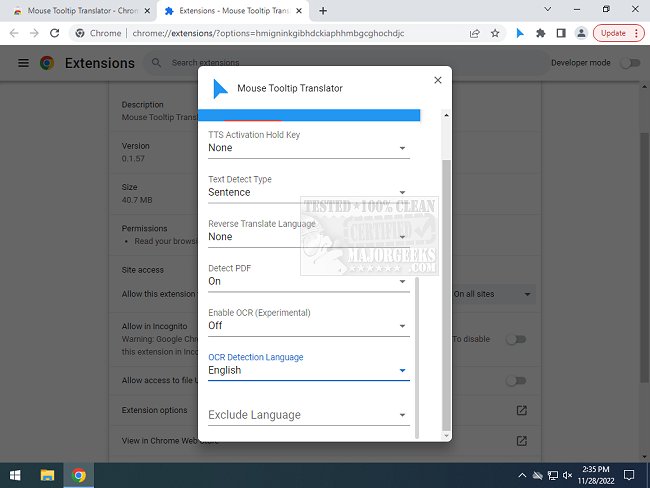
The Mouse Tooltip Translator extension for Chrome and Edge, version 0.1.215, has been released, offering users the ability to translate text by simply hovering over it. This tool is particularly useful for those who encounter foreign language content while browsing the internet but do not wish to translate entire pages. By using the extension, users can quickly and easily obtain translations in their preferred language, utilizing Google Translate for this functionality.
Key features of the Mouse Tooltip Translator include:
- The ability to hover or highlight text for instant translation.
- Visual tooltips that can be displayed on most web pages (excluding the Chrome web store).
- Support for both Google and Bing translators.
- Google Text-to-Speech (TTS) functionality to listen to translated text.
- Compatibility with PDFs to display translated tooltips through PDF.js.
- A filter option to avoid unnecessary translations when the source and target languages are the same.
- Experimental features, such as translating YouTube captions with mouse hover and using Optical Character Recognition (OCR) on comic book bubbles.
This extension addresses the need for quick and efficient translations while browsing, making it an invaluable tool for travelers, language learners, or anyone navigating multilingual content online.
In addition to its core features, the extension's design and user interface enhance the overall experience, ensuring that even users with minimal tech knowledge can utilize its capabilities effectively. As it continues to evolve, future updates may expand on its experimental features, further integrating language translation into diverse online experiences. This could potentially include support for more websites, improved OCR capabilities, and enhanced language processing for even smoother interactions
Key features of the Mouse Tooltip Translator include:
- The ability to hover or highlight text for instant translation.
- Visual tooltips that can be displayed on most web pages (excluding the Chrome web store).
- Support for both Google and Bing translators.
- Google Text-to-Speech (TTS) functionality to listen to translated text.
- Compatibility with PDFs to display translated tooltips through PDF.js.
- A filter option to avoid unnecessary translations when the source and target languages are the same.
- Experimental features, such as translating YouTube captions with mouse hover and using Optical Character Recognition (OCR) on comic book bubbles.
This extension addresses the need for quick and efficient translations while browsing, making it an invaluable tool for travelers, language learners, or anyone navigating multilingual content online.
In addition to its core features, the extension's design and user interface enhance the overall experience, ensuring that even users with minimal tech knowledge can utilize its capabilities effectively. As it continues to evolve, future updates may expand on its experimental features, further integrating language translation into diverse online experiences. This could potentially include support for more websites, improved OCR capabilities, and enhanced language processing for even smoother interactions
Mouse Tooltip Translator for Chrome and Edge 0.1.215 released
Mouse Tooltip Translator for Chrome and Edge extension that provides mouseover tooltip language translations.
Mouse Tooltip Translator for Chrome and Edge 0.1.215 released @ MajorGeeks