MemoryCleaner 2.0.0 has been released as an effective solution for optimizing your computer's memory with just a single click. This user-friendly tool features a simple interface that makes it accessible even for those with minimal technical skills. It provides real-time statistics on both physical and virtual memory usage, along with a primary button for initiating memory cleaning.
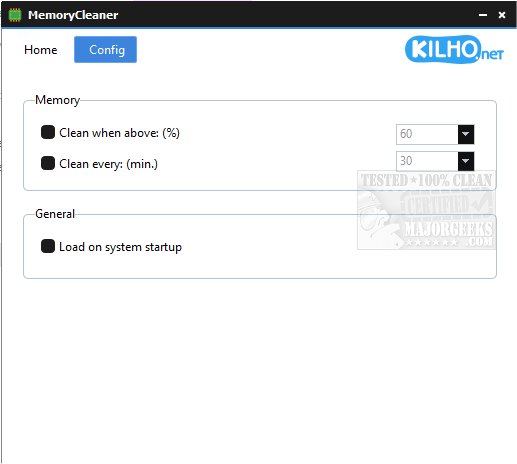
Users have the option to customize the tool's functionality through various settings, such as enabling automatic cleaning based on a user-defined memory threshold or at specific time intervals. Furthermore, MemoryCleaner can be configured to launch automatically when the system starts, ensuring optimal memory management without requiring constant user intervention.
This lightweight application is designed for efficient memory maintenance, making it an ideal choice for users seeking a straightforward and effective way to enhance their computer's performance.
In addition to MemoryCleaner, there are other tools available for memory management, such as Windows Repair, which includes a free memory cleaning feature, and guides for resolving low memory errors in Windows 10 and 11. For those looking to optimize their system further, understanding how to manage virtual memory (pagefile) in Windows can also be beneficial.
Overall, MemoryCleaner 2.0.0 is an excellent resource for anyone looking to streamline their system's memory usage, offering simplicity and efficiency in a compact package
Users have the option to customize the tool's functionality through various settings, such as enabling automatic cleaning based on a user-defined memory threshold or at specific time intervals. Furthermore, MemoryCleaner can be configured to launch automatically when the system starts, ensuring optimal memory management without requiring constant user intervention.
This lightweight application is designed for efficient memory maintenance, making it an ideal choice for users seeking a straightforward and effective way to enhance their computer's performance.
In addition to MemoryCleaner, there are other tools available for memory management, such as Windows Repair, which includes a free memory cleaning feature, and guides for resolving low memory errors in Windows 10 and 11. For those looking to optimize their system further, understanding how to manage virtual memory (pagefile) in Windows can also be beneficial.
Overall, MemoryCleaner 2.0.0 is an excellent resource for anyone looking to streamline their system's memory usage, offering simplicity and efficiency in a compact package
MemoryCleaner 2.0.0 released
MemoryCleaner is a straightforward tool to help your machine's memory with a single click.